



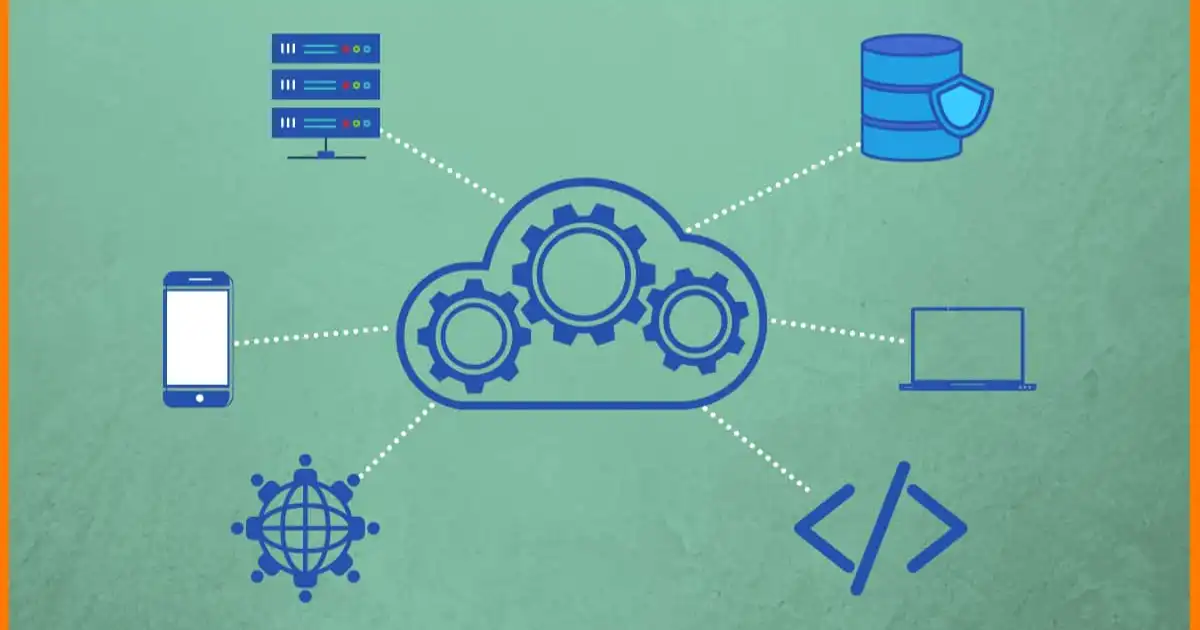
a Most people first encounter enterprise SaaS through a login screen they didn’t ask for. One day a company decides “we’re moving to Salesforce” or “everything is going into Workday,” and suddenly half the organization is learning new dashboards, new workflows, and new ways of doing work they already understood. What Are Enterprise Saas Solutions Used For?
In real companies, enterprise SaaS is not introduced as a concept. It arrives as a decision from IT, procurement, or leadership, usually because something is already breaking at scale. Spreadsheets are too slow. Email-based processes are getting messy. Finance cannot reconcile numbers across regions. Sales teams are working in different tools than marketing. HR is drowning in onboarding chaos.
What I’ve seen repeatedly is this: enterprise SaaS is rarely adopted because it is exciting. It is adopted because coordination has become expensive.
And once it is in place, it quietly becomes the operating system of the company.
Not in theory. In practice.
It starts controlling how people request leave, how invoices are approved, how customers are tracked, and how internal tickets move between teams. Most employees don’t think of it as “SaaS.” They just think, “this is how we do things here.”
What Enterprise SaaS Actually Means in Practice
On paper, enterprise SaaS just means software delivered via the cloud for large organizations. But that definition hides what actually matters.
In practice, enterprise SaaS is software that:
- Is shared across hundreds or thousands of employees
- Enforces standardized workflows
- Connects multiple departments into one system of record
- Has permissions, roles, and governance built in
- Integrates heavily with other systems inside the company
The key idea is standardization at scale.
A small company can survive on flexible tools. A large company cannot. Once you have 5,000 employees across regions, you cannot afford “everyone doing things their own way.”
Enterprise SaaS becomes the attempt to force consistency without manually policing every action.
What’s important to understand is that enterprise SaaS is not just software. It is also process design embedded into software.
For example, in a CRM like Salesforce, the tool is not just storing customer data. It is defining:
- What counts as a “lead”
- When a lead becomes an “opportunity”
- Who is allowed to change deal stages
- What fields are mandatory before closing a deal
That is not just software behavior. That is organizational policy, enforced by code.
How Enterprise SaaS Works Inside a Company
Inside a real organization, enterprise SaaS rarely operates as a standalone tool. It becomes part of a system of systems.
Most companies end up with something like this:
- CRM for sales and customer data
- ERP for finance, procurement, and supply chain
- HR platform for employee lifecycle
- ITSM tool for internal support
- Collaboration suite for communication
- Data warehouse pulling everything together
The important thing is not the tools themselves, but the connections between them.
In real deployments, a lot of effort goes into integration. For example:
- A sales deal closes in CRM
- That triggers an invoice in ERP
- That creates a customer account in finance systems
- HR systems update commission tracking
- Data warehouse logs everything for reporting
If these systems are not connected properly, the company ends up with “multiple truths.” Finance sees one number. Sales sees another. Leadership sees something else entirely.
I have seen companies spend more time fixing integration issues than using the actual tools.
Another practical reality is permissions. Enterprise SaaS systems are heavily role-based. A sales rep sees only their pipeline. A regional manager sees aggregated data. Finance sees billing details but not sensitive HR data.
This sounds clean in theory, but in practice, permission structures often become complex enough that users frequently say, “I can’t see what I need,” or worse, “I shouldn’t see this, but I can.”
That is where governance becomes an ongoing operational job, not a one-time setup.
What Enterprise SaaS Solutions Are Used For
Enterprise SaaS exists to run the core functions of a company. Below are the major categories and how they actually behave in real environments.
CRM systems
Customer Relationship Management tools like Salesforce or HubSpot are used to manage the entire sales pipeline.
In reality, CRM systems are less about “customer relationships” and more about enforcing sales discipline.
What I’ve seen in real companies:
- Sales reps resist updating pipelines because it feels like extra work
- Managers rely on CRM data for forecasting, even when data is incomplete
- Leadership treats CRM dashboards as “truth,” even though data hygiene is inconsistent
The CRM becomes both a tool and a reporting obligation. A lot of the effort goes into making sure people actually enter data correctly.
ERP systems
Enterprise Resource Planning systems like SAP or Oracle are the backbone for finance, procurement, and supply chain.
These are usually the most rigid systems in a company.
ERP is where companies try to enforce consistency in:
- Purchase orders
- Inventory tracking
- Financial reporting
- Vendor management
The reality is that ERP systems often slow things down, but they reduce chaos. Approvals take longer, but audit trails are clean.
In large organizations, this trade-off is accepted as necessary.
HR systems
Platforms like Workday or SuccessFactors manage employee lifecycle processes.
These systems handle:
- Hiring workflows
- Payroll
- Performance reviews
- Leave management
- Organizational structure
The biggest real-world value is not automation, but visibility.
Without HR SaaS, large companies lose track of basic employee data across regions. With it, everything becomes traceable, but also more formalized.
One downside is that HR processes become rigid. Something as simple as changing job roles can require multiple approvals and system updates.
IT service management
Tools like ServiceNow manage internal IT support and service requests.
In practice, this is where employees report problems like:
- “My laptop is broken”
- “I need access to a system”
- “VPN is not working”
What looks simple on the surface is actually a structured ticketing and routing system.
The real value is accountability. Every request is tracked, assigned, and logged. The downside is that simple issues can feel bureaucratic.
Finance and operations
Finance SaaS tools handle budgeting, expense tracking, billing, and reporting.
What actually changes with these tools is speed of financial visibility.
Instead of waiting for month-end reports, companies can see near real-time financial performance.
But there is a catch: the accuracy of reporting depends heavily on whether all upstream systems are clean. Bad input data leads to misleading dashboards.
Collaboration tools
Tools like Microsoft 365, Google Workspace, Slack, and Teams are the daily workspace layer.
These are the most visible tools, but also the most underestimated.
In real companies, collaboration SaaS is where work actually happens:
- Decisions are made in chat threads
- Documents become living systems
- Meetings are scheduled and tracked
- Knowledge is distributed across channels
The challenge is fragmentation. Important decisions often get buried in conversations that are never documented properly elsewhere.
Where It Works Well
Enterprise SaaS works best when the problem is repeatable and structured.
From what I’ve seen, it performs well in:
- Standardized workflows like approvals and invoicing
- Large-scale data tracking across departments
- Compliance-heavy environments like finance and healthcare
- Distributed teams needing shared systems of record
The biggest strength is consistency.
When properly implemented, everyone follows the same process. That makes reporting, auditing, and forecasting much more reliable.
Another strength is scalability. Once a workflow is built in SaaS, it can support thousands of users without proportional increase in manual effort.
But this only works if the initial setup is done with real operational understanding. Poorly designed workflows scale problems just as efficiently as good ones.
Where It Fails or Creates Problems
Enterprise SaaS fails most often in ways that are not immediately visible.
One common issue is over-engineering. Companies try to model every possible edge case inside the system. The result is workflows that are technically correct but unusable in daily work.
Another issue is adoption friction. Employees often find workarounds:
- Updating CRM at the end of the week instead of real time
- Using spreadsheets alongside ERP because it feels faster
- Creating parallel Slack workflows instead of using official systems
This creates shadow systems that undermine the official platform.
Integration complexity is another major problem. Each SaaS tool works well individually, but connecting them introduces failure points. When something breaks, it is often unclear which system is responsible.
There is also a hidden cost: maintenance. Enterprise SaaS is not “set and forget.” It requires continuous adjustment as processes, teams, and regulations change.
Finally, there is cognitive overload. Employees often juggle too many tools, each with its own logic. Instead of simplifying work, the stack can make it more fragmented.
Industry Use Cases
In manufacturing, enterprise SaaS is heavily tied to ERP and supply chain systems. The focus is on inventory accuracy, procurement, and production planning.
In financial services, SaaS is used for compliance, risk tracking, and transaction monitoring. Auditability is more important than speed.
In healthcare, systems are centered around patient data management, scheduling, and regulatory compliance. Data integrity is critical.
In retail and e-commerce, SaaS tools manage everything from inventory to customer behavior analytics. Real-time data integration is essential.
In tech companies, SaaS is often used more flexibly. Teams adopt tools quickly, but also replace them frequently as needs evolve.
Each industry shapes SaaS usage differently, but the underlying goal remains the same: coordination at scale.
Future of Enterprise SaaS
Enterprise SaaS is moving in a few clear directions based on what I’ve seen in recent deployments.
First, more consolidation. Companies are tired of managing 20 different tools. There is a push toward unified platforms, even if they are less specialized.
Second, deeper automation. Not just dashboards, but systems that trigger actions automatically based on data changes.
Third, more embedded AI features, mostly focused on summarization, search, and workflow assistance. The practical value here will depend on how well it integrates with real processes, not how advanced the models are.
Fourth, stronger focus on integration layers. Middleware and iPaaS tools are becoming as important as the SaaS products themselves.
But one thing is unlikely to change: complexity will remain. As companies grow, their software ecosystems grow with them.
You Might Be Interested In
- 21 Prompt Tips That Upgrade Any Ai
- What Should A Data Breach Response Include?
- Is Google Gemini Ai Free?
- What Ai Log Analyzers Can Uncover?
- How Do Designers Use Ai In Their Creative Workflow?
Conclusion
Enterprise SaaS is not just a category of software. It is the infrastructure that large organizations use to coordinate work, enforce processes, and maintain visibility across departments.
In real companies, it solves a real problem: scale without chaos. But it introduces its own challenges, especially around adoption, integration, and rigidity.
What I’ve consistently seen is this pattern: companies don’t struggle because they lack tools. They struggle because they try to make tools represent reality too perfectly.
The best enterprise SaaS setups are not the most complex ones. They are the ones that accept how people actually work, then structure just enough control to keep things consistent without slowing everything down.
That balance is the real story behind enterprise SaaS.
FAQs
What is enterprise SaaS in simple terms?
Enterprise SaaS is basically software that large companies use over the internet to run important parts of their business, like sales, finance, HR, or operations. Instead of installing software on individual computers, everything runs on a centralized cloud system that everyone in the company accesses based on their role and permissions.
In simple terms, it is the digital backbone of a big organization. It is not just about storing data, but about structuring how work actually happens. For example, it decides how a sales deal moves forward, how an invoice gets approved, or how an employee request gets handled. The “enterprise” part just means it is designed for scale, control, and complexity, not for individual or small-team use.
Why do companies use enterprise SaaS instead of traditional software?
Companies move to enterprise SaaS mainly because traditional software cannot handle the scale and coordination needs of large organizations. When thousands of employees are involved, running separate local systems creates data silos, inconsistent reporting, and constant manual work to sync information.
With SaaS, everything sits in one system that can be accessed globally, updated in real time, and integrated across departments. It also reduces the burden on internal IT teams because updates, security patches, and infrastructure maintenance are handled by the SaaS provider. In practice, companies are not just buying software, they are outsourcing a large part of system maintenance and operational reliability.
What are the most common enterprise SaaS tools used in companies?
The most common enterprise SaaS tools fall into a few core categories that match how businesses operate. CRM systems like Salesforce manage customer and sales data, ERP platforms like SAP handle finance and supply chain, and HR systems like Workday manage employee information and workflows.
On top of that, companies rely heavily on IT service tools like ServiceNow for internal support tickets, finance tools for budgeting and reporting, and collaboration platforms like Microsoft Teams or Slack for day-to-day communication. In real environments, these tools are not used in isolation. They are usually connected, meaning a single action in one system often triggers updates or processes in another.
What are the biggest challenges with enterprise SaaS?
The biggest challenge with enterprise SaaS is not the technology itself, but how it fits into real human behavior inside organizations. People often find ways around the system if it feels slow or unnecessary, which leads to incomplete or inaccurate data. This is especially common in CRM and reporting tools where data entry is seen as extra work.
Another major issue is integration complexity. Each SaaS tool works well on its own, but connecting multiple systems creates dependencies that can break or become inconsistent. On top of that, companies often underestimate the ongoing effort required to maintain workflows, permissions, and data quality. Over time, the system can become too rigid or too complicated for everyday use.
How is enterprise SaaS expected to evolve in the future?
Enterprise SaaS is moving toward tighter integration and more automation, rather than just adding more standalone tools. Companies are trying to reduce the number of systems they rely on by consolidating platforms and building stronger integration layers between them.
Another clear direction is the use of embedded AI, mostly for summarizing data, assisting with workflows, and reducing manual reporting work. However, the real change will likely be less about AI features and more about how well systems can work together without creating operational friction. In practice, the future of enterprise SaaS is less about new tools and more about making existing systems behave like a connected ecosystem rather than separate applications.
