



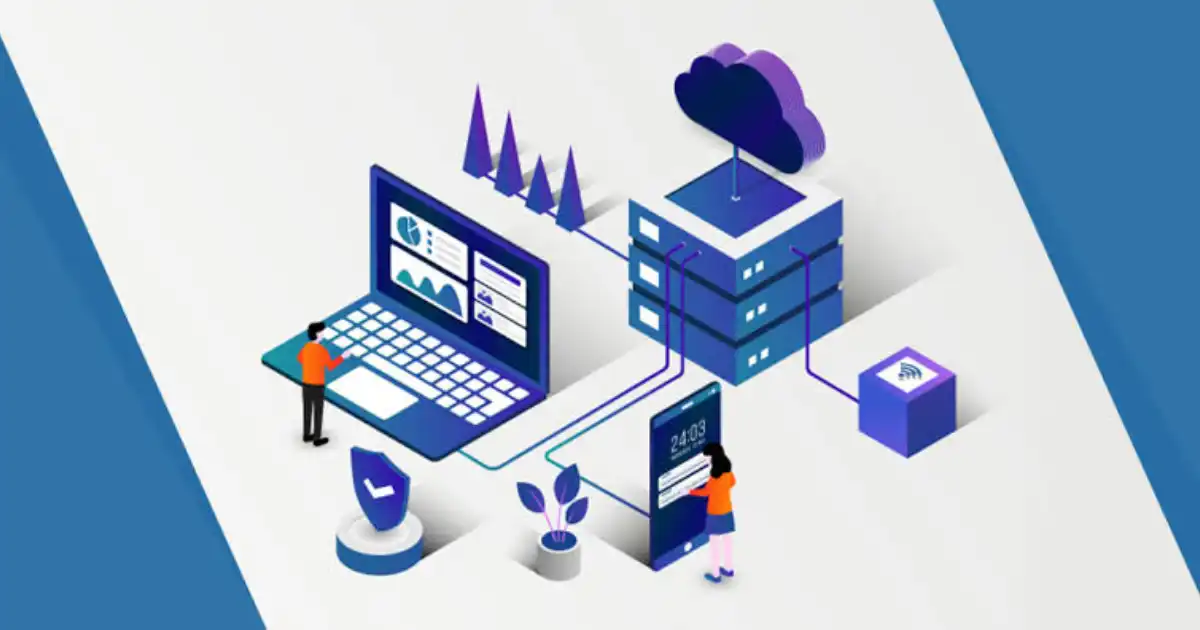
Cloud migration services can improve disaster recovery, but only when the migration is planned with recovery in mind. Simply moving servers, applications, and databases from a physical data center to a cloud environment does not automatically make an organization resilient.
The real advantage comes from what the cloud makes possible: geographically distributed infrastructure, automated backups, data replication, redundant systems, faster failover, and recovery resources that can be provisioned when needed. These capabilities can significantly strengthen a disaster recovery strategy, but they still need to be designed, secured, tested, and maintained.
This distinction matters because a poorly designed cloud environment can still have a single point of failure. A business might move everything into one cloud region, keep inadequate backups, misconfigure access controls, or discover during an outage that its applications depend on systems nobody remembered to include in the recovery plan.
So, can cloud migration services improve disaster recovery? Yes, potentially by a lot. But cloud migration is not automatically disaster recovery. The outcome depends on architecture, business requirements, RTO and RPO targets, security controls, backup and replication methods, and the organization’s ability to test and execute recovery.
What Is Cloud Migration?
Cloud migration is the process of moving applications, data, servers, databases, and other IT workloads from existing infrastructure into a cloud environment.
Businesses may migrate from traditional data centers, on-premises servers, or older hosting platforms. The migration can involve a single application or an entire IT environment.
Cloud migration services typically help with activities such as:
- Assessing existing infrastructure
- Identifying application dependencies
- Selecting an appropriate cloud architecture
- Planning the migration strategy
- Moving data and workloads
- Testing applications after migration
- Optimizing the new environment
- Providing post-migration support
The technical approach also matters. A rehost, often called lift-and-shift, moves a workload with relatively few changes. Replatforming makes selected improvements, while refactoring may involve redesigning an application to take better advantage of cloud capabilities.
From a disaster recovery perspective, these approaches can produce very different results.
A lift-and-shift migration might simply move an existing single point of failure into the cloud. A redesigned architecture could eliminate that dependency through redundancy, automated recovery, or distributed infrastructure.
That is why cloud migration and disaster recovery should be planned together when resilience is an important business requirement.
What Is Disaster Recovery?
Disaster recovery is the collection of processes, technologies, and procedures an organization uses to restore critical IT systems after a disruptive event.
The disruption could come from:
- Hardware failure
- Cyberattacks
- Ransomware
- Natural disasters
- Human error
- Software failures
- Data corruption
- Power problems
- Data center outages
The goal is not simply to restore files. The real objective is to restore the technology and services the business needs to continue operating.
This is where an important distinction appears between backup and recovery.
A backup is a copy of data. Disaster recovery is the broader ability to restore systems, applications, data, and business operations within an acceptable timeframe.
For example, a company might have daily database backups. That sounds reassuring until the database fails at 10:00 AM and the most recent usable backup is from midnight. Even then, the business may discover that restoring the database is only one part of the problem. The application server, authentication system, network configuration, and other dependencies also need to work.
A backup is therefore an important part of disaster recovery, but it is not the entire strategy.
Can Cloud Migration Services Improve Disaster Recovery?
Yes. Properly designed cloud migration services can improve disaster recovery by giving businesses access to capabilities that may be difficult or expensive to build with traditional infrastructure.
Cloud environments can support:
- Geographic redundancy
- Automated backups
- Data replication
- Faster failover
- Scalable recovery infrastructure
- Infrastructure redundancy
- More frequent disaster recovery testing
- Modernization of older systems
Consider a business operating everything from one physical data center. A major facility outage could affect its servers, storage, networking, and applications at the same time. If its recovery site is outdated or nonexistent, restoring operations could take a considerable amount of time.
A well-designed cloud migration can change that model. Critical workloads may be replicated to another location, backups may be automated, and recovery infrastructure may be prepared in advance.
But there is an important condition.
The migration must be designed around recovery requirements.
If all workloads are placed in one location, the business may still have geographic exposure. If backups are stored without appropriate protection, ransomware could affect them. If application dependencies are ignored, restoring one server may not restore the actual service.
In practice, the best cloud migration strategy treats disaster recovery as an architectural requirement from the beginning rather than something added after migration is complete.
How Cloud Migration Can Strengthen Disaster Recovery
Geographic Redundancy
One of the biggest advantages of cloud-based disaster recovery is the ability to distribute infrastructure and data across separate physical locations.
If a business depends entirely on one physical facility, a local disaster can potentially affect everything at once. Geographic redundancy reduces that dependence by keeping recovery resources in another location.
Depending on business requirements, this might involve separate availability zones, regions, or other geographically separated environments.
The important point is that geographic redundancy should match the actual risk. Not every business needs a complex multi-region architecture. A small organization with moderate recovery requirements may be well served by secure cloud backup and a documented restoration process.
A financial institution with strict recovery objectives may require a much more sophisticated architecture.
The right answer depends on the business impact of downtime.
Automated Backups and Data Replication
Manual backup processes are easy to overlook, especially when IT teams are busy.
Automated cloud backup can make backup operations more consistent by scheduling copies and monitoring whether backup jobs complete successfully.
Replication takes the concept further by maintaining copies of data or workloads in another environment. Depending on the technology, replication may be frequent enough to support relatively low RPO targets.
However, automation does not eliminate the need for oversight.
A backup job can fail. Replication can stop. Credentials can expire. Storage can become inaccessible. Monitoring is therefore essential.
Organizations should also protect backups from unauthorized deletion or encryption. Ransomware protection may require immutable backups, isolated recovery copies, strong access controls, and carefully separated administrative privileges.
Faster Failover and Recovery
Traditional recovery often involves locating replacement hardware, rebuilding systems, restoring data, and manually configuring applications.
Cloud infrastructure can reduce some of this work through automation and preconfigured recovery environments.
For example, a recovery process may automatically start required virtual machines, restore services, or redirect traffic when a primary environment becomes unavailable.
This can support faster recovery, but automation must be tested. A failover process that looks perfect on paper can fail because of a missing dependency, expired credential, incorrect network rule, or application configuration problem.
The technology can accelerate recovery, but only a properly designed and tested process can make that acceleration reliable.
Scalable Recovery Infrastructure
Maintaining a fully equipped secondary data center is expensive.
One advantage of cloud infrastructure is that organizations may be able to maintain recovery resources at a lower operational footprint and scale them when required, depending on the architecture and recovery model.
For less critical systems, an organization might restore infrastructure only when needed. More critical applications may require continuously running replicated environments.
This flexibility can be useful, but cost calculations must include storage, replication, compute, network traffic, monitoring, licensing, and recovery testing.
Cloud disaster recovery is not automatically cheap. It is simply a different way of designing and operating recovery infrastructure.
Improved Disaster Recovery Testing
One of the most overlooked advantages of cloud migration is that recovery environments can sometimes be easier to reproduce and test.
This matters because an untested disaster recovery plan is largely an assumption.
A business might believe it can restore an application in four hours. During an actual incident, it may discover that the backup is incomplete, the documentation is outdated, or a critical dependency was never included.
Regular disaster recovery testing helps expose these problems before an emergency.
Cloud environments can support testing through temporary recovery resources and controlled failover exercises. The exact approach depends on the architecture, but the principle is simple: recovery should be demonstrated, not merely documented.
How Cloud Migration Affects RTO and RPO
Two measurements are central to disaster recovery planning: RTO and RPO.
RTO, or Recovery Time Objective
is the maximum acceptable time a system can remain unavailable after a disruption.
For example, an online payment system might have an RTO of one hour. A non-critical internal application might have an RTO of 24 hours.
RPO, or Recovery Point Objective
defines how much recent data the business can afford to lose.
If an application has an RPO of 15 minutes, the organization needs a recovery approach that limits potential data loss to roughly that timeframe.
Automated failover and preconfigured recovery resources may help reduce RTO. Frequent replication can support lower RPO. A multi-region architecture may be appropriate for highly critical applications, while scheduled cloud backup may be sufficient for less important systems.
The key is not to choose technology first and define objectives later.
Start with the business requirement.
Does Moving to the Cloud Automatically Improve Disaster Recovery?
This is one of the most important points businesses should understand.
A company can move its entire infrastructure to the cloud and still have poor disaster recovery.
Common mistakes include:
- Putting everything in one cloud region
- Keeping only one accessible copy of critical data
- Failing to test backups
- Ignoring application dependencies
- Using weak identity and access controls
- Having no documented failover process
- Failing to define RTO and RPO
- Assuming the cloud provider manages the entire recovery strategy
The cloud provider is responsible for the resilience of the services it provides according to its service model. The customer is still responsible for many aspects of its own workloads, data, configurations, identities, applications, and recovery processes.
The practical principle is simple:
Good infrastructure helps enable a strong strategy, but it does not create one automatically.
How Migration Strategy Affects Disaster Recovery
The migration approach can directly affect resilience.
Rehosting or Lift-and-Shift
Lift-and-shift is often faster because workloads require fewer changes.
However, it may preserve existing weaknesses. If an application had a single database server on-premises, moving that server to the cloud does not automatically create database redundancy.
Replatforming
Replatforming makes selected improvements without completely redesigning the application.
This can provide opportunities to improve backup, monitoring, storage, or database capabilities while keeping migration complexity manageable.
Refactoring
Refactoring involves deeper application changes.
It can create greater opportunities for cloud-native resilience, automation, redundancy, and distributed architectures, but it generally requires more time, planning, technical expertise, and investment.
Hybrid Cloud Migration
A hybrid cloud approach can keep some workloads on-premises while moving others to the cloud.
This may be useful for organizations with legacy systems, regulatory requirements, or specialized infrastructure. However, hybrid environments can introduce additional complexity because recovery processes must work across multiple environments.
Multi-Region or Multi-Cloud Approaches
These strategies can reduce dependence on a single location or provider, but they are not automatically better.
They can increase operational complexity, cost, monitoring requirements, and skills needed to manage the environment.
The right architecture is the one that meets business recovery requirements without creating unnecessary complexity.
What Are the Risks and Limitations?
Cloud-based disaster recovery is powerful, but it has risks.
A cloud provider can experience an outage. A misconfiguration can expose data or prevent recovery. A compromised administrative account can affect production and backup environments.
Ransomware remains a serious concern. Simply storing backups in the cloud does not automatically protect them from malicious deletion or encryption.
There are also financial considerations. Replication, storage, data transfer, and continuously running recovery infrastructure can become expensive, especially when recovery requirements are poorly defined.
Vendor dependency is another consideration. Applications designed heavily around one provider’s services may be harder to move elsewhere.
Migration itself also introduces risk. Data can be corrupted, dependencies can be missed, and applications can behave differently after the move.
This is why cloud migration should be treated as an engineering and operational project, not simply a data transfer exercise.
Best Practices for Using Cloud Migration to Improve Disaster Recovery
A practical approach should include the following:
-
Define RTO and RPO before migration
These targets determine how much recovery capability is actually required.
-
Identify mission-critical workloads
Not every application deserves the same recovery investment. Prioritize systems that directly affect revenue, customers, compliance, or essential operations.
-
Perform a business impact analysis
Understand what happens if each important system becomes unavailable and how long the business can tolerate the disruption.
-
Remove single points of failure
Look beyond servers. Consider databases, networks, identity systems, DNS, storage, and application dependencies.
-
Automate backups where appropriate
Automation improves consistency, but backup jobs should still be monitored and periodically verified.
-
Use geographic redundancy when justified
Separate locations can improve resilience against regional failures, but the additional cost and complexity should match the business risk.
-
Protect backups against ransomware
Consider immutable or isolated backup strategies, strong access controls, and separate administrative privileges.
-
Use strong identity and access controls
Recovery systems are only as secure as the accounts that control them.
-
Test recovery regularly
Test whether systems can actually be restored within the expected timeframe.
-
Document failover and failback procedures
Teams should know both how to move to a recovery environment and how to safely return to normal operations.
-
Monitor backup and replication processes
A failed replication job should not remain unnoticed until the day it is needed.
-
Review the disaster recovery plan as systems change
New applications, integrations, and infrastructure can introduce new dependencies that the original plan never considered.
When Should a Business Consider Cloud Migration for Disaster Recovery?
Cloud migration may be particularly useful for organizations that depend on aging infrastructure, lack a secondary recovery location, rely heavily on manual backups, or struggle with slow recovery.
It can also make sense for businesses that need geographic redundancy or want recovery infrastructure that can scale according to demand.
However, migration requires careful evaluation in some situations.
Strict regulatory requirements, data residency rules, specialized legacy systems, unreliable connectivity, and high data transfer requirements can affect the decision.
In some cases, existing infrastructure may also be more cost-effective than moving everything to the cloud.
The right question is not, “Should we move everything to the cloud?”
A better question is, “What recovery capabilities does the business need, and which architecture delivers them reliably?”
How to Choose Cloud Migration Services for Better Disaster Recovery
When evaluating cloud migration services, businesses should look beyond the provider’s ability to move workloads.
Look for experience with:
- Cloud architecture
- Disaster recovery planning
- Backup and replication
- Security and identity management
- Compliance requirements
- RTO and RPO planning
- Recovery testing
- Monitoring
- Failover and failback
- Post-migration support
A strong provider should understand application dependencies and business priorities, not just infrastructure.
The conversation should go beyond:
“How do we move your workloads to the cloud?”
It should also ask:
- “How will those workloads recover if the primary environment fails?”
- That second question is where migration and disaster recovery truly connect.
You Might Be Interested In
- How Do Cloud Migration Services Improve Business Agility?
- Can Cloud Migration Services Improve Collaboration?
- What Cloud Migration Services Are Best For Legacy Systems?
- How Do Cloud Migration Services Improve Business Continuity?
- How Do Cloud Migration Services Begin?
Conclusion
Cloud migration services can significantly improve disaster recovery, but the migration itself is not the solution.
The real improvement comes when an organization uses migration as an opportunity to rethink how its systems are protected and recovered. Geographic redundancy, automated backup, data replication, resilient infrastructure, faster failover, and scalable recovery resources can all strengthen business resilience.
But none of these capabilities should be assumed.
A business can still create a fragile cloud environment with a single point of failure, inadequate backups, weak security, or an untested recovery process.
The most reliable approach combines:
Strategic migration + resilient architecture + backup + replication + security + RTO/RPO planning + regular testing.
For businesses considering cloud migration, disaster recovery should be part of the conversation from the start. The objective should not simply be to move workloads somewhere else. It should be to build an environment that can continue operating, or recover predictably, when something goes wrong.
FAQs
How does wireless charging power a device?
Wireless charging powers a device by transferring electrical energy from a charging pad to the device through electromagnetic induction. The charging pad receives electricity from a wall adapter or another power source and sends that energy through a transmitter coil. This creates a changing magnetic field around the coil.
Inside the smartphone or other compatible device is a receiver coil. When the device is placed close enough to the transmitter coil, the changing magnetic field induces an electrical current in the receiver coil. The device’s internal electronics then convert, regulate, and manage that incoming energy before delivering it to the battery. In simple terms, the energy path is electricity from the power source, through the transmitter coil, across the magnetic field, into the receiver coil, through power-management circuitry, and finally into the battery.
Does wireless charging use electricity?
Yes, wireless charging absolutely uses electricity. The word “wireless” only describes the connection between the charging pad and the device. The charging pad itself still needs to receive electrical power from a source, usually through a cable connected to a wall adapter, USB power supply, or another suitable power source.
The difference is that a physical charging cable is not connected directly to the device’s charging port. Instead, the electricity is converted into a changing magnetic field by the transmitter coil, and the receiver coil inside the device captures energy from that field. The device then converts the received energy back into usable electrical power for charging the battery.
Does wireless charging work through a phone case?
Yes, wireless charging can work through many phone cases, but the result depends on the case’s thickness, materials, and design. A standard thin plastic, silicone, or similar case will often allow wireless charging to work normally because it does not significantly interfere with the electromagnetic energy transfer between the charging pad and the phone.
Problems can occur with unusually thick cases, cases containing metal components, or accessories that increase the distance between the transmitter and receiver coils. These can reduce charging efficiency, cause the charger to charge more slowly, or prevent charging altogether. If wireless charging becomes unreliable after putting on a new case, removing the case temporarily is a simple way to determine whether it is causing the problem.
Why does wireless charging get hot?
Wireless charging can generate heat because the transfer of energy between the transmitter and receiver coils is not perfectly efficient. Some of the supplied energy is lost during electromagnetic transfer and power conversion, and that lost energy can appear as heat. The phone and charging pad may also produce heat through their internal electronic components while managing the charging process.
Misalignment between the coils can make energy transfer less efficient and potentially increase heat. A thick case, high charging power, warm surroundings, or poor ventilation can also contribute. Some warmth is normal, but if a phone becomes unusually hot, it is worth checking its positioning, case, charger, and surrounding temperature. Modern devices can reduce charging power when temperatures rise, helping manage heat during charging.
Is wireless charging safe for batteries?
Wireless charging does not automatically damage a battery. Modern smartphones and wireless chargers are designed with charging controls that regulate power and monitor conditions such as temperature. When the system is working correctly with compatible equipment, wireless charging can be a normal and convenient way to recharge a device.
The more important issue is heat. Excessive or sustained high temperatures can contribute to faster battery aging over time, regardless of whether the device is charging wirelessly or through a cable. If wireless charging consistently makes your phone very hot, improving alignment, removing an unsuitable case, using compatible equipment, or moving the charger to a cooler and better-ventilated location may help reduce unnecessary heat.
