



Most companies don’t struggle because they lack software. They struggle because they have too much of it.
I’ve walked into businesses where sales is using one CRM, marketing is running five different tools, finance is exporting CSVs from somewhere else, and operations is basically “copy paste between tabs and hope nothing breaks.” Everyone thinks they are digital. In reality, they are just surrounded by disconnected systems.
That is the real problem a SaaS integration platform tries to solve.
Not “making tools talk to each other” in a nice abstract way. But removing the daily friction of moving data manually, fixing mismatched records, and dealing with processes that quietly break when no one is watching.
If you’ve ever seen a team re-enter customer data from a form into a CRM, then again into an email tool, then again into billing, you already understand the problem. It does not scale. It barely works even at small scale.
This is where SaaS integration platforms become less of a “nice-to-have” and more like plumbing in a building. You don’t think about it when it works. When it doesn’t, everything gets messy fast.
What a SaaS Integration Platform Actually Is
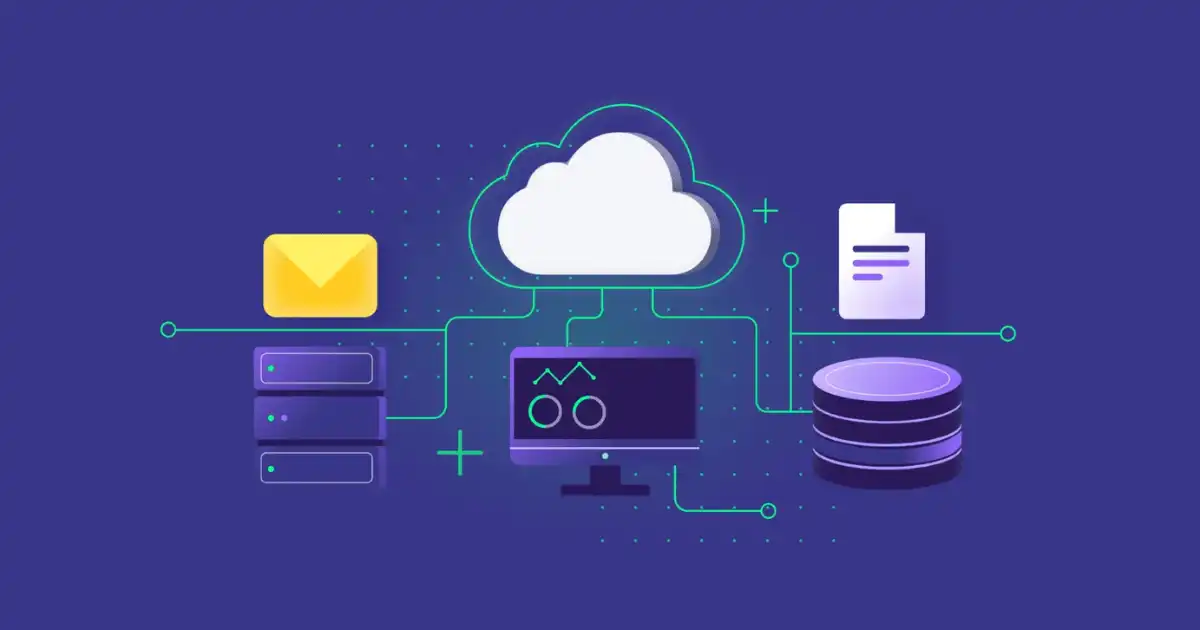
In simple terms, a SaaS integration platform is a system that connects different software tools so they can share data and trigger actions automatically.
Instead of humans moving information between apps, the integration platform handles it.
But let’s make it more real.
Imagine:
- A new customer signs up on your website
- Their data lands in your CRM automatically
- A welcome email is triggered in your email tool
- A Slack message notifies the sales team
- Their billing profile is created in Stripe
No one manually touches anything after the initial event.
That “middle layer” doing all of this is your integration platform.
How it works in practice
Most integration platforms rely on three building blocks:
1. APIs (Application Programming Interfaces)
This is how apps expose their data. Think of it like a controlled doorway between systems. One app says, “Here’s how you can ask me for customer data,” and another app uses that doorway to fetch or send information.
2. Connectors
These are prebuilt bridges between popular tools like Salesforce, HubSpot, Shopify, or Google Sheets. Instead of coding everything from scratch, you use connectors as ready-made adapters.
3. Workflows or automation logic
This is where rules live:
- “If this happens, then do that”
- “When a new order is created, update inventory”
- “If payment fails, notify support”
The platform sits in the middle and executes these workflows reliably.
Why It Matters (Core Value Section)
Data silos are more common than people admit
Every department loves its own tools. Sales wants flexibility, marketing wants speed, finance wants control, HR wants compliance.
The result is fragmentation.
I’ve seen companies where customer data existed in four different systems, all slightly different. Nobody fully trusted any of them. Meetings were spent arguing about whose spreadsheet was “correct.”
That is what integration platforms fix first: a shared flow of truth.
Manual processes break under pressure
Manual work is fine until volume increases.
At 50 customers a week, copying data might be manageable. At 5,000, it becomes a full-time job or a full-time failure point.
And the worst part is not even the workload. It is inconsistency:
- Someone forgets a field
- Someone updates the wrong record
- Someone delays a sync and now reports are outdated
Automation removes this human variability.
Disconnected tools slow decision-making
When systems are not connected, reporting becomes delayed and unreliable.
Leadership ends up asking:
- “What are last month’s numbers?”
- “Why doesn’t this report match the CRM?”
- “Which system is correct?”
By the time data is cleaned manually, the moment has already passed.
Integration platforms reduce this lag by keeping data flowing continuously instead of in batches of human effort.
Real Benefits (Practical Perspective)
Automation that actually saves time
The obvious win is time savings, but the real win is mental load reduction.
Teams stop thinking about “moving data” and start focusing on actual work:
- Sales follows up faster
- Marketing reacts to behavior in real time
- Support sees full customer context instantly
Fewer errors in everyday operations
Most business errors are not dramatic bugs. They are small mismatches:
- Wrong email in CRM
- Missing order status update
- Duplicate customer records
Integration platforms reduce these errors because data moves the same way every time, not depending on who is working that day.
Better visibility across systems
Once systems are connected, you can actually see the full lifecycle of a customer.
For example:
- Marketing sees which leads convert
- Sales sees which campaigns brought them in
- Support sees purchase history instantly
Without integration, each team sees only part of the story.
Faster operations
Speed is not just about doing things quickly. It is about removing waiting time between steps.
Instead of:
“Marketing waits for sales update → sales waits for support confirmation → finance updates billing”
You get:
“Event happens → all systems update automatically”
That difference compounds fast.
Scalability without proportional headcount
This is the underrated benefit.
Without integration:
- More customers = more admin work
With integration:
- More customers = same workflow, same effort
That is how companies scale without endlessly hiring for repetitive tasks.
How It Works in Real Life
API-based connections
Most integration platforms rely on APIs behind the scenes.
Think of APIs like restaurant waiters:
- You don’t go into the kitchen
- You place an order
- The waiter brings back what you need
Similarly:
- App A requests data
- API delivers it in a structured format
- App B uses it
Integration platforms automate this exchange.
Prebuilt connectors vs custom integrations
Prebuilt connectors are fast but limited.
They are great when:
- You are using common tools
- Your workflow is simple
But they struggle when:
- You need custom business logic
- Your systems are niche or legacy
- You need advanced data transformation
Custom integrations are flexible but require engineering effort and ongoing maintenance.
Most real companies end up using a mix of both.
Middleware / iPaaS role
Integration platforms are often called iPaaS (Integration Platform as a Service).
In practice, they act like middleware:
- Sitting between apps
- Translating data formats
- Managing workflows
- Handling retries when things fail
Without this layer, every tool would need direct connections to every other tool, which becomes unmanageable quickly.
Event-driven workflows
Modern systems are moving toward event-driven architecture.
Instead of checking constantly:
“Has anything changed?”
They react to events:
- New order created
- Payment received
- Ticket opened
This makes systems faster, cheaper, and more efficient because nothing is wasted polling for updates.
Where People Actually Use It
CRM and marketing automation
This is the classic use case.
When a lead enters a system:
- It goes into CRM
- Marketing starts nurturing emails
- Sales gets notified instantly
Without integration, leads get lost or delayed.
E-commerce and inventory systems
Online stores rely heavily on integration:
- Orders update inventory
- Stock levels sync across platforms
- Shipping systems receive order data automatically
If this breaks, you either oversell or underdeliver.
HR and payroll systems
HR onboarding is a surprisingly complex workflow:
- Employee data goes into HR system
- IT gets access requests
- Payroll system gets salary details
- Accounts are created in internal tools
Integration ensures new hires are not stuck waiting for manual setup.
Customer support and ticketing tools
Support teams need context:
- Purchase history
- Past tickets
- Product usage data
Integration brings all of that into one view so agents don’t waste time searching.
What Most People Get Wrong
Thinking it is plug and play
This is the biggest misconception.
Yes, tools are easier now. But real business logic is rarely simple.
Most integrations need:
- Data mapping
- Field transformation
- Error handling rules
If you skip that thinking, things break silently.
Underestimating maintenance
APIs change. Tools update. Fields get renamed.
An integration that works today might break in six months if no one maintains it.
I’ve seen companies assume automation is “set and forget.” That almost never works long-term.
Ignoring data consistency
Just because systems are connected does not mean data is clean.
If your CRM has duplicate or messy data, integration will spread that mess everywhere faster.
Garbage in still equals garbage out.
Over-automating too early
Some teams try to automate everything before understanding their workflow properly.
That leads to:
- Overcomplicated systems
- Hard-to-debug failures
- Confusing logic chains
You need clarity before automation, not the other way around.
Challenges and Limitations
Complexity at scale
Small integrations are easy. Large ecosystems are not.
Once you have:
- 10+ systems
- Multiple workflows
- Cross-department dependencies
Things get fragile quickly.
Cost of enterprise tools
Good integration platforms are not always cheap.
Pricing often depends on:
- Number of workflows
- Data volume
- Advanced features like real-time processing
For smaller companies, cost can become a real constraint.
Debugging failures is not always simple
When something breaks, it is not always obvious where.
Is it:
- The source app?
- The API?
- The transformation logic?
- A rate limit issue?
You often need to trace logs across systems, which takes time.
API limitations and rate limits
Most SaaS tools limit how many requests you can make.
If you exceed that:
- Data sync slows down
- Requests fail temporarily
- Workflows may queue up or drop events
This is something teams often underestimate.
Future of SaaS Integration
AI-assisted automation
We are already seeing AI help build and debug workflows.
Instead of manually defining every rule, you can describe intent:
“Sync new leads to CRM and notify sales if score is high.”
The system then generates the workflow.
Real-time event-based systems
Batch syncing is slowly dying in modern architectures.
Everything is moving toward:
- Instant updates
- Event streaming
- Continuous synchronization
More no-code adoption
Non-technical teams are increasingly building integrations themselves.
This reduces dependency on engineering teams, but also increases the need for governance.
Increasing system complexity
Ironically, even as tools become easier, ecosystems become more complex.
Companies now use more tools than ever, which makes integration even more critical, not less.
You Might Be Interested In
- How To Write A Prompt For Ai?
- What Is A Zero Trust Security Model?
- How Is Ai Used In Marketing Content Creation Processes?
- What Is The Role Of Robots In Modern Technology?
- 10 Chatgpt Plugins Every Developer Needs To Try
Conclusion
A SaaS integration platform is not just a technical layer. It is what keeps modern software ecosystems from falling apart under their own weight.
Without it, businesses rely on manual work, inconsistent data, and slow processes that don’t scale.
With it, systems start behaving like a connected network instead of isolated tools.
But it is not magic. It requires thoughtful setup, ongoing maintenance, and a realistic understanding of how messy real business data can be.
The real takeaway is simple: the value is not in the tools you use, but in how well they work together. And integration is what makes that possible.
FAQs
What is a SaaS integration platform?
A SaaS integration platform is basically a bridge between different software tools that a company uses every day. Instead of each tool working in isolation, the platform allows them to exchange data and trigger actions automatically. In practical terms, it means your CRM, marketing tool, billing system, and support desk can all stay in sync without someone manually copying information from one place to another.
In real environments, this usually runs quietly in the background. A user signs up, a record is created in multiple systems, notifications are sent, and workflows continue without human involvement. The key idea is not just connection, but coordination between systems so that business processes move as one continuous flow instead of broken steps across different apps.
Why do companies need it?
Companies need integration platforms because modern business software ecosystems are naturally fragmented. Every department chooses tools that fit their needs, but those tools rarely talk to each other properly out of the box. Without integration, teams end up doing repetitive manual work just to keep systems aligned, which is slow and error-prone.
Over time, this creates bigger problems than just inconvenience. Data becomes inconsistent, reporting becomes unreliable, and decision-making slows down because no one trusts a single source of truth. Integration platforms solve this by making sure information moves automatically between systems in real time or near real time, reducing friction across the entire organization.
How does it improve efficiency?
Efficiency improves mainly by removing human bottlenecks from repetitive tasks. Instead of employees manually updating records, sending notifications, or transferring data between tools, the integration platform handles those actions automatically based on predefined triggers. This frees up time and reduces the chance of small but costly mistakes.
There is also a deeper efficiency gain that people often overlook. When systems are connected properly, teams stop waiting on each other for updates. Sales does not have to ask marketing for lead status, support does not have to dig through billing systems, and operations does not need to chase spreadsheets. Workflows become continuous, which naturally makes the whole organization faster without increasing workload.
Is it only for large businesses?
No, it is not limited to large businesses, although larger organizations tend to feel the pain more strongly. Even small companies run into integration problems once they start using multiple SaaS tools. For example, a small e-commerce business using Shopify, an email marketing tool, and a separate accounting system already has enough fragmentation to create manual work.
The difference is usually in complexity rather than necessity. Small businesses may only need a few simple automations, while larger companies require layered workflows across many systems. But the underlying problem is the same at every scale: disconnected tools create inefficiency, and integration helps reduce that friction regardless of company size.
What problems does it solve in real life?
In real-world use, integration platforms solve very practical problems that show up in daily operations. One of the biggest is duplicate or inconsistent data, where the same customer or order exists in multiple systems but does not match. They also eliminate repetitive manual tasks like copying leads into CRMs or updating order statuses across platforms.
Another major problem they solve is visibility. Without integration, different teams operate with partial information, which leads to confusion and delays. With proper integration in place, data flows across systems so everyone sees the same updated picture, whether it is a customer’s journey, inventory levels, or financial status. This reduces miscommunication and makes operations more predictable.
