
Close Menu
metaeyemetaeye

    Subscribe to Updates

    Get the latest creative news from FooBar about art, design and business.

    What's Hot

    How Web Development Creates Websites?

    July 23, 2026

    Why DevOps Improves Software Delivery?

    July 22, 2026

    Why Password Security Still Matters?

    July 21, 2026
    Facebook X (Twitter) Instagram
    • Home
    • Privacy Policy
    • Disclaimer
    Facebook X (Twitter) Instagram Pinterest Vimeo
    metaeyemetaeye
    • Home
    • Artificial Intelligence
    • Hardware
    • Innovations
    • Software
    • Technology
    • Digitization
    Contact
    metaeyemetaeye
    You are at:Home»Technology»Cybersecurity»How Phishing Attacks Trick Users?
    Cybersecurity

    How Phishing Attacks Trick Users?

    Muhammad IrfanBy Muhammad IrfanJuly 20, 2026Updated:July 23, 2026No Comments17 Mins Read
    Facebook Twitter Pinterest LinkedIn Tumblr Email
    How Phishing Attacks Trick Users?
    Share
    Facebook Twitter LinkedIn Pinterest Email Copy Link

    If there’s one cyber threat I’ve seen fool people from every background, it’s phishing. It doesn’t matter whether someone is a student, a business owner, an experienced employee, or someone who only uses the internet for online shopping and banking. Phishing attacks succeed because they target human behavior, not computer weaknesses. That’s an important distinction. Breaking into a well-protected computer system is difficult. Convincing a person to willingly hand over sensitive information is often much easier.

    The biggest misconception is that phishing only tricks people who aren’t “good with technology.” That’s simply not true. I’ve seen experienced professionals click fake password reset emails after a long day at work. I’ve seen businesses lose thousands because someone believed an urgent payment request from what appeared to be their CEO. The attackers understood psychology better than technology.

    In this guide, you’ll learn How Phishing Attacks Trick Users, what happens behind the scenes, why these attacks continue to work year after year, and most importantly, how to recognize the warning signs before it’s too late.

    Table of Contents

    Toggle
    • What Is a Phishing Attack?
      • Simple Definition
      • Why It’s Called “Phishing”
      • Phishing vs Traditional Hacking
      • The Role of Social Engineering
    • Why Phishing Attacks Are So Effective
      • People Trust Familiar Brands
      • Urgency Overrides Logic
      • Fear Encourages Quick Decisions
      • Curiosity Leads to Clicks
      • Mobile Devices Hide Warning Signs
      • Busy People Don’t Verify Everything
    • How Phishing Attacks Trick Users Step by Step
      • Step 1, Choosing the Right Target
      • Step 2, Gathering Information
      • Step 3, Pretending to Be Someone Trusted
      • Step 4, Creating Urgency or Fear
      • Step 5, Encouraging the Click
      • Step 6, Collecting Sensitive Information
      • Step 7, Using the Stolen Information
    • Common Psychological Tricks Used in Phishing
      • Authority
      • Fear
      • Urgency
      • Curiosity
      • Rewards
      • Scarcity
      • Social Proof
    • The Most Common Types of Phishing Attacks
      • Email Phishing
      • Spear Phishing
      • Whaling
      • Smishing
      • Vishing
      • Clone Phishing
      • Social Media Phishing
      • QR Code Phishing
      • Business Email Compromise
    • Warning Signs That Reveal a Phishing Attack
    • What Happens If Someone Falls for a Phishing Attack?
    • How to Protect Yourself from Phishing Attacks
    • Conclusion
    • FAQs

    What Is a Phishing Attack?

    Simple Definition

    A phishing attack is a form of social engineering where a cybercriminal pretends to be someone trustworthy in order to trick people into revealing sensitive information or taking an unsafe action.

    That information could include usernames, passwords, banking details, verification codes, or personal information used for identity theft. In other cases, the goal is simply to get someone to click a malicious link or download a harmful attachment.

    The important thing to remember is that phishing isn’t about breaking security systems directly. It’s about convincing people to lower their guard.

    Why It’s Called “Phishing”

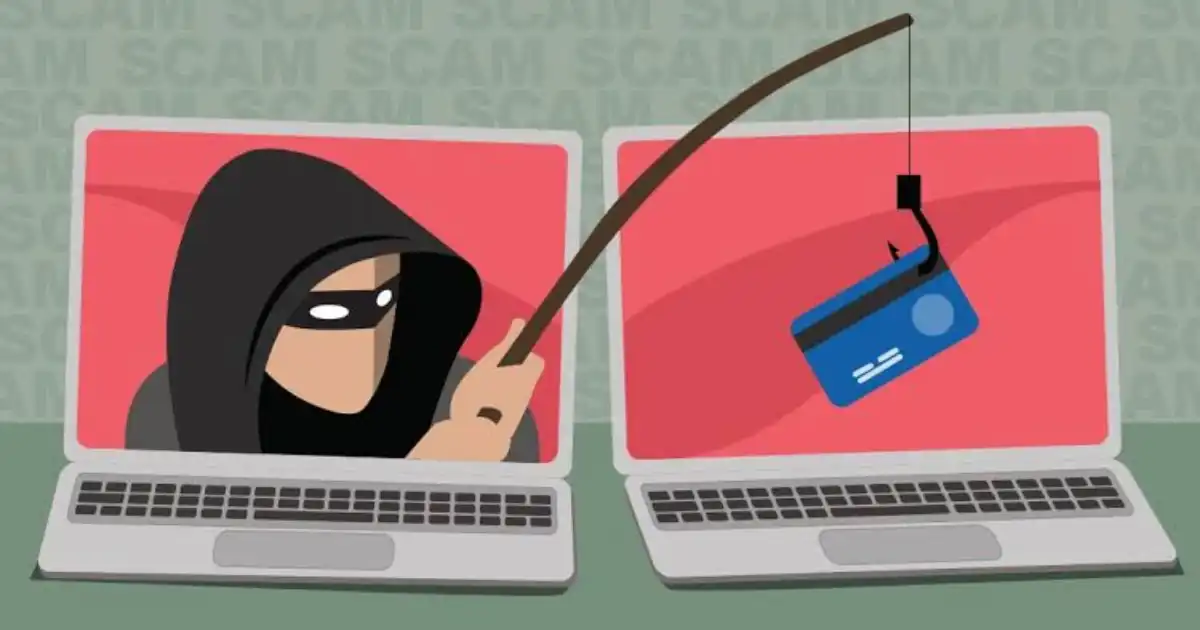
    The name comes from the idea of fishing with bait.

    Instead of using worms or lures, attackers use fake emails, convincing messages, or realistic websites. They cast those “hooks” at hundreds or even thousands of people, hoping that someone bites.

    Sometimes the bait is obvious. Sometimes it’s incredibly convincing.

    The better the bait matches what people expect to see, the more successful the phishing attack becomes.

    Phishing vs Traditional Hacking

    Many people imagine hackers sitting behind multiple monitors typing complex code to break into systems.

    Real life often looks much less dramatic.

    Traditional hacking usually focuses on finding technical weaknesses in software or networks.

    A phishing attack skips many of those technical challenges by asking the victim to unknowingly open the door themselves.

    Imagine locking every window and installing the strongest front door available, then opening it because someone knocked while wearing a delivery company’s uniform.

    That’s phishing in a nutshell.

    The Role of Social Engineering

    Technology is only half of cybersecurity.

    Human psychology is the other half.

    Social engineering takes advantage of trust, emotion, routine, and distraction. Instead of attacking software, attackers manipulate decisions.

    Most phishing scams rely on questions like these:

    • Will this person panic?
    • Will they act quickly?
    • Will they trust this familiar logo?
    • Will they notice the small warning signs?

    That’s why phishing awareness is just as important as antivirus software or firewalls.

    Why Phishing Attacks Are So Effective

    People Trust Familiar Brands

    One thing I’ve noticed repeatedly is that people rarely question communications from brands they interact with every week.

    Banks.

    Microsoft.

    Google.

    Amazon.

    Netflix.

    Delivery companies.

    Payroll systems.

    Cloud storage providers.

    When a familiar logo appears in a phishing email, people naturally lower their skepticism because the message fits into their normal routine.

    Attackers know this.

    They’re not trying to invent a new company. They’re borrowing the reputation of one you already trust.

    Urgency Overrides Logic

    One of the strongest phishing tactics is urgency.

    Messages often suggest that your account will be locked, your payment has failed, or suspicious activity has been detected.

    None of these situations are impossible.

    That’s exactly why they work.

    The attacker wants you thinking about solving the problem immediately instead of verifying whether the message is genuine.

    I’ve watched people carefully inspect every email they receive, until one day they believe their payroll account is at risk. Suddenly they’re clicking first and thinking second.

    Urgency changes behavior.

    Fear Encourages Quick Decisions

    Fear is closely related to urgency, but it’s even more powerful.

    Imagine receiving a message claiming someone logged into your email account from another country.

    Even if you normally inspect links carefully, fear pushes your brain toward immediate action.

    Attackers understand that emotional decisions usually happen faster than logical ones.

    The moment panic takes over, critical thinking often disappears.

    Curiosity Leads to Clicks

    Not every phishing attack creates fear.

    Some create curiosity.

    People receive messages claiming someone mentioned them online, shared confidential documents, tagged them in photos, or sent an unexpected package.

    Curiosity is incredibly difficult to resist.

    Even when something feels slightly unusual, people often click simply because they want to know what’s going on.

    Mobile Devices Hide Warning Signs

    Modern phishing security has become more difficult because people increasingly use smartphones.

    Phones hide many clues that desktops reveal.

    For example, it’s harder to inspect full web addresses, hover over links, or notice unusual domains on smaller screens.

    Everything looks compressed.

    Everything feels faster.

    Attackers take advantage of that convenience.

    Busy People Don’t Verify Everything

    Perhaps the biggest reason phishing attacks continue to succeed is simple.

    People are busy.

    Employees receive hundreds of emails every week.

    Business owners juggle invoices, customer requests, meetings, and deadlines.

    Students receive countless university notifications.

    Parents multitask constantly.

    Nobody carefully investigates every message.

    Attackers know this.

    They’re betting you’ll spend two seconds reading instead of twenty.

    Most of the time, that’s enough.

    How Phishing Attacks Trick Users Step by Step

    Step 1, Choosing the Right Target

    • Contrary to popular belief, many phishing attacks aren’t completely random.
    • Some are broad campaigns sent to thousands of people.
    • Others carefully target specific industries, businesses, or individuals.
    • A business owner might receive fake tax notifications.
    • A university student might receive fake scholarship updates.
    • An employee could receive a fake Microsoft password expiration notice.
    • The attacker chooses bait that matches the target’s daily activities.
    • The more believable the situation, the higher the chance someone responds.

    Step 2, Gathering Information

    Before sending anything, attackers often collect publicly available information.

    This doesn’t necessarily involve hacking.

    They may simply look at company websites, LinkedIn profiles, public social media posts, or online directories.

    From those sources, they can learn:

    • Job titles
    • Company names
    • Email formats
    • Business partners
    • Recent projects
    • Office locations

    None of that information is secret.

    But together, it makes a phishing email feel much more convincing.

    For example, including your company’s real name or mentioning a recent conference immediately increases credibility.

    Step 3, Pretending to Be Someone Trusted

    This is where impersonation becomes powerful.

    Attackers may pretend to be:

    • Your manager
    • Human resources
    • Microsoft
    • Google
    • Your bank
    • A delivery company
    • An online shopping platform
    • A customer
    • A supplier

    The message usually looks familiar.

    Brand logos.

    Professional formatting.

    Corporate language.

    Sometimes even the sender’s display name appears correct.

    Behind the scenes, however, the actual email address or website may be slightly different.

    Experienced security professionals almost always check those details first because that’s where many phishing attack examples reveal themselves.

    Step 4, Creating Urgency or Fear

    Once trust has been established, the attacker introduces pressure.

    The message might claim:

    • Your password expires today.
    • Your package couldn’t be delivered.
    • Your payment failed.
    • Someone accessed your account.
    • An invoice requires immediate approval.
    • Your mailbox is full.
    • Your account will be suspended.

    Notice something?

    Every example encourages immediate action.

    Very few encourage careful thinking.

    That’s intentional.

    The attacker wants your emotional brain making the decision before your logical brain catches up.

    How Phishing Attacks Trick Users Step by Step

    Step 5, Encouraging the Click

    By this point, the attacker has done most of the hard work. They’ve earned enough trust, created enough urgency, or sparked enough curiosity that the victim is ready to act.

    The message usually includes a clear call to action such as:

    • Verify your account
    • Reset your password
    • View your invoice
    • Track your package
    • Confirm your payment
    • Open the shared document

    The button often leads to a fake login page that closely resembles the real website. Modern phishing pages can copy logos, colors, fonts, and layouts so accurately that the average person won’t notice anything unusual at first glance.

    This is where I see many people make the same mistake. They focus on how the page looks instead of where it came from.

    A convincing design doesn’t make a website legitimate.

    Step 6, Collecting Sensitive Information

    If someone enters their username and password, the information doesn’t go to Microsoft, Google, or their bank. It goes directly to the attacker.

    This is known as credential theft.

    Some phishing pages ask for more than just a password.

    They may request:

    • Credit card details
    • Security questions
    • One-time verification codes
    • Personal identification numbers
    • Home addresses
    • Date of birth

    Some attacks don’t ask for information at all. Instead, clicking the malicious link downloads malware that silently runs in the background.

    Again, the goal isn’t always immediate financial theft. Sometimes attackers spend weeks quietly collecting information before using it.

    Step 7, Using the Stolen Information

    People often assume the attack ends once their password is stolen.

    In reality, that’s usually the beginning.

    Depending on what the attacker obtains, they might:

    • Access email accounts
    • Reset passwords on other services
    • Take over social media accounts
    • Steal online banking information
    • Access business systems
    • Launch additional phishing scams using the victim’s account
    • Install ransomware
    • Sell stolen credentials on criminal marketplaces

    One compromised account can quickly become several compromised accounts because many people still reuse passwords across multiple websites.

    This is why a seemingly small phishing mistake can grow into a much larger security incident.

    Common Psychological Tricks Used in Phishing

    Technology changes constantly. Human psychology changes much more slowly.

    That’s why phishing psychology remains remarkably effective.

    Authority

    People naturally obey authority figures.

    If a message appears to come from your employer, bank, government agency, or IT department, you’re more likely to trust it.

    Attackers know this and frequently impersonate organizations people rarely question.

    Fear

    Fear shortens decision-making.

    A warning about account suspension or unauthorized activity creates anxiety.

    When people feel threatened, they focus on solving the immediate problem rather than checking whether the message is genuine.

    Urgency

    Urgency removes time for verification.

    Deadlines like “within one hour” or “today only” encourage rushed decisions.

    Legitimate companies rarely demand immediate action without providing alternative ways to verify the request.

    Curiosity

    Unexpected messages naturally attract attention.

    Someone mentions your name.

    A document has been shared.

    You’ve supposedly won something.

    Curiosity makes people click before asking whether the message makes sense.

    Rewards

    Free gift cards, tax refunds, loyalty rewards, and cashback offers continue to appear in online phishing scams because they still work.

    People enjoy positive surprises just as much as they fear negative ones.

    Scarcity

    “Only a few hours left.”

    “Limited offer.”

    “Final warning.”

    Scarcity creates pressure by making people believe they’ll lose an opportunity if they don’t act immediately.

    Social Proof

    Messages claiming that “everyone in your department has completed this update” or “other customers have already confirmed their information” make people feel they should do the same.

    Humans naturally follow what they believe others are doing.

    The Most Common Types of Phishing Attacks

    Email Phishing

    The classic phishing email remains the most common attack.

    Attackers send messages that appear to come from trusted organizations and encourage recipients to click links or provide information.

    Spear Phishing

    Unlike mass phishing, spear phishing targets specific individuals.

    The attacker often includes personal or company-specific details to make the message more believable.

    Whaling

    Whaling focuses on senior executives and business leaders.

    These attacks often involve high-value financial transactions or confidential business information.

    Smishing

    Smishing uses SMS text messages instead of email.

    Delivery notifications, banking alerts, and account verification requests are common examples.

    Vishing

    Vishing involves fraudulent phone calls.

    Attackers pretend to represent banks, technical support teams, or government agencies while trying to obtain confidential information.

    Clone Phishing

    A legitimate email you’ve already received is copied and resent with a modified attachment or link.

    Because the message looks familiar, people are more likely to trust it.

    Social Media Phishing

    Fake customer support accounts, direct messages, and fraudulent advertisements are increasingly common on social platforms.

    QR Code Phishing

    Instead of clicking a link, victims scan a QR code that redirects them to a fraudulent website.

    Because QR codes hide the destination, they’re becoming a growing concern.

    Business Email Compromise

    Business Email Compromise is one of the most financially damaging forms of phishing.

    Rather than stealing passwords immediately, attackers impersonate executives or suppliers and request wire transfers, invoice payments, or confidential business information.

    These attacks often rely more on trust than technical deception.

    Warning Signs That Reveal a Phishing Attack

    Most phishing attempts leave clues.

    The challenge is slowing down long enough to notice them.

    Watch for these warning signs:

    • Unexpected requests for passwords or verification codes.
    • Generic greetings instead of your actual name.
    • Poor grammar or awkward wording.
    • Slightly unusual email addresses.
    • Links that don’t match the company website.
    • Messages creating unnecessary panic.
    • Requests for confidential information.
    • Unexpected attachments.
    • Deals or rewards that seem unusually generous.
    • Login pages asking for information that shouldn’t be required.

    No single warning sign guarantees a phishing attack.

    But several appearing together should immediately raise suspicion.

    What Happens If Someone Falls for a Phishing Attack?

    For individuals, the consequences may include:

    • Identity theft
    • Financial fraud
    • Stolen passwords
    • Account takeover
    • Social media compromise
    • Unauthorized purchases
    • Loss of personal files

    For businesses, the damage can be much greater.

    A single employee clicking one phishing email can lead to:

    • Data breaches
    • Business email compromise
    • Ransomware infections
    • Customer information exposure
    • Operational downtime
    • Regulatory penalties
    • Reputational damage

    The financial cost is often only part of the problem.

    Rebuilding trust can take much longer than recovering money.

    How to Protect Yourself from Phishing Attacks

    Perfect phishing prevention doesn’t exist.

    Good habits, however, dramatically reduce your risk.

    Some practices I recommend consistently include:

    • Pause before clicking unexpected links.
    • Visit important websites manually instead of using email links.
    • Verify unusual requests through another communication channel.
    • Use a reputable password manager to recognize legitimate login pages.
    • Enable multi-factor authentication wherever possible.
    • Keep software and browsers updated.
    • Learn to recognize suspicious email patterns.
    • Never share one-time verification codes with anyone.
    • Be cautious with QR codes from unknown sources.
    • Report phishing attempts instead of simply deleting them.

    The goal isn’t to become paranoid.

    It’s to become observant.

    A thirty-second pause can prevent months of problems.


    You Might Be Interested In

    • How Network Security Protects Data?
    • Ai Wont Solve Security It Changes The Battlefield
    • What Cybersecurity Problems Are You Solving?
    • Why Identity Is the New Perimeter in Cybersecurity?
    • Sbom For Beginners: What It Is And How To Generate It In Ci ?

    Conclusion

    Understanding How Phishing Attacks Trick Users is less about learning complicated cybersecurity concepts and more about understanding how people make decisions. The most successful phishing attacks don’t rely on advanced hacking techniques. They rely on trust, distraction, urgency, fear, and curiosity. In other words, they exploit normal human behavior.

    One lesson I’ve learned over the years is that phishing rarely succeeds because someone is careless or unintelligent. It succeeds because people are busy. They receive dozens or even hundreds of emails, text messages, and notifications every day. When a message looks familiar and appears to solve an urgent problem, it’s easy to react without stopping to verify it. Attackers know this, and they design every phishing attack to take advantage of those everyday moments.

    FAQs

    What is the main purpose of a phishing attack?

    The main purpose of a phishing attack is to trick people into revealing valuable information or performing an action that benefits a cybercriminal. Most attackers are trying to gain access to usernames, passwords, financial information, business data, or verification codes. In many cases, the end goal is credential theft, identity theft, account takeover, or financial fraud. Some phishing attacks also aim to deliver malware that can lead to data theft, ransomware infections, or unauthorized access to company systems.

    What makes phishing dangerous is that attackers often avoid trying to break through security systems directly. Instead, they manipulate people into helping them bypass those protections. A fake login page, suspicious email, or impersonation scam may appear simple, but it can give attackers the access they need to compromise accounts, steal information, or launch larger attacks. The attack works because it targets human trust and decision-making rather than only technical weaknesses.

    How can I tell if an email is phishing?

    A phishing email often contains small warning signs that become easier to notice with practice. Common indicators include unexpected requests for passwords, urgent messages demanding immediate action, unfamiliar sender addresses, suspicious links, unusual attachments, and messages that create fear or excitement. For example, an email claiming your account will be closed within minutes or asking you to confirm sensitive information through a link should always be treated carefully.

    However, modern phishing emails are becoming more convincing. Attackers use email spoofing, professional-looking designs, and information gathered from public sources to make messages appear legitimate. Instead of only looking for spelling mistakes or obvious errors, focus on whether the request makes sense. Verify unusual requests through official websites or another trusted communication channel, especially when money, passwords, or personal information are involved.

    Can phishing happen through text messages or phone calls?

    Yes, phishing is not limited to email. Attackers also use text messages and phone calls to trick users through techniques known as smishing and vishing. Smishing involves fraudulent text messages that may appear to come from banks, delivery companies, online stores, or service providers. These messages often contain links asking users to track a package, verify an account, or fix a payment problem.

    Vishing uses phone calls and relies heavily on social engineering. An attacker may pretend to be from technical support, a bank, or another trusted organization and attempt to collect sensitive information. Because phone calls feel more personal than emails, some people trust them more easily. Always remember that legitimate organizations generally do not ask for passwords, security codes, or complete financial details over unexpected calls or messages.

    What should I do if I clicked on a phishing link?

    If you clicked on a phishing link, don’t panic, but take action quickly. First, avoid entering any information on the website. If you already entered your username or password, change that password immediately through the official website, not through the link you clicked. If you use the same password elsewhere, update those accounts as well because attackers often test stolen credentials across multiple platforms.

    It is also a good idea to enable multi-factor authentication, monitor your accounts for unusual activity, and run a security scan if you downloaded anything or suspect malware delivery. If the phishing attempt involved a workplace account, financial information, or company systems, report it immediately to your IT or security team. Quick reporting can prevent a small mistake from becoming a larger security incident.

    Can multi-factor authentication stop phishing attacks?

    Multi-factor authentication significantly reduces the risk of account compromise, but it does not completely stop phishing attacks. If attackers steal a password, MFA can provide an additional security layer that prevents many unauthorized login attempts. This is why enabling MFA is one of the most important steps individuals and businesses can take for phishing prevention.

    However, some advanced phishing attacks attempt to trick users into approving fake login requests or stealing active sessions through techniques such as session hijacking. This means MFA should be combined with other security habits, including checking login pages carefully, avoiding suspicious links, and verifying unexpected requests. Think of MFA as an additional lock on your door, not a reason to leave the door open. A strong security approach combines technology with awareness and careful decision-making.

    Share. Facebook Twitter Pinterest LinkedIn Tumblr Email
    Avatar of Muhammad Irfan
    Muhammad Irfan
    • Website

    Muhammad Irfan is a technology writer and practitioner with hands-on experience in cybersecurity, cloud platforms, and modern software systems. He writes practical, experience-driven guides on how real-world systems fail, scale, and are secured ,translating complex technical concepts into clear, actionable insights for engineers, founders, and IT leaders.

    Related Posts

    Why DevOps Improves Software Delivery?

    July 22, 2026

    Why Password Security Still Matters?

    July 21, 2026

    How Ransomware Protection Works?

    July 19, 2026
    Leave A Reply Cancel Reply

    Stay In Touch
    • Facebook
    • Pinterest
    Top Posts

    What Are 10 Disadvantages Of Robots?

    June 6, 2024423 Views

    How To Get Ai Dungeon Premium For Free?

    September 4, 2025269 Views

    What Are The Three Levels Of Computer Vision?

    June 8, 2024235 Views

    How Ai Is Resurrecting Dead Celebrities: 5 Cases

    February 25, 2025122 Views
    Don't Miss
    Development

    How Web Development Creates Websites?

    By Muhammad IrfanJuly 23, 2026

    Most of us interact with websites every single day without giving much thought to how…

    Why DevOps Improves Software Delivery?

    July 22, 2026

    Why Password Security Still Matters?

    July 21, 2026

    How Phishing Attacks Trick Users?

    July 20, 2026

    Subscribe to Updates

    Get the latest creative news from SmartMag about art & design.

    About Us
    About Us

    Welcome to Metaeye.co.uk, your go-to source for the latest in tech news and updates. Our platform is dedicated to bringing you comprehensive coverage of today's most relevant technology news, keeping you informed and engaged in the rapidly evolving world of technology.

    Whether you're a tech enthusiast, a professional, or simply curious about the latest innovations, Metaeye.co.uk is here to provide you with insightful analysis, breaking news, and in-depth features on all things tech.

    Facebook Pinterest
    Our Picks

    How Web Development Creates Websites?

    July 23, 2026

    Why DevOps Improves Software Delivery?

    July 22, 2026

    Why Password Security Still Matters?

    July 21, 2026
    Most Popular

    How Can I Access Google Ai?

    November 14, 20240 Views

    Which Of The Following Is Not True About Machine Learning?

    November 19, 20240 Views

    7 Aiot Innovations Powering Smart Cities Of Tomorrow

    February 8, 20250 Views
    © 2026 MetaEye. Managed by My Rank Partner.
    • Home
    • About Us
    • Privacy Policy
    • Disclaimer
    • Contact

    Type above and press Enter to search. Press Esc to cancel.