



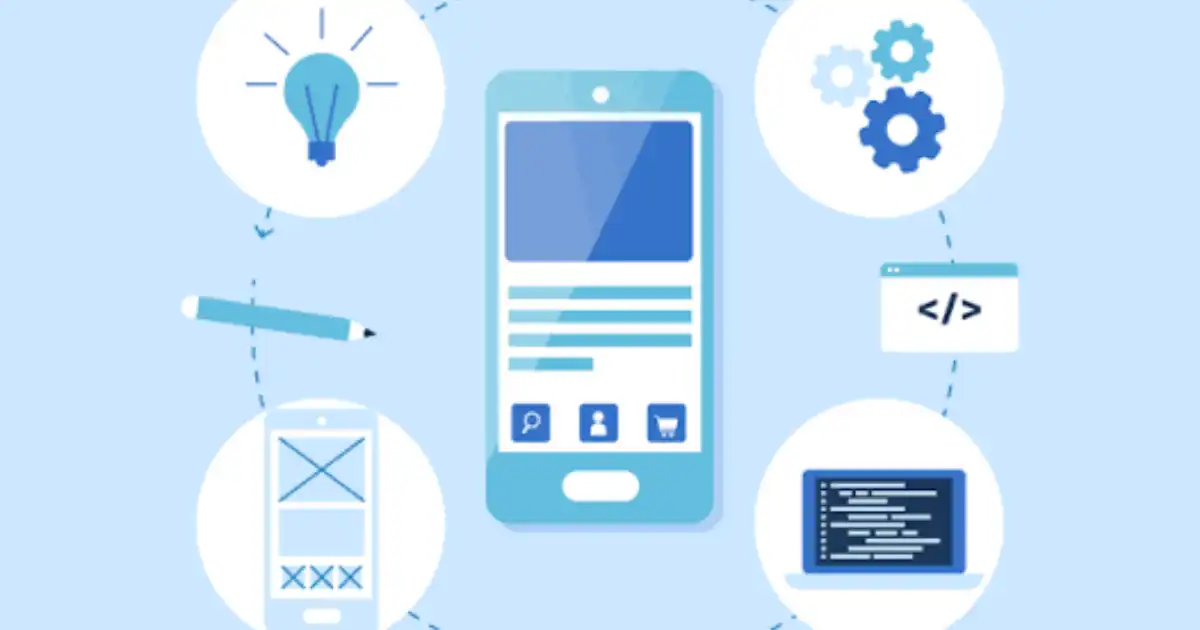
Most people use mobile apps every day without thinking about everything happening behind the screen. You tap an icon, sign in, browse products, send a message, or book a ride. It all feels instant. Behind that simple experience is a surprisingly large amount of planning, design, coding, testing, and ongoing maintenance.
When people ask me how mobile app development works, I usually tell them to think beyond writing code. Building an app is really about solving a problem for users. The code is simply the tool that makes that solution possible.
Mobile app development is the process of designing, building, testing, releasing, and maintaining software that runs on smartphones and tablets. Depending on the project, an app might work entirely on the device, communicate with servers over the internet, or combine both approaches.
Why Mobile App Development Matters Today
Smartphones have quietly become the primary computer for millions of people. Many users rarely sit in front of a desktop anymore. They shop, learn, communicate, pay bills, order food, watch videos, and manage their businesses from a phone that fits in a pocket.
Because of this shift, customer expectations have changed.
People expect information immediately. They expect apps to load quickly, remember their preferences, send useful notifications, and work smoothly whether they’re at home, traveling, or waiting in line.
Businesses have noticed this change too.
A good mobile app can improve customer loyalty because it’s always available on the user’s device. Instead of asking someone to visit a website repeatedly, the business already has a place on the customer’s home screen.
That doesn’t mean every business automatically needs an app.
I’ve seen companies spend months building expensive applications when a well-designed website would have solved the same problem. An app makes sense when people will use it regularly, benefit from phone features, or need offline functionality.
Today’s mobile-first world isn’t about having an app because competitors do. It’s about creating a faster, more convenient experience for users who increasingly expect everything to be available from their phone.
How Mobile App Development Actually Works
Many articles explain the app development process by listing stages like planning, coding, and testing. That’s useful, but it doesn’t explain what actually happens after someone taps an app icon.
Let’s walk through a simple example.
Imagine you open a food delivery app.
The moment you tap the icon, the operating system starts the app and loads its files into memory. This allows the app to begin running on your phone.
The first screen appears. This visible part is called the frontend, which simply means everything the user can see and interact with. Buttons, menus, images, search bars, and animations all belong to the frontend.
Now you search for “pizza.”
At first, your phone doesn’t magically know every nearby restaurant.
Instead, the app sends a request over the internet to another computer called a server. A server is simply a powerful computer that stores information and performs work for many users at the same time.
The app doesn’t usually talk directly to the server. Instead, it communicates through an API, or Application Programming Interface.
Think of an API like a waiter in a restaurant.
- You tell the waiter what you want.
- The waiter delivers your request to the kitchen.
- The kitchen prepares the meal.
- The waiter brings the finished order back.
- The app works the same way.
- It sends your request through the API.
- The backend receives it.
The backend is the invisible part of the application where business logic happens. It decides which restaurants are nearby, whether they’re open, what prices to display, and whether any discounts apply.
To answer those questions, the backend checks a database, which is simply an organized storage system where information like restaurant names, menus, customer accounts, and orders is kept.
After finding the matching data, the server sends everything back through the API.
Your phone receives the response.
The frontend updates the screen almost instantly, showing nearby pizza restaurants with prices, delivery times, ratings, and photos.
When you add an item to your cart, exactly the same cycle happens again.
Every tap, search, payment, review, and notification repeats this communication between your phone and the backend.
One thing that surprises beginners is how quickly all this happens. Modern mobile app architecture is designed to complete many of these steps in fractions of a second, making the experience feel seamless even though multiple systems are working together behind the scenes.
Main Components of a Mobile App
A mobile app isn’t one large piece of software. It’s more like a team where different parts have different responsibilities, and they constantly communicate with each other.
Frontend
The frontend is everything users interact with directly.
Whenever you tap a button, scroll through a feed, watch an animation, or fill out a form, you’re using the frontend.
Many beginners assume the frontend contains all the intelligence. It doesn’t.
Its main job is presenting information clearly, collecting user input, and sending requests when needed.
Imagine ordering coffee through an app.
The frontend displays the menu, lets you choose your drink, and shows your order summary.
It doesn’t decide whether the coffee shop has enough milk left. That happens elsewhere.
Backend
The backend handles the work users never see.
It processes payments, verifies passwords through authentication, checks business rules, calculates prices, stores orders, and coordinates communication with other systems.
Continuing the coffee example, the backend decides whether your payment succeeded, whether the coupon code is valid, and whether the store is currently accepting orders.
This separation keeps apps secure and easier to manage.
Database
- Every app needs somewhere to remember information.
- That’s the role of the database.
- A database stores user accounts, product catalogs, messages, bookings, settings, and much more.
- Without databases, every app would forget everything each time it closed.
Good database design also affects performance. Poorly organized data can make even a beautifully designed app feel slow.
APIs
- APIs connect everything together.
- The frontend requests information.
- The API safely passes those requests to the backend.
- The backend retrieves or updates data in the database.
- The response travels back through the API before appearing on the user’s screen.
- Many apps also use APIs from other companies.
For example, a shopping app might use Google Maps for delivery locations, Stripe for payments, Firebase for push notifications, and weather services for local forecasts.
One lesson I’ve learned over the years is that successful mobile application development isn’t about making each part impressive on its own. It’s about making all these components communicate reliably, securely, and quickly. That coordination is what creates an app that feels simple to use, even though a lot is happening behind the scenes.
Types of Mobile App Development
One of the first technical decisions in any mobile app development project is choosing how the app will be built. There isn’t a single “best” approach. The right choice depends on the budget, timeline, performance requirements, and long-term goals.
I’ve seen businesses spend extra money building native apps when a cross-platform solution would have been more than enough. I’ve also seen teams choose the cheapest option only to rebuild the app a year later because it couldn’t keep up with new requirements.
Understanding the trade-offs early saves a lot of time and money.
Native Apps
Native apps are built specifically for one operating system.
For iPhones, developers typically use Swift. For Android devices, they usually use Kotlin.
Because native apps are designed for a single platform, they have direct access to the phone’s hardware and operating system. That often means smoother animations, faster performance, and better integration with features like cameras, GPS, Bluetooth, and biometrics.
The downside is that you’re essentially building two separate apps if you want both Android and iPhone versions. That usually requires more development time and a larger budget.
Native development works well for games, banking apps, camera-intensive applications, and products where performance is a top priority.
Cross-Platform Apps
Cross-platform development allows developers to write much of the code once and use it on both Android and iPhone.
Popular frameworks like Flutter and React Native make this possible.
This approach reduces duplicated work and often shortens development time. It also makes ongoing maintenance easier because many changes only need to be implemented once.
Cross-platform apps have improved dramatically over the last few years. For many business applications, users can’t even tell whether the app is native or cross-platform.
There are still some limitations. Very advanced animations, hardware integrations, or platform-specific features sometimes require additional native code.
For startups and businesses launching an MVP, cross-platform development is often a practical balance between cost, speed, and quality.
Hybrid Apps
Hybrid apps combine web technologies like HTML, CSS, and JavaScript inside a mobile application shell.
This approach can be useful when businesses already have a strong web application and want a mobile version without rebuilding everything.
For simple apps, users may never notice much difference. For graphics-heavy applications or apps requiring constant interaction with device hardware, hybrid solutions can feel less responsive.
Progressive Web Apps
A Progressive Web App, often called a PWA, is essentially an advanced website that behaves more like a mobile app.
Users can install it on their phone, receive some notifications, and even access certain features offline.
PWAs eliminate the need for traditional app store installation in many cases.
However, they still have limitations compared to fully developed native or cross-platform applications, especially on iPhones where access to some hardware features remains restricted.
For businesses focused mainly on content, online services, or e-commerce, a PWA can sometimes provide excellent value without the cost of building a full mobile application.
Step-by-Step Mobile App Development Process
People often imagine developers sitting down and immediately writing code.
In reality, coding usually starts much later than most people think.
Successful apps spend a surprising amount of time being planned before a single screen is programmed.
Problem
Every successful project starts with understanding the user’s problem.
- Notice I didn’t say “understanding the app.”
- The app is simply one possible solution.
- For example, a restaurant owner might ask for an ordering app.
- After discussing the business, the real problem might turn out to be long phone queues during lunch.
- That changes the design completely.
Experienced teams spend time asking questions before suggesting technology.
Research and Planning
Once the problem is clear, the team researches competitors, identifies target users, prioritizes features, and estimates costs.
This stage prevents expensive surprises later.
One mistake I see often is trying to build every possible feature in version one.
Most successful apps begin with an MVP, or Minimum Viable Product. That means building only the core features needed to solve the main problem.
Everything else can come later.
UI/UX Design
- UI stands for User Interface.
- UX stands for User Experience.
- The interface is what users see.
The experience is how easy or frustrating it feels to use.
Designers create screen layouts, navigation flows, colors, buttons, and interactions before development begins.
Good design removes confusion.
Users shouldn’t have to stop and think about how to complete simple tasks.
Choosing Technologies
- Now the technical decisions begin.
- The team decides whether to build native apps or cross-platform apps.
- They choose programming languages, databases, cloud services, authentication systems, APIs, payment providers, analytics tools, and hosting platforms.
Technology choices should always support business goals.
Choosing the newest framework simply because it’s popular rarely ends well.
Development
- Only now does the actual programming begin.
- Frontend developers build the screens users interact with.
- Backend developers create servers, APIs, authentication, business logic, and database systems.
Both teams work closely because almost every feature requires cooperation between the visible and invisible parts of the application.
Testing
Testing is far more than checking whether the app opens.
Professional teams test different phones, operating systems, screen sizes, network speeds, and user scenarios.
For example:
- What happens if the internet disconnects?
- What if payment fails halfway through?
- What if someone enters incorrect information?
- What if thousands of users sign in at once?
Finding these problems before launch is far cheaper than fixing them afterward.
Deployment
Once testing is complete, the app is submitted to the Google Play Store and the Apple App Store.
This stage isn’t automatic.
Both stores review applications to check security, privacy, stability, and compliance with their guidelines.
- Sometimes an app is approved within hours.
- Sometimes developers must fix issues before it can be published.
Maintenance
- Many people think the project ends after launch.
- In reality, that’s when long-term work begins.
- Operating systems receive updates.
- Phones introduce new hardware.
- Security threats evolve.
- Users request improvements.
Developers regularly release updates to fix bugs, improve performance, add features, and maintain compatibility.
The app development lifecycle doesn’t really end as long as people continue using the application.
Technologies Used in Mobile App Development
Different technologies exist because different projects have different needs.
Swift
is commonly used for iPhone apps because it integrates closely with Apple’s ecosystem and delivers excellent performance.
Kotlin
plays a similar role for Android development. It simplifies many programming tasks while working naturally with Android devices.
Flutter
has become popular because developers can build Android and iPhone apps from one codebase without sacrificing much performance.
React Native
offers a similar advantage, particularly for teams already experienced with JavaScript.
Databases store everything users expect apps to remember, from login information to orders and chat messages.
Cloud services provide the computing power that allows apps to scale as more users join without businesses buying and maintaining physical servers.
Common Challenges in Mobile App Development
Building an app is rarely as straightforward as it appears.
One major challenge is device fragmentation.
Android alone runs on thousands of phone models with different processors, screen sizes, memory limits, and operating system versions. Something that works perfectly on one phone may behave differently on another.
- Performance is another constant concern.
- Security requires continuous attention.
Developers must protect passwords, payment information, personal data, and authentication systems against constantly evolving threats.
Internet connectivity creates another challenge.
Experienced teams assume users will lose connection at some point. Good apps handle weak or missing internet gracefully instead of crashing.
- Battery usage also matters.
- Poorly optimized apps drain batteries quickly, frustrating users even if every feature works correctly.
- Operating system updates can unexpectedly change how apps behave.
Finally, there is user expectation.
People compare every new app with the best apps they’ve ever used. That means even smaller businesses are expected to deliver polished experiences.
Experienced development teams reduce these risks through continuous testing, performance monitoring, security reviews, and regular updates instead of treating quality as something checked only before launch.
Best Practices for Building Better Mobile Apps
The best apps rarely start as giant projects.
- They begin by solving one problem exceptionally well.
- Start with an MVP rather than trying to include every possible feature.
- Keep interfaces simple so users don’t need instructions for basic tasks.
- Prioritize speed. A beautiful interface loses its value if every screen takes several seconds to load.
- Protect user data from the beginning instead of treating security as something to add later.
- Test continuously throughout development instead of waiting until the end.
Listen carefully to real user feedback. Developers often assume they know what users want, but actual usage frequently tells a different story.
Finally, keep improving the app after release.
Successful apps evolve over time because user needs, devices, and operating systems never stop changing.
You Might Be Interested In
- Understanding Software Development?
- What Frontend Development Includes?
- How Web Development Creates Websites?
- How Backend Development Powers Websites?
- How API Development Connects Systems?
Conclusion
Understanding How Mobile App Development Works is really about understanding how many different pieces cooperate to create one seamless experience.
A mobile app isn’t just code on a phone. It’s a combination of frontend interfaces, backend systems, APIs, databases, cloud services, testing, security, and continuous improvement working together behind the scenes.
The technology matters, but it isn’t the starting point. The most successful projects begin by identifying a real user problem and then choosing the simplest, most reliable way to solve it.
Whether you’re a business owner planning your first app, a student learning mobile application development, or a junior developer entering the industry, remember that great apps aren’t defined by the number of features they include. They’re defined by how well they solve real problems while providing a fast, reliable, and enjoyable experience for the people using them.
FAQs
How does mobile app development work?
Mobile app development works by bringing together several different parts that work behind the scenes to create the experience users interact with on their phones. The process begins with the mobile app itself, which is installed on a device and provides the user interface. When a user performs an action, such as logging in, searching for information, placing an order, or sending a message, the app communicates with backend systems through APIs. These APIs act as a bridge between the mobile application and the server, allowing information to move securely between the user’s device and the systems handling the data.
Behind the scenes, the backend processes requests, applies business rules, communicates with databases, and returns the required information back to the app. For example, when you open a banking app, the screen you see is only one part of the system. The app must securely connect with servers, verify your identity, retrieve account information, process transactions, and display updated balances. The actual mobile app development process includes planning, design, frontend development, backend development, testing, deployment, and continuous improvement after launch.
What are the main stages of mobile app development?
The main stages of mobile app development include understanding the problem, researching user needs, planning features, designing the user experience, selecting technologies, developing the application, testing it, deploying it to app stores, and maintaining it after release. Each stage plays an important role because building a successful app is not only about writing code. It requires understanding what users need and creating a reliable solution that works smoothly in real situations.
During the early stages, teams define the purpose of the app, identify the target users, and decide which features are essential. Designers then create the interface and user flow before developers begin building the application. After development, the app goes through different types of testing to find performance issues, security problems, and usability concerns. Once released on platforms like the Google Play Store and Apple App Store, the work continues through updates, bug fixes, improvements, and new features based on user feedback.
What is the difference between native and cross-platform app development?
Native app development means creating an application specifically for one operating system. For example, developers use Swift to build iPhone apps and Kotlin to build Android apps. Because native apps are designed specifically for their platform, they usually provide excellent performance, smoother animations, and better access to device features such as cameras, GPS, sensors, and biometric authentication.
Cross-platform app development takes a different approach by allowing developers to create applications that run on multiple platforms using a shared codebase. Frameworks like Flutter and React Native help teams build Android and iPhone versions faster because they do not need to create every feature separately. However, cross-platform apps may require additional work when dealing with advanced device features or highly performance-sensitive applications. The best choice depends on factors like budget, timeline, app complexity, and the experience users expect.
Which programming languages are used for mobile app development?
The programming languages used for mobile app development depend on the platform and development approach. For native iPhone applications, Swift is the primary language because it is designed specifically for Apple’s ecosystem. For Android applications, Kotlin is widely used because it provides modern features and works efficiently with Android development tools.
For cross-platform development, Flutter uses Dart, while React Native commonly uses JavaScript or TypeScript. Backend systems that support mobile applications can be built with technologies such as Node.js, Python, Java, or other server-side languages depending on the project’s requirements. Choosing a programming language is not just about popularity. Experienced teams select technologies based on performance needs, developer expertise, scalability requirements, security considerations, and long-term maintenance.
How long does it take to build a mobile app?
The time required to build a mobile app depends on the complexity of the idea, number of features, design requirements, technology choices, and testing needs. A simple mobile app with basic functionality may take a few months to complete, while a large application with advanced features such as payments, real-time messaging, artificial intelligence, or complex integrations can take many months or even longer.
One common mistake businesses make is underestimating the time required for planning, testing, and refinement. Writing code is only one part of the process. Teams also need time to understand user requirements, design the experience, fix unexpected problems, test across different devices, prepare app store submissions, and improve the product after launch. A well-planned development process usually saves time because it reduces major changes later in the project.
