



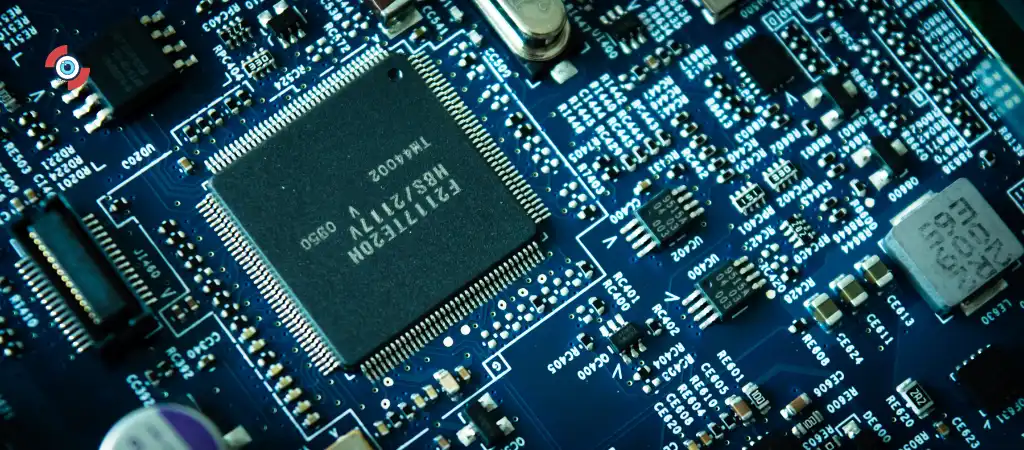
The MSI MAG B550 Tomahawk is a popular motherboard among PC enthusiasts, known for its robust features and reliable performance. One of the key considerations when building a PC with this motherboard is selecting the right CPU.
In this guide, we will explore the CPUs compatible with the MSI MAG B550 Tomahawk, delve into the motherboard’s specifications, and provide insights to help you make an informed decision about the Best motherboard for gaming.

MSI MAG B550 Tomahawk
The MSI MAG B550 Tomahawk is based on the B550 chipset from AMD, which supports the latest Ryzen processors. This motherboard offers a balance between performance and cost, making it a favored choice for gamers, content creators, and professionals.
Key Features
-
Support for AMD Ryzen 5000 and 3000 Series Processors
The B550 chipset is designed to work seamlessly with the latest Ryzen CPUs, ensuring top-notch performance.
-
PCIe 4.0 Support
This provides faster data transfer speeds for compatible GPUs and SSDs, enhancing overall system performance.
-
Robust VRM Design
Ensures stable power delivery to the CPU, which is crucial for overclocking and maintaining system stability.
-
Multiple M.2 Slots
Supports high-speed NVMe SSDs, allowing for quick data access and storage solutions.
-
High-Quality Audio Components
Delivers immersive sound quality, which is essential for gaming and multimedia tasks.
Compatible CPUs for MSI MAG B550 Tomahawk
AMD Ryzen 5000 Series
The AMD Ryzen 5000 series, based on the Zen 3 architecture, is the latest and most powerful lineup of CPUs compatible with the MSI MAG B550 Tomahawk. These processors offer significant performance improvements over previous generations, thanks to architectural enhancements and increased IPC (instructions per cycle).
Key Models
-
Ryzen 9 5950X
- Cores/Threads: 16/32
- Base Clock: 3.4 GHz
- Boost Clock: Up to 4.9 GHz
- Cache: 64 MB L3
- TDP: 105W
-
Ryzen 9 5900X
- Cores/Threads: 12/24
- Base Clock: 3.7 GHz
- Boost Clock: Up to 4.8 GHz
- Cache: 64 MB L3
- TDP: 105W
-
Ryzen 7 5800X
- Cores/Threads: 8/16
- Base Clock: 3.8 GHz
- Boost Clock: Up to 4.7 GHz
- Cache: 32 MB L3
- TDP: 105W
-
Ryzen 5 5600X
- Cores/Threads: 6/12
- Base Clock: 3.7 GHz
- Boost Clock: Up to 4.6 GHz
- Cache: 32 MB L3
- TDP: 65W
AMD Ryzen 3000 Series
The AMD Ryzen 3000 series, based on the Zen 2 architecture, also offers excellent performance and is fully compatible with the MSI MAG B550 Tomahawk. These CPUs provide a good balance of price and performance, making them a popular choice for budget-conscious builders.
Key Models
-
Ryzen 9 3950X
- Cores/Threads: 16/32
- Base Clock: 3.5 GHz
- Boost Clock: Up to 4.7 GHz
- Cache: 64 MB L3
- TDP: 105W
-
Ryzen 9 3900X
- Cores/Threads: 12/24
- Base Clock: 3.8 GHz
- Boost Clock: Up to 4.6 GHz
- Cache: 64 MB L3
- TDP: 105W
-
Ryzen 7 3700X
- Cores/Threads: 8/16
- Base Clock: 3.6 GHz
- Boost Clock: Up to 4.4 GHz
- Cache: 32 MB L3
- TDP: 65W
-
Ryzen 5 3600X
- Cores/Threads: 6/12
- Base Clock: 3.8 GHz
- Boost Clock: Up to 4.4 GHz
- Cache: 32 MB L3
- TDP: 95W
AMD Ryzen 2000 Series
While the primary focus is on the Ryzen 5000 and 3000 series, the Ryzen 2000 series (Zen+) CPUs are also technically compatible with the B550 chipset, although they might require a BIOS update. However, these CPUs are generally not recommended due to their older architecture and lower performance compared to the newer models.
Choosing the Right CPU for Your Needs
Gaming
For gaming, the CPU choice can significantly impact performance, especially in CPU-bound games. The Ryzen 5 5600X is an excellent choice for gaming due to its high single-core performance and reasonable price. For more demanding games or higher resolutions, the Ryzen 7 5800X or Ryzen 9 5900X are recommended to ensure smooth gameplay and future-proofing.
Content Creation
Content creators, such as video editors, 3D modelers, and streamers, benefit from CPUs with higher core and thread counts. The Ryzen 9 5950X and Ryzen 9 5900X are ideal for these tasks, offering exceptional multi-threaded performance and fast rendering times.
General Use and Budget Builds
For general use and budget builds, the Ryzen 5 3600X or Ryzen 5 5600X provide a good balance of performance and cost. These CPUs are capable of handling everyday tasks, light gaming, and productivity applications without breaking the bank.
BIOS Updates and Compatibility
BIOS Requirements
To ensure compatibility with the latest Ryzen CPUs, it is crucial to have the appropriate BIOS version installed on your MSI MAG B550 Tomahawk motherboard. MSI regularly updates the BIOS to support new processors and enhance system stability.
Updating the BIOS
-
Download the Latest BIOS
Visit the MSI official website and download the latest BIOS version for the MSI MAG B550 Tomahawk.
-
Prepare a USB Drive
Format a USB drive to FAT32 and copy the BIOS file onto it.
-
Enter BIOS Setup
Restart your PC and enter the BIOS setup by pressing the ‘Delete’ key during boot.
-
Use M-Flash Utility
Navigate to the M-Flash utility in the BIOS and follow the on-screen instructions to update the BIOS using the USB drive.
-
Restart and Verify
Once the update is complete, restart your system and verify the BIOS version to ensure the update was successful.
Overclocking with MSI MAG B550 Tomahawk
Overclocking Potential
The MSI MAG B550 Tomahawk is well-equipped for overclocking, thanks to its robust VRM design and efficient cooling solutions. Overclocking can significantly boost CPU performance, making it an attractive option for enthusiasts looking to maximize their system’s potential.
Steps to Overclock
-
Enter BIOS
Restart your PC and enter the BIOS setup.
-
Adjust CPU Multiplier
Increase the CPU multiplier to boost the clock speed. Start with small increments to avoid instability.
-
Adjust Voltage
Increase the CPU voltage gradually to maintain stability. Be cautious not to exceed safe voltage limits.
-
Test Stability
Use stress-testing software like Prime95 or AIDA64 to test system stability. If the system is stable, you can try further increases.
-
Monitor Temperatures
Keep an eye on CPU temperatures using monitoring software. Ensure temperatures remain within safe limits to avoid thermal throttling or damage.
Cooling Considerations
Importance of Cooling
Effective cooling is crucial when using high-performance CPUs, especially if you plan to overclock. The MSI MAG B550 Tomahawk provides good thermal management, but additional cooling solutions can enhance performance and longevity.
Recommended Cooling Solutions
-
Air Coolers
High-end air coolers like the Noctua NH-D15 or the Cooler Master Hyper 212 can provide excellent cooling performance.
-
AIO Liquid Coolers
All-in-one (AIO) liquid coolers, such as the Corsair H100i or NZXT Kraken X63, offer superior cooling and are ideal for overclocked CPUs.
-
Case Fans
Ensure your PC case has adequate airflow by installing additional case fans. Proper airflow helps dissipate heat more effectively.
RAM Compatibility and Configuration
Memory Support
The MSI MAG B550 Tomahawk supports DDR4 memory with speeds up to 5100 MHz (OC). For optimal performance, choose high-speed RAM that matches your CPU’s capabilities.
Dual-Channel Configuration
For best performance, use dual-channel memory configuration. Install RAM modules in matching pairs to take advantage of the increased bandwidth.
You Might Be Interested In
- 10 Groundbreaking Ai Papers You Missed In 2024
- How To Write A Prompt For Ai?
- Can Cursor Ai Be Used For Ai Model Development?
- What Are The Advantages Of HDD?
- How Does Ai Impact Data Privacy And User Information?
Conclusion
The MSI MAG B550 Tomahawk is a versatile motherboard that supports a wide range of AMD Ryzen CPUs, from the high-end Ryzen 5000 series to the more affordable Ryzen 3000 series. When choosing a CPU, consider your specific needs, whether it’s gaming, content creation, or general use.
Ensure your BIOS is up-to-date to guarantee compatibility with the latest processors, and consider effective cooling solutions to maintain system stability and performance. With the right CPU and configuration, the MSI MAG B550 Tomahawk can serve as the foundation for a powerful and reliable PC build.
FAQs about MSI MAG B550 Tomahawk
What is the best CPU for gaming with the MSI MAG B550 Tomahawk?
For gaming, the AMD Ryzen 5 5600X stands out as an excellent choice due to its high single-core performance, which is crucial for many modern games that rely heavily on individual core speed. The 5600X offers 6 cores and 12 threads, which provides a balanced performance for both gaming and multitasking, and comes at a reasonable price point.
If you are looking for more performance and future-proofing, the Ryzen 7 5800X is another great option. This processor offers 8 cores and 16 threads, delivering better performance in CPU-intensive games and tasks. The increased core count helps in handling more demanding games and providing smoother gameplay in scenarios with heavy multitasking or background processes.
For the ultimate gaming performance, the Ryzen 9 5900X is recommended. With 12 cores and 24 threads, this CPU ensures exceptional performance in the most demanding games and applications. It is especially beneficial for gamers who also engage in streaming, content creation, or other multitasking activities. The Ryzen 9 5900X provides a balance of top-tier gaming performance and the ability to handle intensive workloads, making it an excellent choice for enthusiasts who want the best of both worlds.
Can the MSI MAG B550 Tomahawk support the latest Ryzen 5000 series CPUs?
Yes, the MSI MAG B550 Tomahawk fully supports the latest AMD Ryzen 5000 series CPUs. These CPUs, based on the Zen 3 architecture, offer significant performance improvements over previous generations. They are designed to work seamlessly with the B550 chipset, which means you can take full advantage of the advanced features and performance enhancements these processors bring.
To ensure compatibility and optimal performance, it is essential to update the BIOS to the latest version. BIOS updates often include support for new processors, bug fixes, and performance improvements. You can download the latest BIOS version from MSI’s official website. The process typically involves formatting a USB drive, copying the BIOS file to it, and using the motherboard’s M-Flash utility to update the BIOS.
Once the BIOS is updated, the MSI MAG B550 Tomahawk can fully leverage the capabilities of Ryzen 5000 series CPUs, providing excellent performance in gaming, content creation, and multitasking scenarios.
Is it necessary to update the BIOS to use Ryzen 3000 series CPUs with the MSI MAG B550 Tomahawk?
The MSI MAG B550 Tomahawk natively supports Ryzen 3000 series CPUs, so a BIOS update is not strictly necessary to use these processors. However, updating the BIOS to the latest version is always recommended.
BIOS updates often bring improvements in system stability, compatibility, and performance enhancements. They can also include security patches and bug fixes that improve the overall user experience. By keeping the BIOS up-to-date, you ensure that your system runs smoothly and efficiently, taking full advantage of the motherboard’s features and capabilities.
Updating the BIOS is a straightforward process. First, download the latest BIOS version from MSI’s official website. Then, prepare a USB drive formatted to FAT32 and copy the BIOS file to it. Restart your PC, enter the BIOS setup by pressing the ‘Delete’ key during boot, and navigate to the M-Flash utility. Follow the on-screen instructions to update the BIOS using the USB drive. Once the update is complete, restart your system and verify the BIOS version to ensure the update was successful.
What cooling solutions are recommended for overclocking on the MSI MAG B550 Tomahawk?
Effective cooling is crucial when overclocking, as higher clock speeds generate more heat. For overclocking on the MSI MAG B550 Tomahawk, several cooling solutions are recommended:
- High-End Air Coolers: High-end air coolers provide excellent cooling performance. The Noctua NH-D15 is one of the best air coolers available, known for its exceptional thermal performance and quiet operation. The Cooler Master Hyper 212 is another popular choice, offering a good balance of performance and cost.
- All-In-One (AIO) Liquid Coolers: AIO liquid coolers are more efficient at dissipating heat than air coolers. The Corsair H100i is a top choice, featuring a 240mm radiator and customizable RGB lighting. The NZXT Kraken X63 is another excellent AIO cooler, known for its sleek design and efficient cooling performance. These coolers are ideal for overclocked CPUs, providing the necessary thermal headroom to maintain stability and performance.
- Case Fans: Ensuring your PC case has adequate airflow is essential. Installing additional case fans can help improve overall system cooling by increasing airflow and reducing hot spots inside the case. Proper airflow helps dissipate heat more effectively, keeping the CPU and other components cooler.
When overclocking, it is also important to monitor CPU temperatures using software tools. Keep an eye on the temperatures to ensure they remain within safe limits to avoid thermal throttling or damage. By using high-quality cooling solutions, you can maximize the performance and stability of your overclocked CPU on the MSI MAG B550 Tomahawk.
What memory configuration works best with the MSI MAG B550 Tomahawk?
The MSI MAG B550 Tomahawk supports DDR4 memory with speeds up to 5100 MHz (OC). For optimal performance, it is recommended to use a dual-channel memory configuration. Dual-channel memory increases the bandwidth available to the CPU, improving overall system performance.
To set up a dual-channel configuration, install RAM modules in matching pairs. This means using two or four identical RAM sticks in the appropriate slots on the motherboard. Most motherboards, including the MSI MAG B550 Tomahawk, have color-coded RAM slots to indicate the correct pairing. Refer to the motherboard’s manual for specific instructions on installing RAM in dual-channel mode.
Using high-speed RAM can also enhance performance, particularly in memory-intensive tasks such as gaming, content creation, and multitasking. Look for RAM modules with higher frequencies and lower latencies to get the best performance. Brands like Corsair, G.Skill, and Kingston offer reliable high-performance memory kits.
