



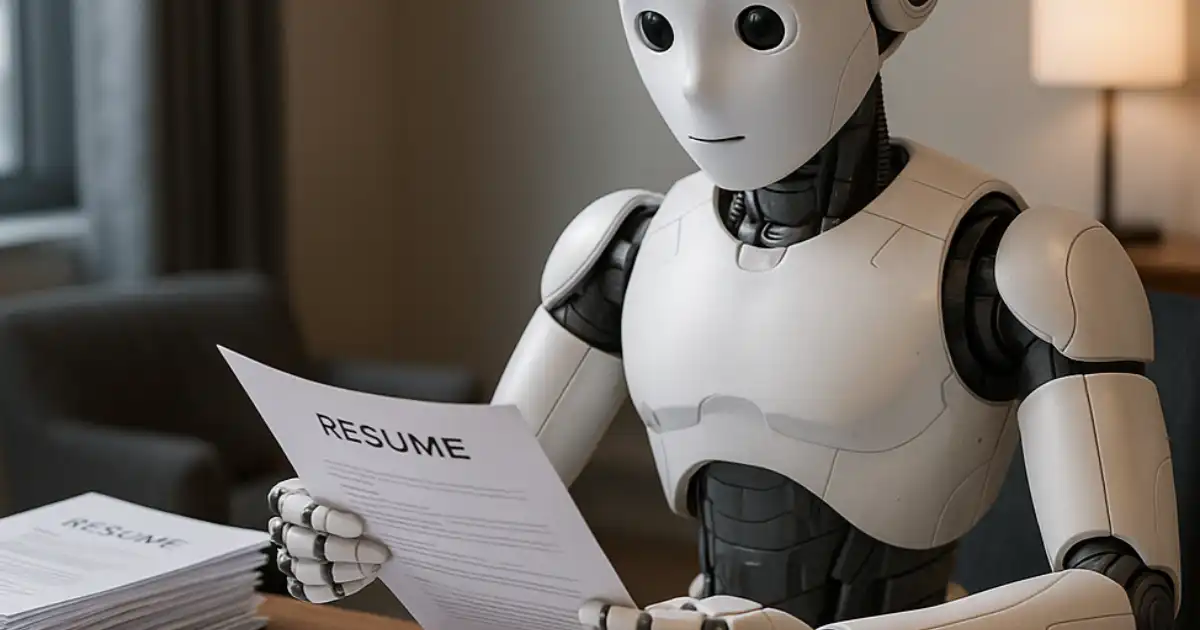
If you’ve ever spent hours tweaking your resume only to hear crickets after applying, you’re not alone. The truth is, most resumes fail before a human even sees them. Today, Applicant Tracking Systems (ATS) and keyword scanning software control the first gate of hiring, and that’s where resume tuning becomes essential.
Resume tuning isn’t just about making your resume look pretty; it’s about tailoring your content to pass automated screenings while still appealing to real human recruiters. AI tools are now stepping in to help job seekers make their resumes sharper, more targeted, and more likely to land interviews.
In my experience helping people fix resumes, the ones who embrace AI strategically tend to get better traction faster. AI can analyze the wording of your resume, suggest stronger action verbs, highlight missing skills, and even compare your resume to the job description in seconds things that used to take hours of manual tweaking.
But not all AI tools are created equal, and using them blindly can produce generic, robotic resumes. Understanding how AI works in practice is the first step to leveraging it effectively.
What Is Resume Tuning?
Resume tuning is the process of refining your resume so it performs well with both ATS systems and human readers.
At its core, it involves several key practices:
Resume tailoring
is about customizing your resume for each job. Generic resumes rarely stand out because every job has different expectations, keywords, and priorities. I’ve seen candidates send the same resume to multiple roles and wonder why they never get callbacks. Tailoring is what separates resumes that get passed along from ones that get ignored.
ATS optimization
means designing your resume to survive automated screening software. Many resumes get rejected simply because the formatting confuses the ATS. Tables, images, and unusual fonts can all prevent the system from reading your content correctly.
Keyword matching
is crucial. ATS systems scan for terms that match the job description, such as skills, certifications, and role-specific jargon. Missing these keywords, even if you have the experience, can make your resume invisible.
In practice, I’ve observed that candidates underestimate the importance of context. It’s not just about listing “Python” or “project management.” It’s about showing relevance, using the right phrasing, and ensuring the software recognizes your expertise. That’s where AI can help by analyzing your resume against the specific job description, highlighting gaps, and suggesting improvements.
How AI Helps Improve Your Resume
AI has moved resume tuning from guesswork to data-informed decisions. Here’s how it really helps:
Keyword Optimization for ATS
AI tools can scan your resume and compare it to a job description to identify missing or underrepresented keywords. In practice, this is a game-changer. I’ve seen resumes with perfect experience rejected simply because they lacked ATS-friendly language.
AI can suggest replacing “worked on data projects” with “managed data analytics projects using Python,” for example.
Resume Content Improvement
Beyond keywords, AI can improve sentence structure, clarity, and impact. Instead of saying “Responsible for team tasks,” an AI might suggest “Led a 5-person team to deliver project milestones on schedule.” These tweaks make your accomplishments concrete and readable to both humans and software.
Job Description Matching
Some AI tools can directly compare your resume to the job description. They provide a score or list of missing skills, allowing you to target each application more precisely. I’ve found this particularly useful for candidates switching industries who need to emphasize transferable skills.
Grammar, Tone, and Clarity
Even small grammar errors can hurt credibility. AI tools catch typos, suggest professional phrasing, and ensure the tone is suitable for hiring managers. In my experience, candidates who use AI for clarity tend to produce resumes that feel professional without sounding robotic if they don’t over-rely on generic suggestions.
Key Features to Look For in an AI Resume Tuning Tool
When evaluating AI tools for resume optimization, some features truly matter in practice.
ATS Compatibility
A resume might look great on paper but fail an ATS scan. Look for tools that specifically analyze ATS readability. These tools flag sections that might be misread, like overly complex tables or unusual formatting.
Resume Scoring
A scoring system helps you understand how strong your resume is compared to an ideal version. Some tools give percentile scores, helping you focus on areas that need improvement first.
Job Description Matching
Tools that can match your resume to a job description provide actionable insights on missing keywords, skills, or relevant achievements. This feature often separates casual resume builders from serious optimization tools.
AI Writing Assistance
AI-generated suggestions for bullet points, verbs, and phrasing save time, but the key is to edit them so they sound authentic. I’ve seen candidates copy AI content verbatim, producing resumes that felt generic or inflated.
Resume Templates and Formatting
While templates help with presentation, not all templates are ATS-friendly. Look for clean, simple layouts that balance readability for humans and software. The template is a tool, not a replacement for content quality.
Best AI Tools for Resume Tuning
Not all AI tools are equal. Here’s a practical breakdown of some of the most popular options:
ChatGPT
ChatGPT can generate bullet points, suggest phrasing improvements, and tailor your resume to a job description. I use it with clients who need help rewording achievements or clarifying experience. Its strength lies in flexibility you can ask for specific advice like “Rewrite this bullet to highlight leadership in a technical project.”
Where it falls short is structure and ATS-specific formatting. ChatGPT won’t scan your resume for keyword density or tell you if your layout will pass ATS. It’s best for content improvement rather than full resume optimization.
Rezi
Rezi is designed for ATS-friendly resumes. It scans job descriptions, identifies missing keywords, and helps you write bullet points optimized for both humans and machines. In my experience, it’s excellent for people applying to tech and corporate roles.
Limitations include less flexibility in creative formatting and somewhat rigid templates. It’s not ideal if you want a highly personalized design or are in creative industries.
Teal Resume Builder
Teal focuses on end-to-end resume creation with ATS optimization and keyword analysis. It’s particularly helpful for candidates who want guidance on phrasing and structure without doing everything manually.
The tradeoff is that some of the suggestions can feel formulaic. Users need to personalize the language to avoid sounding generic.
Kickresume
Kickresume combines AI writing assistance with templates. It’s strong for candidates who want to polish content quickly and need visual templates for presentation.
However, in practice, its keyword analysis is less robust than Rezi or Teal. I recommend it for creative roles or early-career professionals who prioritize style as much as content.
Enhancv
Enhancv excels in design and narrative building. It helps you tell a story with your resume, which works well for mid-career candidates. The AI suggestions focus on clarity, phrasing, and impact.
Limitations include weaker ATS keyword analysis. If your goal is purely to pass automated screening, you’ll need to complement Enhancv with a dedicated ATS tool.
Comparison Table of AI Resume Tools
| Tool | Best For | Free Plan | Key Feature |
|---|---|---|---|
| ChatGPT | Content rewording & bullet points | Yes | Flexible AI content generation |
| Rezi | ATS optimization & keyword match | Yes | ATS-friendly resumes |
| Teal Resume Builder | Guided resume creation & matching | Yes | Job description comparison |
| Kickresume | Creative roles & quick polishing | Yes | Templates + AI suggestions |
| Enhancv | Design and narrative building | Yes | Storytelling & layout focus |
How to Use AI to Tune Your Resume
A practical workflow I recommend is:
-
Upload or paste your resume
into the AI tool. Start with a clean, readable version.
-
Add the job description
to let the AI analyze keywords and skill gaps.
-
Identify missing keywords
AI highlights terms you should include for ATS and recruiter visibility.
-
Improve bullet points
Use AI to suggest stronger phrasing but edit to maintain authenticity.
-
Export an optimized version
Ensure the formatting is clean and ATS-friendly.
Practical tips: always cross-check AI suggestions against the job posting. Don’t inflate responsibilities, and avoid copying generic phrases verbatim. I’ve found resumes that blend AI suggestions with personal edits perform far better than purely AI-generated ones.
Pros and Cons of Using AI for Resume Tuning
AI makes resume optimization faster and more precise. It identifies gaps, improves phrasing, and helps tailor resumes to job descriptions. Many candidates save hours of work and gain better ATS compatibility.
On the flip side, AI is not a replacement for human judgment. Over-relying on AI can produce generic, cookie-cutter resumes. Some tools lack nuance for creative roles or mid-career storytelling. AI should augment your expertise, not replace it.
Tips for Getting the Best Results From AI Resume Tools
Use AI as a guide, not a crutch. Start with a clear understanding of your own skills and achievements before using AI suggestions. Cross-reference recommended keywords with the job posting to ensure relevance. Personalize bullet points so they reflect measurable impact rather than generic actions.
Test your resume across multiple AI tools if possible each tool has strengths and weaknesses. Keep formatting simple for ATS compliance, but don’t sacrifice readability for style. Finally, remember that AI works best when you combine its insights with your human judgment. Recruiters still value clarity, authenticity, and confidence over keyword stuffing.
You Might Be Interested In
- What Are The Two Types Of Neural Networks?
- 10 Ai Applications Thriving On 6g’s Near-zero Latency
- What Risks Are Involved In Ai Generated Content?
- Is It Best Llm Optimization Tools For Ai Visibility?
- AI Wearables: What’s Truly Useful for Everyday Life?
Conclusion
If your main goal is ATS optimization and job description matching, Rezi or Teal are the most practical choices. For content enhancement, phrasing, and bullet point improvements, ChatGPT excels. Creative candidates may prefer Kickresume or Enhancv to balance style with substance.
AI tools for resume tuning offer practical advantages that can significantly improve your chances of passing both ATS systems and human review. They save time, identify gaps, and provide phrasing suggestions that can make achievements more compelling. In my experience, candidates who leverage AI strategically see faster responses and better interview rates.
FAQs
What AI is best for improving resumes?
The best AI for improving resumes depends on what aspect you want to focus on. If you want your resume to be optimized for ATS systems and keyword relevance, tools like Rezi and Teal are excellent because they scan job descriptions and highlight missing skills or keywords.
On the other hand, if your goal is to refine phrasing, bullet points, and overall readability, ChatGPT is very effective. In practice, many job seekers combine these tools: using ATS-focused software to ensure compatibility, then applying ChatGPT to polish language and make the content more compelling.
Can AI optimize resumes for ATS systems?
Yes, AI can significantly improve your resume’s performance in ATS systems, but it works best when used correctly. Modern AI tools can analyze your resume against a job description, flag missing keywords, and suggest changes to match the language used in job postings.
However, AI alone won’t guarantee success because formatting issues or overly creative layouts can still confuse ATS software. It’s crucial to use AI as a guide while ensuring your resume remains clear, concise, and structured in a way that both software and human recruiters can read.
Is ChatGPT good for resume tuning?
ChatGPT is very useful for resume tuning, especially for improving content quality. It can rewrite bullet points to emphasize impact, suggest strong action verbs, and clarify vague responsibilities. Its flexibility allows you to request tailored edits, like emphasizing leadership, technical skills, or measurable results.
The limitation is that it does not assess ATS compatibility, keyword density, or formatting. In real-world use, the best results come from combining ChatGPT for content improvement with an ATS-specific tool for scanning and optimization.
Are AI resume builders worth using?
AI resume builders are worth considering if you want to save time and receive structured guidance. They help with keyword optimization, layout consistency, and phrasing suggestions, which is especially helpful for early-career professionals or candidates unfamiliar with ATS requirements.
However, the AI-generated content often needs a personal touch to sound authentic. Over-reliance on these tools can lead to generic resumes, so the best approach is to use AI as a starting point, then refine and customize the content to reflect your real experience and achievements.
Do recruiters accept AI-written resumes?
Recruiters generally accept resumes that have been enhanced by AI, as long as the content is truthful and accurately represents your experience. AI can polish wording, highlight relevant skills, and improve clarity, but it does not replace real experience or achievements.
In practice, the key is to review AI suggestions carefully and ensure that your resume reflects your authentic career story. Recruiters respond best to resumes that are both readable and meaningful, rather than ones that feel robotic or over-optimized.
