



Have you ever wondered how those smart Chatbots, virtual assistants, and self-driving cars actually work? The power behind them is artificial intelligence (AI). Now imagine being able to learn those same concepts — for free — beginning today. Yes, that’s possible! And with it, you gain a head-start into the fast-growing world of AI.
In this digital age, companies everywhere are using AI tools to automate tasks, dig through mountains of data, and even create art or stories. Whether you’re interested in programming, business, science, or just curious how tools like that work — learning AI can open doors. And the best part? You don’t need to pay huge fees. There are many high-quality, free online courses that let you dive in.
Whether you want to add a skill to your resume, explore a future career, or simply understand how AI shapes our world, these courses will help. Imagine being able to say: “I learned how to build with AI tools,” or “I understand how AI-powered systems make decisions.” That’s empowering. And you can do it without spending money.
So let’s take action: below you’ll find 15 free AI courses you can start right away. Each entry includes what the course covers, who it’s for, and how to get going. At the end you’ll get tips on making the most of them. Grab a notebook, set aside time, and pick your first course today. Let’s go.
Why Learn AI Now?
Before we list the courses, it’s helpful to understand why now is a great time to learn.
-
AI is everywhere: from phones to search engines, from health-care to finance, AI is being used to solve problems and invent new ones.
-
Using AI tools is becoming a basic skill: Even non-technical jobs are now asking for familiarity with AI, prompts, automation, and machine learning. For example, Google notes that many workers said AI skills will broaden job opportunities.
-
Free courses mean low barrier to entry: You don’t need thousands of dollars, you just need time and eagerness.
-
Learning now gives you a head-start: As AI becomes more advanced and integrated, those who already know how it works will benefit.
And yes — as you learn, you’ll deal with AI tools more and more: tools that help you build, test, and deploy intelligent systems. So you’ll be gaining not just theory, but practical skills.
How to Choose a Good Free AI Course
Here are some things to look for when picking one:
-
Beginner friendly
If you’re just starting, look for “no prior experience required”.
-
Hands-on practice
The more you can use the concepts (not just watch videos), the better.
-
Clear structure
Modules, assignments, quizzes help you stay on track.
-
Free access
Some courses let you audit for free but charge for certificate — still fine if you just want to learn.
-
Relevance to AI tools
If the course mentions building systems, using frameworks, or working with actual tools — even better.
-
Time commitment you can manage
Choose something realistic given your schedule.
15 Free AI Courses to Start Today
Here’s a curated list of 15 free courses you can start now. They differ in level, length, focus — so you’ll find something that matches where you’re at.
1. AI For Everyone (Coursera / Andrew Ng)
-
What you’ll learn: What AI is, what it can and cannot do, how companies use AI, how to navigate an AI project.
-
Why it’s good: No coding required. Perfect for absolute beginners.
-
How it helps: You’ll understand the big picture of how AI tools fit into business and society.
-
Time: ~6 hours (self-paced)
-
Start: Coursera → search “AI For Everyone”.
2. Introduction to Artificial Intelligence (GreatLearning)
-
What you’ll learn: Basics of AI, ML, NLP (natural language processing) and neural networks.
-
Why it’s good: Free with certificate option; shorter format.
-
How it helps: Gives you a taste of how different AI tools and techniques are used.
-
Time: ~2.5 hours
-
Start: GreatLearning website → free AI courses section.
3. AI Essentials (Google)
-
What you’ll learn: Practical training referenced by Google, shows how to use AI skills and some tools like Gemini, NotebookLM.
-
Why it’s good: From a tech giant; shows real-world relevance of AI.
-
How it helps: You’ll see how AI tools are applied in work or creative contexts.
-
Start: Grow with Google → AI skills section.
4. AI Skills in Less Than 1 Hour (IBM SkillsBuild)
-
What you’ll learn: Quick introduction to AI, what it is, basic terminology.
-
Why it’s good: Great short starter if you’re busy or just want an introduction.
-
How it helps: You’ll feel more confident about the concept of AI and AI tools.
-
Start: IBM SkillsBuild website → search AI.
5. AI 101 (MIT OpenCourseWare)
-
What you’ll learn: Designed for learners with little background; covers machine vision, data wrangling, reinforcement learning.
-
Why it’s good: From a top university; free access to materials.
-
How it helps: Gives you a deeper peek into how AI systems and AI tools are built.
-
Start: MIT OCW site → AI 101.
6. Artificial Intelligence (6.034) (MIT OpenCourseWare)
-
What you’ll learn: Fundamentals of AI—knowledge representation, problem solving, learning methods.
-
Why it’s good: Rich content, more challenging but high quality.
-
How it helps: If you want to dig deeper and maybe later build your own AI tools.
-
Note: Requires some programming/math comfort.
7. Free Artificial Intelligence Courses with Certificates (GreatLearning collection)
-
What you’ll learn: Collection of multiple free AI courses (deep learning, NLP, neural networks) with certificate options.
-
Why it’s good: Lots of variety; you can pick topics that interest you.
-
How it helps: You’ll get exposure to different AI tools and techniques.
-
Start: GreatLearning free AI courses list.
8. AI For Educators (Google)
-
What you’ll learn: How to use generative AI tools in education, ideas for prompt design, personalized instruction.
-
Why it’s good if you are interested in teaching, training, or educational design.
-
How it helps: Shows how AI tools can be used outside pure tech — in educational settings.
-
Start: Grow with Google → AI for Educators.
9. Free Online Certificate in Artificial Intelligence and Career Empowerment (University of Maryland)
-
What you’ll learn: Overview of AI in business/industry, how AI is transforming different functional areas.
-
Why it’s good: Business-oriented; not purely technical.
-
How it helps: Great if you’re interested in how AI tools can shape strategy, management or work in non-tech roles.
-
Start: Visit University of Maryland Executive Education site.
10. Introduction to Artificial Intelligence with Python (Harvard)
-
What you’ll learn: Basics of machine learning and AI using Python, focusing on coding and practical applications.
-
Why it’s good: Combines theory with practice; Python is widely used.
-
How it helps: If you have some programming background and want to build AI tools, this is a strong pick.
-
Start: Harvard online site → search course.
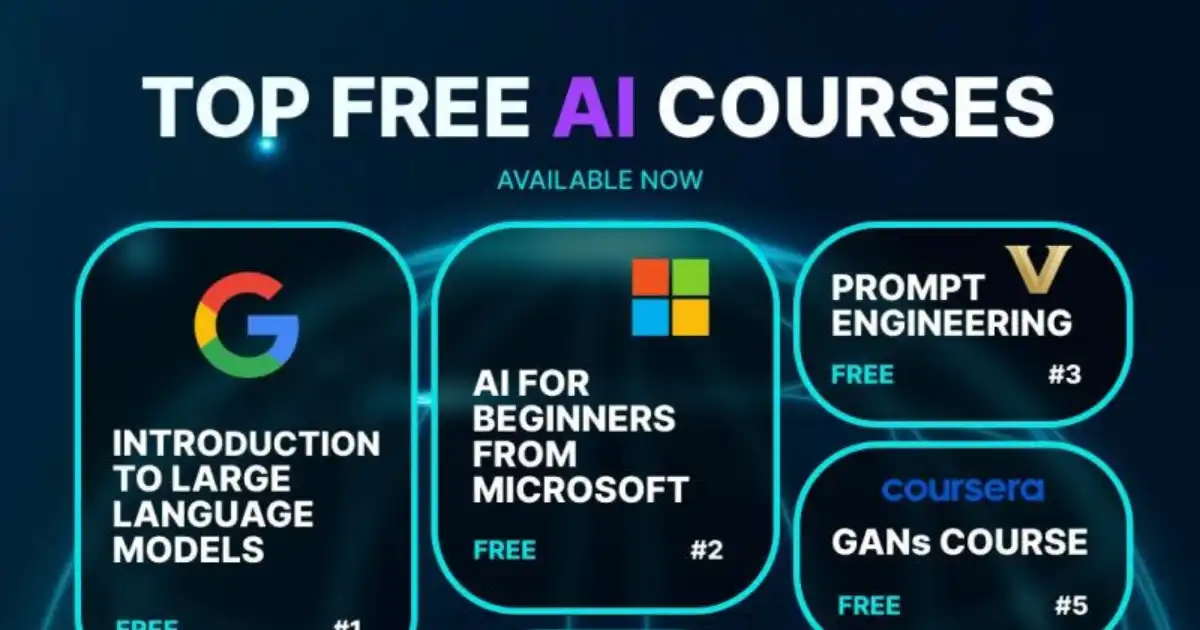
11. Introduction to Large Language Models (Google)
-
What you’ll learn: The fundamentals of LLMs (large language models) which power tools like ChatGPT, Google Gemini etc.
-
Why it’s good: Focuses on current technologies and AI tools in natural language space.
-
How it helps: If you’re curious about how language apps, chatbots, writing assistants are built.
-
Start: Google AI skills page.
12. Introduction to Generative AI (Google Cloud)
-
What you’ll learn: Generative AI concepts — how to generate images, text, and other media using AI.
-
Why it’s good: Generative AI is one of the hottest areas now.
-
How it helps: You’ll learn about AI tools that create rather than just analyze.
-
Start: Google Cloud learning platform.
13. Elements of AI (University of Helsinki / MinnaLearn)
-
What you’ll learn: Basics of AI including machine learning, neural networks, how AI can solve problems.
-
Why it’s good: Very beginner‐friendly, global reach.
-
How it helps: A great starting point if you are fully new and want simple explanations of how AI tools fit into everyday life.
-
Start: elements of ai dot com.
14. Free AI Courses – Career Services (Central Washington University blog list)
-
What you’ll learn: A curated list of free AI courses from sources like Google, Harvard, etc.
-
Why it’s good: Good cross-reference to pick based on your level and interest.
-
How it helps: Helps you compare and decide which AI tools or courses you might want.
-
Start: CWU blog post → follow links.
15. Free AI Courses for Students (IBM SkillsBuild)
-
What you’ll learn: AI resources for students and educators; you’ll explore building chatbots, virtual robots, and more.
-
Why it’s good: Student-friendly, project oriented.
-
How it helps: You’ll get exposure to building with AI tools rather than just learning about them.
-
Start: IBM SkillsBuild student catalog → AI section.
How to Get the Most Out of These Courses
Just enrolling is not enough — you’ll get the best results if you do the following:
Set Clear Goals
-
Define why you’re doing this course: for skill, for hobby, for future career.
-
Write it down: e.g., “I will complete one module per week.”
-
Pick 1 or 2 courses first — don’t try to do all 15 at once.
Create a Study Schedule
-
Choose consistent times (e.g., 30 minutes each weekday).
-
Use a quiet space with minimal distraction.
-
Treat it like a class: show up, take notes, ask questions.
Engage Actively
-
Pause videos, rewrite key points in your own words.
-
Do the assignments or quizzes.
-
Try extra practice: build a mini-project, even if simple.
Connect With Others
-
If there’s a forum or comment section: participate, ask questions.
-
Study with a friend or form a group (even virtually).
-
Teaching someone what you’ve learnt helps reinforce it.
Apply What You Learn
-
As you learn about AI tools, try to use one: maybe a simple chatbot or image-recognition tool.
-
Relate learning to your interests: if you like music, think how AI can generate music; if you like business, think how AI tools can help marketing.
Track Your Progress & Reflect
-
Keep a log: date, what you learnt, questions you still have.
-
At the end of each week, review: “What did I learn? What confused me? What do I want to learn next?”
-
Celebrate small wins: finishing a module, doing a project, understanding a tough concept.
Build a Portfolio
-
Even if your course is free and certificate optional, save your work.
-
A simple GitHub repository, a blog post, or a document showing your project builds credibility.
-
Highlight that you’ve worked with AI tools, learned AI theory, and applied them.
Keep Learning & Evolving
-
AI is always changing. One course is just a start.
-
Once you finish a beginner course, move to intermediate ones.
-
Explore specialised areas: computer vision, NLP, robotics, ethical AI.
-
Stay updated: follow blogs, news, communities of AI learners and practitioners.
Common Pitfalls & How to Avoid Them
Learning online is convenient, but can bring challenges. Here’s how to stay on track:
-
Pitfall: Distractions & Procrastination
Solution: Use timers, set dedicated study time, avoid multitasking. -
Pitfall: Feeling Overwhelmed by Technical Content
Solution: Choose a beginner course first (like “AI For Everyone” or “Elements of AI”), build foundations before moving to advanced. Use supplementary resources (YouTube, forums). -
Pitfall: Doing Videos but Not Practicing
Solution: Ensure you actually do assignments/projects — theory alone won’t give you skill with AI tools. -
Pitfall: Jumping too Fast into Advanced Topics
Solution: Use a step-by-step path: basics → core theory → application → tools. -
Pitfall: Letting Course End Without Applying It
Solution: Plan a small project immediately after finishing module/course: something you can show.
Why These Courses Are Free & What That Means for You
-
Many top universities and tech companies want to spread education, boost literacy in AI, and develop a future workforce. That’s why many courses are free or allow free auditing.
-
“Free” often means: you can watch videos, read materials without paying; certificates or extra features may cost extra. But you can still gain knowledge without payment.
-
Because they are free, you must self-motivate. You won’t have tuition accountability or in-class attendance, so your discipline matters.
-
The quality can be very high (see MIT, Harvard, Google offerings above). So you get premium education without cost.
Detailed Course Suggestions by Audience
Depending on your background and goals, you can pick courses accordingly:
For Absolute Beginners (No Coding Experience)
-
AI For Everyone (Andrew Ng)
-
AI Essentials (Google)
-
Elements of AI (University of Helsinki)
-
AI Skills in Less Than 1 Hour (IBM)
For Beginners Who Want Some Practice / Coding
-
Introduction to Artificial Intelligence with Python (Harvard)
-
Introduction to Generative AI (Google Cloud)
-
Introduction to Large Language Models (Google)
For Intermediate Learners (Some Programming/Math)
-
Artificial Intelligence (MIT 6.034)
-
Free AI Courses Collection (GreatLearning)
-
AI 101 (MIT)
For Business / Strategy / Non-Tech Roles
-
Free Online Certificate in AI & Career Empowerment (University of Maryland)
-
AI For Educators (Google)
For Building With AI Tools & Projects
-
Free AI Courses for Students (IBM SkillsBuild)
-
Introduction to Artificial Intelligence (GreatLearning)
How Learning AI Relates to Using AI Tools
As you go through these courses, you’ll frequently encounter the phrase AI tools. Let’s explain the connection:
-
AI tools are software, frameworks, or platforms that allow you to build intelligent systems: e.g., chatbots, recommendation engines, image-recognition systems, autonomous agents.
-
Learning about AI theory (algorithms, neural networks, probabilities) helps you understand how these tools work under the hood.
-
Many courses provide hands-on with frameworks or simpler versions of AI tools (for example using Python libraries or cloud services).
-
The better you know the theory + hands-on practice, the more effective you’ll be at using or building AI tools rather than just using them as a black box.
-
For a future career or project work, being able to say “I worked with AI tools” means you can apply them or even customise them.
Putting It All Together: Your Learning Plan
Here’s a sample 6-week plan you can follow:
-
Week 1
Pick one beginner course (e.g., AI For Everyone). Complete at least 2 modules.
-
Week 2
Continue same course, start taking notes of tools/terms you don’t understand. Try a mini-activity: what’s one way you might use AI in your daily life or in school?
-
Week 3
Pick a second course (maybe one with a little coding/practice, like Introduction to Artificial Intelligence with Python). Do first two lessons.
-
Week 4
Continue week 3 course, attempt a small experiment: e.g., use a free AI tool (say a chatbot framework or image-generator) and see what you can create.
-
Week 5
Reflect: What did you enjoy? What was hard? Choose one more course from the list (maybe business-oriented or generative AI).
-
Week 6
Finish chosen modules, build a small portfolio item: a simple write-up, screenshot of your work, or a blog post about your learning journey and the AI tools you encountered.
After week 6, you’ll have: two courses completed/partially, one practical experiment with a tool, and a plan for what you want next. Then you can iterate: pick intermediate courses, build more complex projects, join communities.
What’s Next After These Courses
Once you finish one or more of the free courses:
-
Choose a specialisation: e.g., NLP (natural language processing), computer vision, robotics, generative AI, business intelligence.
-
Build projects: Use what you learned. Example: create a chatbot that answers FAQs, image classifier for school photos, dashboard that uses AI to predict something.
-
Learn relevant programming libraries/tools: For instance, Python and libraries like TensorFlow, PyTorch, scikit-learn.
-
Consider joining hackathons, online communities, forums. Contribute to open-source if you can.
-
Think about certifications if appropriate: some free courses allow paid certificates, which could help your resume.
-
Keep updated: AI is fast moving — new tools, frameworks, and AI tools emerge regularly.
You Might Be Interested In
- Is It Ok To Use Ai For Cover Letter?
- How To Write Genetic Algorithm Code?
- How To Create a Neural Network?
- How Does Cybersecurity Risk Assessment Reduce Vulnerabilities?
- Which Ai Is Best For Helping With Resume Tuning?
- 7 Aiot Innovations Powering Smart Cities Of Tomorrow
- How To Draft Better Emails With Ai In Minutes?
- How To Get Pro Headshots With Ai On A Budget?
- How To Convert Json To Csv With Ai?
- 10 Chatgpt Plugins Every Developer Needs To Try
Conclusion
Today you have the opportunity to begin an exciting journey into the world of AI — without paying. The 15 free courses listed above cover a spectrum of beginners to more advanced, technical to strategic, and they include lots of focus on AI tools. With dedication, you can gain meaningful skills, build confidence, and open doors to future learning or career possibilities.
Remember: the most important thing is to start. Pick one course, set aside time, engage fully, build something small, and reflect on what you’ve learnt. Use the theory, but also walk your way into practice — using actual AI tools, making mistakes, learning, improving.
Once you’ve done that, you’ll not only understand what AI is — you’ll also know how to use it. And in a world where AI is becoming integrated into nearly every field, that’s a real advantage.
Start today. Choose your course. Make your schedule. Dive in. The future of AI awaits — and you can be part of building it.
FAQs about Ai Course
Which is the best AI course for beginners free?
The best free AI course for beginners often depends on your learning goals and preferred style, but one of the most highly recommended options is “AI for Everyone” by Andrew Ng on Coursera. This course is perfect for absolute beginners because it explains artificial intelligence in simple, practical terms without requiring any coding skills. It helps you understand how AI works, how it’s applied in real life, and how it’s shaping industries today. Another excellent option is Google’s AI Basics course, which offers interactive lessons and hands-on examples to strengthen your foundational understanding. Both courses are free to audit and designed to help you build confidence before diving into more technical material.
Are free AI courses good for beginners?
Yes, free AI courses are an excellent starting point for beginners. Many of these courses are created by world-renowned universities and leading tech companies, offering high-quality content that rivals paid programs. They cover the fundamentals of AI, such as machine learning, neural networks, and data analysis, in an easy-to-follow format. What makes them especially good is that you can learn at your own pace without financial pressure. Free AI courses also help learners explore whether they truly enjoy the subject before committing to advanced or paid programs. In short, they’re a risk-free way to step into one of the most exciting fields of the future.
Where can I get free AI courses?
You can find free AI courses on several trusted online platforms. Coursera, edX, and Udacity offer beginner-friendly AI courses taught by top professors from universities like Stanford and MIT. Google AI, IBM SkillsBuild, and Microsoft Learn also provide interactive tutorials and guided projects that help you apply AI concepts in real-world scenarios. If you prefer a more hands-on approach, websites like Kaggle and Fast.ai host free materials and coding notebooks to practice building models directly. With so many reliable options, you can start learning AI anytime, anywhere—without spending a dime.
Which AI is totally free?
There are several AI tools and platforms that are completely free to use, depending on what you want to learn or create. For beginners, Google Colab is a great choice—it allows you to write and run machine learning code in your browser without any setup or cost. ChatGPT free version, Hugging Face Transformers, and TensorFlow are also widely used open-source AI tools that let you experiment with text, image, and data models. These free tools are perfect for exploring AI concepts and building small projects while gaining practical experience in how artificial intelligence works behind the scenes.
What are 7 types of AI?
Artificial Intelligence can be categorized into seven main types based on capabilities and functions: Reactive Machines, Limited Memory, Theory of Mind, Self-Aware AI, Artificial Narrow Intelligence (ANI), Artificial General Intelligence (AGI), and Artificial Superintelligence (ASI). Reactive Machines are the simplest—they only respond to inputs, like chess programs. Limited Memory AI, used in self-driving cars, can learn from past data. Theory of Mind AI aims to understand human emotions, while Self-Aware AI—still theoretical—would possess consciousness. The remaining three—ANI, AGI, and ASI—represent increasing levels of intelligence, from performing specific tasks to surpassing human cognitive ability entirely. Each type marks a step in the fascinating journey of AI’s evolution toward more human-like intelligence.
