



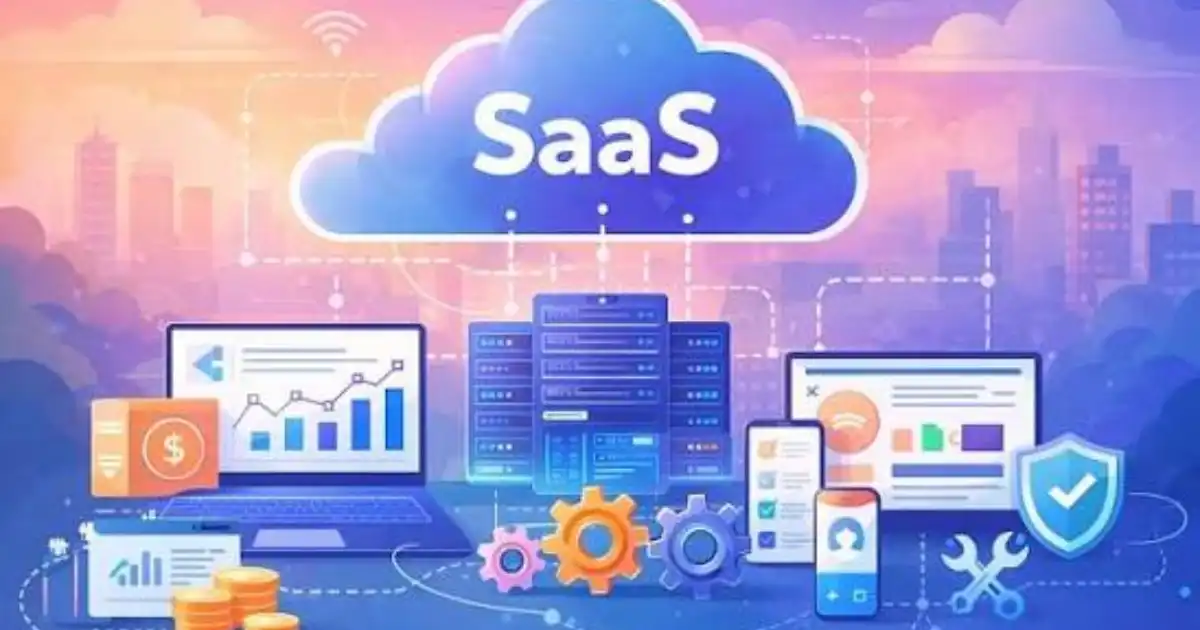
Let me start with something simple. What Makes SaaS Software Different?
Imagine you buy a DVD versus subscribing to Netflix. With the DVD, you own it. You store it, maintain it, and if it scratches, that is your problem. With Netflix, you do not own anything. You just access it when you need it, and everything else is handled for you.
That is basically the shift SaaS brings to software.
SaaS stands for Software as a Service. Instead of installing software on your computer or servers, you access it through the internet, usually through a browser. You log in, use it, and log out. That sounds simple, but in practice, it changes everything about how software is built, delivered, and used.
In my experience, the biggest difference is not technical. It is behavioral. SaaS changes how businesses think about software entirely.
The Core Shift From Ownership to Access
You Do Not Own the Software
With traditional software, you used to buy a license. It felt like owning something. You installed it on your machine, maybe even kept backup CDs or installers.
With SaaS, you are renting access.
The moment you stop paying, access is gone. Your data might still exist, but your ability to use the system is controlled by the provider. This changes how businesses plan long term. You are not investing in software as an asset. You are subscribing to a service.
I have seen companies get caught off guard here. They assume they “have” the software, until billing issues or subscription changes remind them otherwise.
The Provider Controls Everything
This is the part most people underestimate.
With SaaS, the provider controls the servers, the application, the updates, the performance, and often even how the product evolves. You are not just using software. You are relying on someone else’s operational decisions.
That can be a huge advantage, but also a risk.
If the provider changes pricing, features, or limits, you adapt. Not them.
How SaaS Software Works Behind the Scenes
Cloud-Based Hosting
SaaS software runs on cloud infrastructure. That means the application is hosted on remote servers instead of your local machine.
When you log into a SaaS tool, your request goes over the internet to a server somewhere, processes there, and sends the result back to you.
From a user perspective, it feels instant. Behind the scenes, there is a lot happening. Load balancing, databases, security layers, and distributed systems are working together.
You do not see it, but you depend on it every time you click a button.
Multi-Tenant Architecture
This is one of the biggest technical differences.
In many SaaS systems, multiple customers share the same application instance. That is called multi-tenancy. Your data is separated logically, but the underlying system is shared.
Think of it like an apartment building. Everyone has their own unit, but the building infrastructure is shared.
This is why SaaS scales so efficiently. Instead of building one system per customer, providers run one system for thousands.
The trade-off is customization. You cannot always tweak things exactly how you want because the system is shared.
Continuous Updates
Traditional software had versions. You installed version 1.0, then maybe upgraded to 2.0 later.
SaaS does not work like that.
Updates happen continuously, often without you even noticing. Bug fixes, new features, performance improvements are pushed live regularly.
In my experience, this is both a blessing and a headache.
You always have the latest features, but sometimes things change without warning. I have seen workflows break because a provider updated something overnight.
Key Characteristics That Make SaaS Different
Subscription-Based Pricing
Instead of paying once, you pay monthly or yearly.
At first glance, this feels cheaper. Lower upfront cost, easier to start. But over time, costs add up.
I have seen businesses spend more on SaaS subscriptions over five years than they would have on traditional software.
The difference is flexibility. You can scale up or down as needed.
Access From Anywhere
This is one of the biggest advantages.
Because SaaS runs in the cloud, you can access it from anywhere with an internet connection. Laptop, tablet, even your phone.
This is why SaaS became the backbone of remote work.
No VPN setups, no complicated installations. Just log in and go.
Automatic Maintenance
With traditional software, someone had to manage updates, security patches, backups, and server uptime.
With SaaS, that responsibility shifts to the provider.
From a business perspective, this removes a lot of operational burden. You do not need a full IT team just to keep systems running.
But remember, you are trusting someone else to do it right.
Easy Scalability
Need to add 50 users? Usually just a few clicks.
Need to reduce usage? Same story.
SaaS is designed to scale easily because the infrastructure is already in place.
This is a big reason startups prefer SaaS. You can grow without rebuilding your systems.
SaaS vs Traditional Software in Real Life
Let me explain this with a simple example.
Think about accounting software.
In the old model, a company would buy accounting software, install it on office computers, and maybe host it on an internal server. If something broke, their IT team had to fix it. Upgrades were manual and often delayed.
Now compare that to a SaaS accounting tool.
The company logs into a web app. Updates happen automatically. Data is backed up continuously. Employees can access it from anywhere.
The trade-off?
They rely entirely on the provider. If the service goes down, work stops. If pricing increases, they either pay more or migrate, which is not easy.
So the difference is not just convenience. It is a shift in responsibility.
Why SaaS Became So Popular
Reduced IT Complexity
In my experience, this is the biggest driver.
Businesses do not want to manage servers, updates, and infrastructure anymore. SaaS removes a lot of that complexity.
Instead of building and maintaining systems, companies focus on using them.
Faster Adoption
With SaaS, you can start using a tool in minutes.
No installation, no setup delays. Just sign up and go.
This is especially useful for small teams and startups that need speed.
Remote Work Fit
SaaS fits perfectly with how people work today.
Teams are distributed. People work from home, cafes, or different countries.
SaaS makes location irrelevant.
Real-World Examples of SaaS Software
Instead of listing brand names, let me break it down by categories.
Customer relationship management systems help businesses track leads, sales, and customer interactions.
Project management tools organize tasks, timelines, and team collaboration.
Accounting platforms handle invoicing, expenses, and financial reporting.
Communication tools enable messaging, video calls, and file sharing.
Marketing platforms manage campaigns, analytics, and automation.
What all of these have in common is not what they do, but how they are delivered.
They run in the cloud, are accessed via browsers, and operate on a subscription model.
Where SaaS Works Best and Where It Does Not
Ideal Use Cases
SaaS works best when you need flexibility and accessibility.
If your team is remote, SaaS is almost a no-brainer.
If you want to avoid managing infrastructure, SaaS simplifies things.
If your needs are standard and do not require heavy customization, SaaS fits well.
I have seen SaaS work extremely well for startups, small businesses, and teams that prioritize speed over control.
Limitations
SaaS starts to struggle in more complex environments.
If you need deep customization, shared systems can become limiting.
If you operate in industries with strict compliance requirements, relying on external providers can be risky.
If internet access is unreliable, SaaS becomes frustrating quickly.
And if you rely heavily on one platform, switching later can be painful.
The Hidden Trade-Offs Most People Ignore
Let me be blunt here. SaaS is not all upside.
Vendor lock-in is real. Once your data and workflows are deeply integrated into a platform, moving away becomes difficult and expensive.
Long-term cost is often underestimated. Monthly fees feel small, but over years, they stack up significantly.
Loss of control is another big one. You cannot control updates, downtime, or feature changes.
Downtime risks are also real. Even the best SaaS providers have outages. When they go down, you wait.
I have seen entire teams sit idle because a SaaS tool was temporarily unavailable.
Common Misconceptions About SaaS
One common belief is that SaaS is always cheaper.
That is not true. It is cheaper upfront, but not always over time.
Another misconception is that SaaS is always secure.
Good providers invest heavily in security, but you are still trusting a third party with your data. That comes with risks.
And not all cloud software is SaaS.
Some cloud solutions are still managed or hosted differently. SaaS specifically means the provider manages everything and delivers it as a service.
You Might Be Interested In
- Why SaaS Integration Is Important?
- What SaaS Applications Are Used For?
- How Software Integration Connects Apps?
- Why Cloud Based Software Is Popular?
- How a SaaS Platform Delivers Software?
Conclusion
What makes SaaS different is not just where the software runs. It is how you relate to it.
You are no longer buying a tool and owning it. You are subscribing to a service that someone else builds, maintains, and controls. That shift sounds small, but it changes everything. It affects cost over time, how much control you have, how quickly you can move, and how dependent you become on a provider.
In my experience, SaaS is incredibly useful when you need speed, flexibility, and minimal setup. It removes a lot of technical burden and lets teams focus on actual work instead of infrastructure. That is why it has become the default choice for so many businesses.
Use SaaS for flexibility and speed. Be cautious about long-term dependence. Always understand what you are giving up in exchange for convenience.
FAQs
What is SaaS software in simple terms
SaaS software is basically software you use through the internet instead of installing it on your computer. You open a browser, log into an account, and start using it right away. There is no setup, no downloading large files, and no worrying about updates. Everything runs on the provider’s servers somewhere else, and you are just interacting with it remotely. In simple terms, you are not buying the software itself, you are paying for access to it.
What most people miss is that this also means you are depending on that provider for everything. If their system goes down, you cannot use the software. If they change features or pricing, you have to adapt. So while SaaS makes things easier to use, it also shifts control away from you and into the hands of the company providing the service.
How is SaaS different from traditional software
The biggest difference comes down to ownership versus access. Traditional software is something you install and control. It lives on your machine or your company’s servers, and you are responsible for maintaining it, updating it, and fixing it when things break. SaaS flips that model completely. The software lives somewhere else, and the provider handles everything behind the scenes.
In real-world use, this changes how people work. SaaS is faster to start, easier to scale, and requires less technical effort. But you give up a level of control in return. You cannot decide when updates happen, and you cannot always customize things deeply. I have seen teams struggle with this when they move from traditional systems and expect the same level of control.
Why do businesses prefer SaaS
Most businesses prefer SaaS because it removes a lot of technical headaches. You do not need to set up servers, manage installations, or worry about keeping systems updated. Everything is ready to use almost instantly. That speed is a huge advantage, especially for startups and small teams that do not have dedicated IT staff.
Another big reason is flexibility. Teams can access SaaS tools from anywhere, which fits perfectly with remote and hybrid work. In my experience, companies choose SaaS because it lets them focus on their actual work instead of dealing with infrastructure. It is not just about convenience, it is about removing friction from everyday operations.
Is SaaS cost-effective long term
This is where things get a bit tricky. SaaS often feels cheaper at the beginning because there is no big upfront cost. You pay a monthly or yearly fee, which seems manageable. For short-term use or small teams, it usually is cost-effective. You get up and running quickly without a large investment.
But over time, those subscription costs add up. I have seen businesses pay far more over five or ten years than they would have with traditional software. The difference is that SaaS spreads the cost out instead of hitting you all at once. Whether it is cost-effective long term really depends on how long you use it, how many users you have, and how critical the tool becomes to your operations.
What are the disadvantages of SaaS
The main disadvantages of SaaS are tied to control and dependency. You are relying on a provider to keep everything running smoothly. If their service has downtime, your work can stop. If they change pricing or remove features, you have limited options other than adapting or switching, which is often harder than it sounds.
Another issue is vendor lock-in. Once your data, workflows, and team are deeply tied to a SaaS platform, moving away can be difficult and expensive. There is also the long-term cost factor, which many people underestimate. SaaS is convenient, but that convenience comes with trade-offs that you only really notice after using it for a while.
