
Close Menu
metaeyemetaeye

    Subscribe to Updates

    Get the latest creative news from FooBar about art, design and business.

    What's Hot

    How Web Development Creates Websites?

    July 23, 2026

    Why DevOps Improves Software Delivery?

    July 22, 2026

    Why Password Security Still Matters?

    July 21, 2026
    Facebook X (Twitter) Instagram
    • Home
    • Privacy Policy
    • Disclaimer
    Facebook X (Twitter) Instagram Pinterest Vimeo
    metaeyemetaeye
    • Home
    • Artificial Intelligence
    • Hardware
    • Innovations
    • Software
    • Technology
    • Digitization
    Contact
    metaeyemetaeye
    You are at:Home»SaaS & Software»How Software Integration Connects Apps?
    SaaS & Software

    How Software Integration Connects Apps?

    Muhammad IrfanBy Muhammad IrfanJuly 11, 2026Updated:July 23, 2026No Comments20 Mins Read
    Facebook Twitter Pinterest LinkedIn Tumblr Email
    How Software Integration Connects Apps?
    Share
    Facebook Twitter LinkedIn Pinterest Email Copy Link

    If you’ve ever wondered how your CRM automatically creates a customer record after someone submits a form on your website, or how an online order instantly appears in your inventory system, you’ve already seen software integration at work.

    In simple terms, software integration is the process of getting different applications to communicate and work together as though they’re part of one larger system. Each application still has its own job, database, and interface, but instead of operating in isolation, they exchange information automatically whenever something important happens.

    People often assume integration means combining multiple applications into one. In reality, that’s rarely the goal. Most businesses already have tools that do their individual jobs well. The challenge is making those tools share data without employees constantly copying and pasting information between them.

    Think of a small online retailer. They might use Shopify for sales, HubSpot for customer management, QuickBooks for accounting, and Slack for internal communication. None of these applications were originally built to function as one product, yet they can work together through application integration.

    When a customer places an order, the order information moves automatically from the online store into the CRM, inventory levels update, an invoice is created in the accounting software, and the warehouse team receives a notification. Nobody manually transfers the information. The systems handle it behind the scenes.

    That’s what good integration looks like.

    In my experience, people usually don’t notice software integration when it’s working well. They only notice it when something breaks. Suddenly customer information disappears, orders stop syncing, invoices aren’t generated, or support tickets never reach the right team. The invisible connections become very visible when they fail.

    Another misunderstanding is that software integration is only for large enterprises. That’s no longer true. Even a small company with five cloud applications can benefit from connecting them properly. In fact, smaller businesses often gain the most because they don’t have time to waste on repetitive administrative work.

    At its core, software integration isn’t about technology for technology’s sake. It’s about allowing information to move to the people and systems that need it without unnecessary manual effort.

    Table of Contents

    Toggle
    • Why Software Integration Exists in the First Place
    • How Software Integration Connects Apps
      • Step 1: An Event Happens in One Application
      • Step 2: An API Sends the Data
      • Step 3: The Data Is Transformed
      • Step 4: The Second Application Processes the Data
      • A Complete Real-World Integration Flow
      • API-Based Integration
      • Webhooks
      • Middleware
      • Database Integration
      • iPaaS and No-Code Integration Tools
    • Real-World Examples of Software Integration
    • Benefits of Software Integration in Real Workflows
    • Common Challenges in Software Integration
    • Conclusion
    • FAQs

    Why Software Integration Exists in the First Place

    Businesses rarely start with ten different software platforms.

    Most begin with one or two applications that solve an immediate problem.

    A company launches a website. Later they adopt accounting software. Then a CRM. Next comes email marketing, project management, customer support, payroll, analytics, document storage, and perhaps an ERP as the business grows.

    • Each decision makes sense individually.
    • The problem appears over time.
    • Every new application creates another place where business data lives.
    • Customer information ends up in one system.
    • Invoices are stored somewhere else.
    • Support tickets live in another application.
    • Marketing contacts exist in a completely different database.
    • Now imagine an employee receives a new order.
    • They copy the customer’s details into the CRM.
    • Then they manually enter the same information into the accounting system.
    • Next, they notify the warehouse through Slack.
    • Finally, they update a spreadsheet used for reporting.
    • Nothing here is technically difficult.

    It’s just repetitive.

    And repetition creates mistakes.

    I’ve seen situations where employees accidentally typed the wrong shipping address in one application while the correct address remained in another. The warehouse shipped the package using outdated information, customer support handled the complaint, accounting processed a refund, and management spent hours figuring out what happened.

    • The root cause wasn’t poor employees.
    • It was disconnected software.
    • Manual work also slows businesses down far more than most people realize.
    • Imagine a sales representative closes a deal.
    • Instead of immediately starting customer onboarding, someone has to create accounts across three different systems.
    • Someone else sends welcome emails.
    • Another employee creates invoices.
    • Another schedules implementation.
    • If each task waits for a person, delays pile up quickly.
    • Now compare that with an integrated workflow.
    • The signed contract triggers a sequence of events automatically.
    • Customer records appear in the CRM.
    • Invoices are generated.
    • Project management software creates onboarding tasks.
    • The implementation team receives notifications.
    • The customer receives a welcome email.
    • Everything starts within seconds.

    That’s why businesses invest in workflow automation. The goal isn’t simply reducing clicks. It’s making sure every department works from the same information without waiting for someone to manually pass it along.

    This is also where system integration and data integration become important. One focuses on connecting different software systems, while the other ensures the information moving between them stays accurate, consistent, and useful.

    Without proper data integration, applications might exchange information, but that information can still become outdated, duplicated, or inconsistent.

    I’ve seen companies believe they had integrated systems simply because data was moving between applications. Later they discovered one system stored customer names differently, another expected different date formats, and a third required mandatory fields the others didn’t provide.

    Technically, everything was connected.

    Practically, nothing worked reliably.

    That’s a common lesson in real projects. Connecting software is usually the easy part. Making different applications understand each other’s data is where the real work begins.

    How Software Integration Connects Apps

    Many people picture software integration as a mysterious process happening somewhere “in the cloud.”

    In reality, the flow is surprisingly logical.

    Applications don’t magically know when something changes. One application has to tell another that an event happened, send the necessary information, and wait for the receiving system to process it.

    Let’s walk through what usually happens behind the scenes.

    Step 1: An Event Happens in One Application

    Every integration starts with an event.

    An event is simply something that occurs inside an application.

    It could be

    • A customer submits a contact form.
    • An online order is placed.
    • A payment succeeds.
    • A support ticket is created.
    • A new employee is added.
    • A document is approved.

    The application recognizes that something important happened and prepares the relevant information.

    For example, an e-commerce platform records:

    • Customer name
    • Email address
    • Shipping address
    • Purchased products
    • Payment status
    • Order number

    At this point, nothing has moved yet.

    The information still belongs to the first application.

    Step 2: An API Sends the Data

    This is where API integration usually takes over.

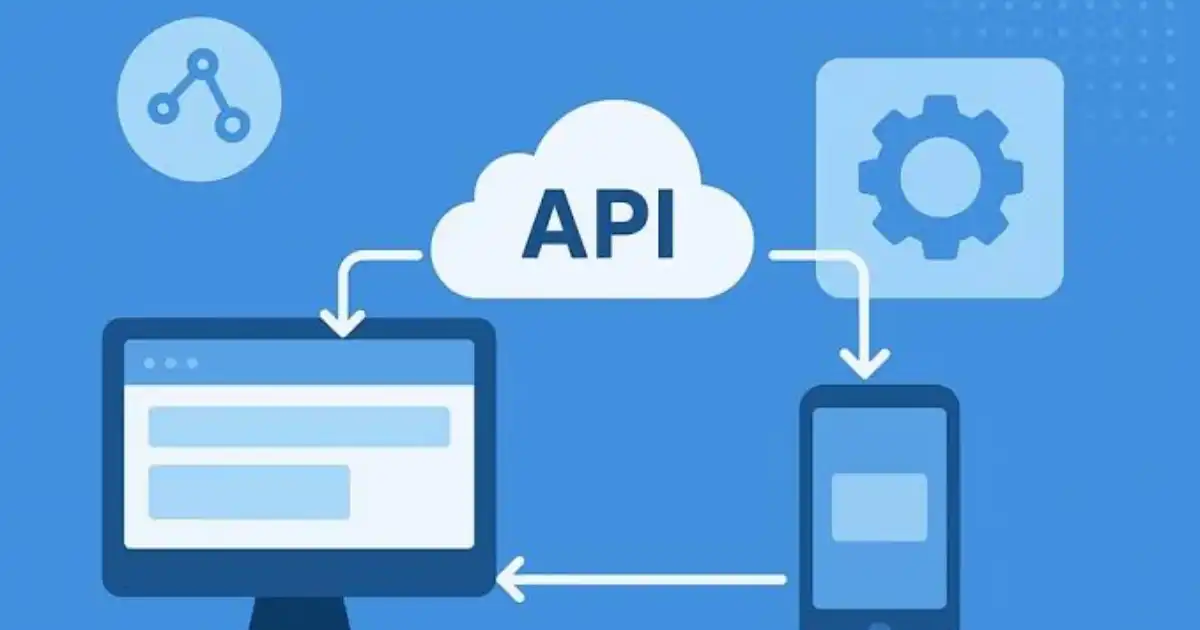
    An API, or Application Programming Interface, acts like a controlled doorway between applications. Instead of giving another system direct access to the entire database, the application sends only the information that’s needed.

    Imagine the online store has just received an order.

    It packages the order details into a structured request and sends that request to another application through its API.

    The receiving application checks several things before accepting it.

    • Is the request authenticated?
    • Does the sender have permission?
    • Is the information complete?
    • Is the format correct?

    Only after these checks pass does the data continue its journey.

    Modern SaaS integration relies heavily on APIs because they’re secure, flexible, and designed specifically for applications to communicate without human involvement.

    Step 3: The Data Is Transformed

    This is the step people rarely think about, yet it’s responsible for many integration problems.

    Different applications often store similar information in completely different ways.

    One CRM may expect a customer’s full name in a single field.

    Another system may require separate first and last name fields.

    One application records dates as 23/07/2026.

    Another expects 2026-07-23.

    One stores country names as “United States.”

    Another requires “US.”

    If information is transferred without adjustment, errors occur.

    Integration tools often transform the data before delivering it to the receiving application. They rename fields, convert formats, validate required values, and sometimes even enrich the data with additional information.

    This transformation layer is what allows completely different software platforms to understand each other.

    Step 4: The Second Application Processes the Data

    Once the information arrives in the correct format, the receiving application performs its own work.

    Depending on the workflow, it might:

    • Create a customer account.
    • Update inventory.
    • Generate an invoice.
    • Open a support ticket.
    • Assign work to an employee.
    • Send a confirmation email.

    From the user’s perspective, everything appears automatic.

    Behind the scenes, multiple requests, validations, security checks, and confirmations may have occurred in just a few seconds.

    A Complete Real-World Integration Flow

    Let’s put everything together using a realistic example.

    A customer buys a laptop from an online store.

    The purchase creates an order inside the e-commerce platform.

    An API immediately sends the order details to the CRM, where a new customer profile is created if one doesn’t already exist.

    Before forwarding the information to the accounting system, the integration converts tax values, currency formatting, and invoice fields into the structure expected by the finance software.

    At the same time, the warehouse management system receives the order and reserves the laptop from available inventory. The shipping platform generates a delivery label, while the customer automatically receives an order confirmation email with tracking details.

    Finally, the business intelligence platform records the sale for reporting, allowing managers to see updated revenue figures without waiting for overnight imports.

    What looks like a single online purchase from the customer’s perspective is actually a chain of coordinated actions across multiple systems. That’s the real value of well-designed software integration. Information flows to the right place, in the right format, at the right time, with little or no manual intervention.

    Different Ways Software Integration Works

    There’s no single “correct” way to integrate software. The best approach depends on the applications you’re connecting, how often data needs to move, how much control you have over each system, and how reliable the connection needs to be.

    One mistake I see businesses make is assuming every integration should use the newest technology. Sometimes a simple API connection is enough. Other times, you need middleware to coordinate dozens of systems. The goal is solving the business problem, not using the most fashionable integration method.

    API-Based Integration

    If you’ve worked with modern cloud software, you’ve almost certainly used API integration, even if you didn’t realize it.

    An API is essentially a controlled way for one application to ask another for information or send it new data. Instead of directly accessing a database, applications communicate through well-defined requests and responses.

    Imagine a customer updates their phone number inside a CRM. The CRM can send that updated information through its API to the billing system, customer support platform, and marketing software. Every connected application receives the same updated data without anyone re-entering it manually.

    API-based integration is ideal because it’s fast, secure, and usually supported by most SaaS applications. It’s also flexible enough to handle everything from simple customer updates to complex business processes involving multiple systems.

    The downside is that APIs aren’t always identical. Every software provider designs them differently. Even when two systems both support APIs, the data they expect can vary significantly, which is why mapping and transformation are often necessary.

    Webhooks

    Webhooks are often confused with APIs, but they serve a different purpose.

    An API is like asking a question.

    A webhook is like receiving a notification.

    Instead of one application constantly checking whether something changed, a webhook immediately tells another application when an event happens.

    For example, a payment gateway processes a successful payment.

    • Rather than your website repeatedly asking, “Has the payment been completed yet?”, the payment provider sends a webhook saying:
    • “Payment completed. Here’s the transaction.”
    • That single notification can trigger multiple actions automatically.
    • The order status updates.
    • Inventory decreases.
    • A receipt is emailed.
    • Shipping begins.

    Webhooks are extremely useful for real-time workflow automation because they eliminate unnecessary polling and reduce delays.

    However, they need proper error handling. If the receiving system is temporarily unavailable, webhook events can be missed unless retries are built into the integration.

    Middleware

    As businesses grow, connecting every application directly to every other application becomes difficult to manage.

    Imagine ten business applications.

    If every system connects directly with every other system, the number of connections quickly becomes overwhelming.

    This is where middleware becomes valuable.

    Middleware acts as a central communication hub.

    Instead of every application talking directly to every other application, they communicate through the middleware platform.

    The middleware receives data, validates it, transforms it, applies business rules, and sends it to the correct destinations.

    I’ve seen this approach work especially well in manufacturing companies, healthcare organizations, and large retailers where dozens of systems need to exchange information every minute.

    The trade-off is additional complexity. Middleware adds another layer that has to be monitored, maintained, and secured. For large organizations, the benefits usually outweigh the extra management.

    Database Integration

    Sometimes applications don’t communicate through APIs at all.

    Instead, they exchange information directly through databases.

    This approach is more common with older internal business systems that were built before APIs became standard.

    For example, an internal reporting system may read sales data directly from a production database every night to generate business reports.

    Database integration can be fast because it avoids extra application layers.

    But it also comes with risks.

    If someone changes the database structure, reports may suddenly stop working.

    Reading directly from production databases can also affect performance if large queries run during business hours.

    In my experience, database integration works best when it’s carefully controlled and only used where APIs aren’t practical.

    iPaaS and No-Code Integration Tools

    Not every company has a development team.

    That’s one reason integration tools have become so popular.

    An iPaaS, or Integration Platform as a Service, provides a visual way to connect applications without writing large amounts of custom code.

    Instead of building every connection from scratch, users choose applications, define triggers, map fields, and create automated workflows through a graphical interface.

    For example, a marketing team might connect a website form to their CRM, email platform, and Slack without involving developers for every small change.

    These tools have made SaaS integration much more accessible for small and medium-sized businesses.

    That said, no-code doesn’t mean maintenance-free.

    I’ve seen companies build hundreds of automated workflows that nobody documented. Months later, no one knew why certain records were appearing twice or why outdated customer information kept coming back.

    No-code tools reduce development effort, but they don’t eliminate the need for good planning.

    Real-World Examples of Software Integration

    It’s easy to understand software integration in theory. It becomes much clearer when you look at how information actually moves through a business.

    Let’s start with a common CRM example.

    A visitor downloads a pricing guide from a company’s website.

    The website immediately sends the visitor’s name, email address, company name, and source campaign into the CRM.

    The CRM creates a new lead and automatically assigns it to a salesperson based on the visitor’s location.

    At the same time, the email marketing platform places the lead into a follow-up campaign, while Slack sends a notification to the sales team that a new prospect has arrived.

    Nobody exports spreadsheets.

    • Nobody copies information.
    • The data flows automatically across multiple systems.
    • Now consider an e-commerce business.
    • A customer purchases three products online.
    • The online store records the order.
    • The inventory system immediately reduces available stock.
    • The accounting software generates an invoice.
    • The shipping platform creates a delivery label.
    • The warehouse system prints a packing slip.
    • Finally, the customer receives both an order confirmation and a shipping notification.
    • Every application performs its own job while sharing the same transaction data.
    • Customer support provides another good example.
    • A customer submits a help request through a website.
    • The support platform creates a ticket.
    • The CRM retrieves the customer’s purchase history.
    • The billing system confirms whether their subscription is active.
    • If the issue relates to a software bug, a project management system automatically creates a development task.
    • Support agents don’t have to search across five different applications before answering the customer.
    • Everything they need is already connected.
    • Healthcare organizations also rely heavily on system integration.
    • When a patient books an appointment online, scheduling software updates the doctor’s calendar, creates or updates the patient record, notifies the billing department, and sends appointment reminders automatically.
    • Each department works with different software, yet everyone sees consistent information because the systems continuously exchange data.
    • Financial institutions offer another practical example.
    • When someone applies for a loan online, their application moves through identity verification services, credit checking systems, fraud detection platforms, document management software, and approval workflows.
    • The applicant sees a simple progress screen.
    • Behind that screen, multiple applications are exchanging information in seconds.
    • These examples highlight something important.
    • Good integration doesn’t simply move data.

    It moves the right data to the right system at exactly the moment it’s needed.

    Benefits of Software Integration in Real Workflows

    The biggest advantage of software integration isn’t saving clicks.

    It’s reducing friction throughout an entire business process.

    When information moves automatically, employees stop acting as messengers between applications.

    Sales teams spend more time selling instead of updating multiple systems.

    Finance teams receive cleaner transaction data.

    Customer support sees complete customer histories without switching between applications.

    Managers make decisions using information that’s actually current.

    I’ve also noticed another benefit that isn’t discussed enough.

    Integrated systems improve consistency.

    If customer information exists in five different applications, someone will eventually update one and forget the others.

    Integration dramatically reduces these mismatches because every connected system receives the same updates automatically.

    Businesses also become easier to scale.

    Hiring more employees isn’t the only way to handle growth.

    Sometimes the smarter solution is allowing existing software to work together more efficiently.

    That’s especially true for companies adopting cloud applications. As organizations add more specialized SaaS products, application integration becomes less of a convenience and more of a necessity.

    Of course, integration isn’t magic.

    Poorly designed workflows simply automate poor processes.

    If the underlying business process is confusing, software integration will often make that confusion happen faster.

    The best integrations support well-designed workflows rather than trying to fix broken ones.

    Common Challenges in Software Integration

    Despite all the benefits, integration projects rarely go perfectly the first time.

    One of the biggest challenges is inconsistent data.

    Different systems often describe the same information in different ways. Customer IDs, product codes, currencies, addresses, and date formats may all follow different rules.

    Without proper data integration, these differences create duplicate records, failed updates, or incorrect reporting.

    Another challenge is changing APIs.

    Cloud software evolves constantly.

    An application provider may update its API, remove older features, or introduce new security requirements. Integrations that worked perfectly yesterday can suddenly fail after an update if they aren’t monitored and maintained.

    Authentication is another common issue.

    Modern applications rely on tokens, API keys, OAuth, and permission settings. Something as simple as an expired access token can stop an entire workflow until it’s renewed.

    Error handling is equally important.

    What happens if one application is temporarily offline?

    Does the data wait?

    Does it retry automatically?

    Is someone notified?

    I’ve seen businesses lose customer orders simply because failed integration requests weren’t logged or retried.

    Monitoring often gets overlooked as well.

    Many companies build integrations and assume they’ll run forever.

    In reality, every integration should be monitored. Successful transfers, failed requests, processing delays, and unusual activity should all be visible. Otherwise, problems may go unnoticed for days or even weeks.

    The final challenge is complexity itself.

    The more applications you connect, the harder it becomes to understand how information flows through the business. That’s why documentation, clear ownership, and regular reviews are just as important as the technology behind the integration.


    You Might Be Interested In

    • What Makes SaaS Software Different?
    • What SaaS Applications Are Used For?
    • Why SaaS Integration Is Important?
    • Why Cloud Based Software Is Popular?
    • How a SaaS Platform Delivers Software?

    Conclusion

    If you strip away the technical jargon, software integration is really about one thing: making systems work together so people don’t have to.

    In real environments, it’s not just about connecting APIs or moving data. It’s about reliability, clarity, and trust. When integration is done right, teams stop worrying about whether data is correct or up to date. Things just happen when they’re supposed to.

    But the reality is, integration is rarely “set it and forget it.” Systems change. APIs evolve. Data structures break. I’ve seen perfectly working integrations fall apart overnight because one small field changed or an authentication token expired.

    Start simple. Focus on the actual workflow, not just the tools. Make sure data is clean before you move it. Build in error handling and visibility from day one. And most importantly, design integrations that someone can understand and maintain later, not just something that works today.

    The goal isn’t to build the most advanced system integration setup. The goal is to create a flow where data moves smoothly, actions happen automatically, and people can focus on real work instead of fixing broken processes.

    FAQs

    What is software integration in simple terms?

    Software integration is the process of connecting different applications so they can share information and work together automatically. Instead of people manually moving data between systems, integration allows that data to flow on its own. In simple terms, it turns separate tools into a connected system where actions in one app can trigger actions in another.

    In real-world use, this means less repetitive work and fewer chances for human error. For example, when a customer signs up on a website and their details instantly appear in a CRM without anyone typing it in, that’s software integration doing its job. It’s not about making systems more complex, it’s about removing unnecessary manual steps and making workflows smoother.

    How do applications communicate with each other?

    Applications communicate with each other mainly through APIs, which act like controlled gateways for sending and receiving data. When something happens in one system, it either sends data out through an API or another system requests that data. This exchange usually happens in structured formats like JSON, which both systems can understand.

    In many cases, webhooks are also used to make this communication faster and more efficient. Instead of constantly asking for updates, one application pushes data to another the moment an event occurs. Behind the scenes, there may also be middleware or integration tools handling data formatting and routing to make sure everything arrives correctly and in a usable format.

    What is an example of software integration?

    A common real-world example is connecting an e-commerce platform with a CRM system. When a customer places an order, the integration automatically sends their details, order history, and contact information to the CRM. This ensures the sales or support team has immediate access to accurate customer data without needing to enter it manually.

    Another example is integrating a support tool with a messaging platform like Slack. When a new support ticket is created, a notification is instantly sent to the team. This kind of setup improves response times and keeps everyone aligned, showing how integration is less about technology and more about making everyday work more efficient.

    What are the main types of software integration?

    There are several main types of software integration, each used in different situations depending on complexity and requirements. API integration is the most common, allowing systems to communicate directly. Webhooks are used for real-time updates, while middleware acts as a central layer that manages data flow between multiple systems.

    There’s also database integration, where systems connect directly to data storage, though this is less flexible and can be risky if not handled carefully. In addition, iPaaS and no-code integration tools are widely used for simpler workflows, especially when teams want to automate processes without heavy development work. The right approach depends on how complex the systems are and how critical the data flow is.

    Why is software integration important for businesses?

    Software integration is important because modern businesses rely on multiple tools, and without integration, those tools operate in isolation. This leads to duplicated work, inconsistent data, and slower processes. Integration eliminates these gaps by ensuring that information flows seamlessly between systems, keeping everything aligned.

    From a practical standpoint, it saves time, reduces errors, and improves decision-making. When data is accurate and up to date across all systems, teams can trust what they see and act faster. In many cases, integration also enables workflow automation, allowing businesses to scale operations without constantly increasing manual effort.

    Share. Facebook Twitter Pinterest LinkedIn Tumblr Email
    Avatar of Muhammad Irfan
    Muhammad Irfan
    • Website

    Muhammad Irfan is a technology writer and practitioner with hands-on experience in cybersecurity, cloud platforms, and modern software systems. He writes practical, experience-driven guides on how real-world systems fail, scale, and are secured ,translating complex technical concepts into clear, actionable insights for engineers, founders, and IT leaders.

    Related Posts

    Why Cloud Based Software Is Popular?

    July 12, 2026

    What SaaS Applications Are Used For?

    July 10, 2026

    How SaaS Deployment Works?

    July 9, 2026
    Leave A Reply Cancel Reply

    Stay In Touch
    • Facebook
    • Pinterest
    Top Posts

    What Are 10 Disadvantages Of Robots?

    June 6, 2024423 Views

    How To Get Ai Dungeon Premium For Free?

    September 4, 2025269 Views

    What Are The Three Levels Of Computer Vision?

    June 8, 2024235 Views

    How Ai Is Resurrecting Dead Celebrities: 5 Cases

    February 25, 2025122 Views
    Don't Miss
    Development

    How Web Development Creates Websites?

    By Muhammad IrfanJuly 23, 2026

    Most of us interact with websites every single day without giving much thought to how…

    Why DevOps Improves Software Delivery?

    July 22, 2026

    Why Password Security Still Matters?

    July 21, 2026

    How Phishing Attacks Trick Users?

    July 20, 2026

    Subscribe to Updates

    Get the latest creative news from SmartMag about art & design.

    About Us
    About Us

    Welcome to Metaeye.co.uk, your go-to source for the latest in tech news and updates. Our platform is dedicated to bringing you comprehensive coverage of today's most relevant technology news, keeping you informed and engaged in the rapidly evolving world of technology.

    Whether you're a tech enthusiast, a professional, or simply curious about the latest innovations, Metaeye.co.uk is here to provide you with insightful analysis, breaking news, and in-depth features on all things tech.

    Facebook Pinterest
    Our Picks

    How Web Development Creates Websites?

    July 23, 2026

    Why DevOps Improves Software Delivery?

    July 22, 2026

    Why Password Security Still Matters?

    July 21, 2026
    Most Popular

    How Can I Access Google Ai?

    November 14, 20240 Views

    Which Of The Following Is Not True About Machine Learning?

    November 19, 20240 Views

    7 Aiot Innovations Powering Smart Cities Of Tomorrow

    February 8, 20250 Views
    © 2026 MetaEye. Managed by My Rank Partner.
    • Home
    • About Us
    • Privacy Policy
    • Disclaimer
    • Contact

    Type above and press Enter to search. Press Esc to cancel.