



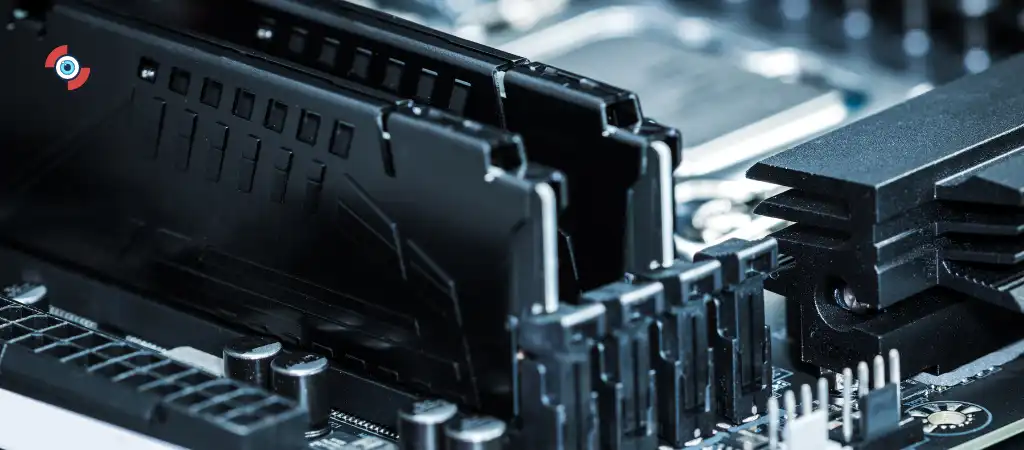
The MSI MPG Z490 Gaming Edge WiFi is a popular motherboard choice among gamers and PC enthusiasts. This motherboard, designed to accommodate Intel’s 10th and 11th generation processors, offers a plethora of features that enhance gaming performance and overall system capability. One of the key aspects that users often inquire about is the number of M.2 slots available. M.2 slots are crucial for modern storage solutions, providing high-speed data transfer rates that significantly improve system responsiveness and boot times.
In this comprehensive guide, we will delve into the specifics of the MSI MPG Z490 Gaming Edge WiFi’s M.2 slots, exploring their features, benefits, and implications on overall system performance. By the end of this guide, you will have a thorough understanding of the M.2 capabilities of the Best Motherboard For Gaming.

MSI MPG Z490 Gaming Edge WiFi
The MSI MPG Z490 Gaming Edge WiFi is part of MSI’s Performance Gaming series, which aims to deliver high-performance and feature-rich motherboards to gaming enthusiasts. This particular model is built on the Intel Z490 chipset, which supports both the 10th and 11th generation Intel Core processors, providing a robust platform for gaming and other demanding applications.
Some of the standout features of the MSI MPG Z490 Gaming Edge WiFi include:
-
Support for DDR4 Memory
Up to 128GB of DDR4 RAM, with speeds reaching up to 4800MHz (OC).
-
Wi-Fi 6
Integrated Wi-Fi 6 (802.11ax) for high-speed wireless connectivity.
-
2.5G LAN
Enhanced wired network connectivity for faster data transfer.
-
Audio Boost Technology
High-definition audio with isolated audio design.
-
Mystic Light RGB
Customizable RGB lighting to enhance aesthetics.
Detailed Analysis of M.2 Slots in the MSI MPG Z490 Gaming Edge WiFi
Number of M.2 Slots
The MSI MPG Z490 Gaming Edge WiFi motherboard is equipped with two M.2 slots. These slots are strategically placed to ensure optimal performance and heat dissipation. The presence of two M.2 slots allows users to take advantage of high-speed NVMe SSDs, which significantly improve the overall performance of the system.
M.2 Slot Specifications
-
Primary M.2 Slot (M2_1)
- Location: Positioned above the primary PCIe x16 slot.
- Interface: Supports PCIe 3.0 x4 and SATA mode.
- Keying: M-Key, compatible with 2242/2260/2280/22110 storage devices.
- Thermal Solution: Comes with an M.2 Shield Frozr, a thermal solution that helps to dissipate heat and prevent thermal throttling.
-
Secondary M.2 Slot (M2_2)
- Location: Positioned below the primary PCIe x16 slot.
- Interface: Supports PCIe 3.0 x4 and SATA mode.
- Keying: M-Key, compatible with 2242/2260/2280 storage devices.
- Thermal Solution: Also equipped with an M.2 Shield Frozr for efficient heat management.
Benefits of Multiple M.2 Slots
Having multiple M.2 slots on a motherboard provides several advantages:
-
Enhanced Storage Capacity
With two M.2 slots, users can expand their storage capacity without relying solely on traditional SATA SSDs or HDDs. This is particularly useful for gamers and content creators who require large amounts of fast storage.
-
Improved System Performance
NVMe SSDs offer significantly faster read and write speeds compared to traditional SATA SSDs. By utilizing both M.2 slots, users can experience faster boot times, quicker application launches, and improved overall system responsiveness.
-
Flexibility
The ability to install both PCIe and SATA M.2 SSDs provides users with greater flexibility in choosing their storage solutions. This is beneficial for users who may already have existing M.2 drives or who want to take advantage of different performance characteristics.
-
Future-Proofing
As storage technology continues to evolve, having multiple M.2 slots ensures that the motherboard remains relevant and capable of supporting future storage innovations.
Installation and Configuration of M.2 SSDs
Installing and configuring M.2 SSDs on the MSI MPG Z490 Gaming Edge WiFi is a straightforward process. Here are the steps to ensure a successful installation:
Step-by-Step Installation Guide
-
Preparation
Power down your system and disconnect all power sources. Ensure you are grounded to prevent static discharge, which can damage sensitive components.
-
Access the M.2 Slots
Remove the side panel of your computer case to access the motherboard. Locate the M.2 slots, which are usually covered by heatsinks or shields.
-
Remove the M.2 Shield Frozr
Unscrew and carefully remove the M.2 Shield Frozr covering the slot you intend to use. Keep the screws in a safe place, as you will need them later.
-
Install the M.2 SSD
Insert the M.2 SSD into the slot at an angle, aligning the notch on the drive with the key in the slot. Once fully inserted, press the drive down and secure it with the provided screw.
-
Reattach the M.2 Shield Frozr
Place the M.2 Shield Frozr back over the installed SSD and secure it with the screws you removed earlier. This helps in maintaining optimal thermal performance.
-
Reconnect and Power Up
Reassemble your computer case, reconnect all power sources, and power up your system.
BIOS Configuration
Once the M.2 SSD is physically installed, you may need to configure it in the BIOS to ensure it is recognized and functioning correctly:
-
Enter BIOS
During system boot, press the designated key (usually Del or F2) to enter the BIOS setup.
-
Storage Configuration
Navigate to the storage configuration section. Ensure that the M.2 slot is set to the correct mode (PCIe or SATA) depending on your SSD.
-
Boot Order
If you are installing the M.2 SSD as your primary drive, make sure to set it as the first boot device.
-
Save and Exit
Save your changes and exit the BIOS. Your system should now boot from the newly installed M.2 SSD.
Performance Implications of Using M.2 Slots
The use of M.2 slots on the MSI MPG Z490 Gaming Edge WiFi has significant performance implications.
Here are some of the key benefits:
-
Faster Boot Times
NVMe SSDs offer substantially faster boot times compared to traditional SATA SSDs and HDDs. This means your system will start up quicker, allowing you to get to work or play faster.
-
Improved Application Performance
Applications and games installed on NVMe SSDs load faster and run more smoothly. This is particularly beneficial for resource-intensive applications such as video editing software and AAA games.
-
Reduced Latency
NVMe SSDs have lower latency compared to SATA SSDs, which translates to quicker access to data. This is crucial for tasks that require real-time data processing.
-
Efficient Multitasking
With faster storage, your system can handle multiple tasks simultaneously without experiencing significant slowdowns. This is ideal for users who often run multiple applications at once.
You Might Be Interested In
- Which Is The Most Powerful Motherboard?
- How Much Memory Can X570 Support?
- What Is The Difference Between Motherboard and Microprocessor?
- Is ASUS TUF B550M Good For Gaming?
- What Is The Most Common Type Of Motherboard?
Conclusion
The MSI MPG Z490 Gaming Edge WiFi motherboard is a versatile and powerful platform designed for gamers and PC enthusiasts. With its support for the latest Intel processors, high-speed memory, and robust connectivity options, it stands out as a top choice for building a high-performance gaming rig.
One of the key features of this motherboard is its two M.2 slots, which provide users with the ability to install high-speed NVMe SSDs. These slots not only enhance storage capacity but also significantly improve system performance through faster data transfer rates and reduced latency.
Whether you are looking to build a new gaming PC or upgrade your existing system, the MSI MPG Z490 Gaming Edge WiFi offers the flexibility and performance needed to meet the demands of modern computing. By understanding the capabilities and benefits of its M.2 slots, you can make informed decisions about your storage solutions and ensure your system is optimized for peak performance.
FAQs on the MSI MPG Z490 Gaming Edge WiFi M.2 Slots
How many M.2 slots are available on the MSI MPG Z490 Gaming Edge WiFi motherboard?
The MSI MPG Z490 Gaming Edge WiFi motherboard is equipped with two M.2 slots. These slots are strategically placed to maximize performance and enhance heat dissipation, ensuring that your M.2 SSDs operate at their peak efficiency without thermal throttling. The primary M.2 slot is located above the primary PCIe x16 slot, while the secondary M.2 slot is positioned below it.
This design not only optimizes airflow but also makes it easier to install and manage multiple storage devices. By providing two M.2 slots, the motherboard allows users to take advantage of high-speed NVMe SSDs, significantly improving system performance through faster boot times and quicker application loading.
What types of M.2 SSDs are compatible with the MSI MPG Z490 Gaming Edge WiFi?
The M2 slots on the MSI MPG Z490 Gaming Edge WiFi are highly versatile and support both PCIe NVMe and SATA M.2 SSDs, giving users the flexibility to choose their preferred storage solution. The primary M.2 slot (M2_1) is compatible with M-Key 2242, 2260, 2280, and 22110 form factors, which means it can accommodate a wide range of M.2 SSD sizes.
The secondary M.2 slot (M2_2) supports M-Key 2242, 2260, and 2280 form factors. This compatibility ensures that users can utilize existing M.2 SSDs or invest in new ones without worrying about form factor restrictions. Whether you need the fastest PCIe NVMe SSDs for performance-critical applications or SATA M.2 SSDs for additional storage, this motherboard has you covered.
Does the MSI MPG Z490 Gaming Edge WiFi provide thermal solutions for M.2 SSDs?
Yes, the MSI MPG Z490 Gaming Edge WiFi motherboard includes M.2 Shield Frozr thermal solutions for both M2 slots. These integrated heatsinks are designed to dissipate heat effectively, preventing thermal throttling and maintaining optimal SSD performance even under heavy workloads. The M.2 Shield Frozr features a sturdy design with a thermal pad that makes direct contact with the M.2 SSD, ensuring efficient heat transfer.
This is particularly important for NVMe SSDs, which can generate significant heat during sustained data transfers. By keeping the SSDs cool, the M.2 Shield Frozr helps extend the lifespan of your storage devices and ensures consistent performance, making it an essential feature for any high-performance gaming or workstation build.
Can I use both M2 slots simultaneously on the MSI MPG Z490 Gaming Edge WiFi?
Absolutely, you can use both M2 slots simultaneously on the MSI MPG Z490 Gaming Edge WiFi motherboard. This dual-slot configuration allows users to expand their storage capacity significantly and take full advantage of the high-speed data transfer rates offered by NVMe SSDs. By populating both M2 slots, you can run multiple SSDs in tandem, which is particularly beneficial for users who need extensive storage for large files, games, or applications.
Additionally, using both slots can enable advanced configurations such as RAID setups, further enhancing data redundancy and performance. The motherboard’s design ensures that each M.2 slot operates independently, so you can mix and match different types of SSDs according to your needs.
How do I configure the M.2 SSDs in the BIOS on the MSI MPG Z490 Gaming Edge WiFi?
Configuring M.2 SSDs in the BIOS on the MSI MPG Z490 Gaming Edge WiFi motherboard is a straightforward process. To begin, power on your system and enter the BIOS setup by pressing the designated key (usually Del or F2) during the boot sequence.
Once in the BIOS, navigate to the storage configuration section. Here, you can set the M2 slots to the correct mode (PCIe or SATA) based on the type of SSDs you have installed. This step is crucial to ensure the BIOS recognizes your SSDs correctly.
If you are installing an M.2 SSD as your primary drive, you should also adjust the boot order to set it as the first boot device. This ensures that your system boots from the M.2 SSD, taking advantage of its faster boot times. After making the necessary changes, save your settings and exit the BIOS. Your system should now recognize and utilize the M.2 SSDs, providing you with enhanced storage performance and capacity.
