



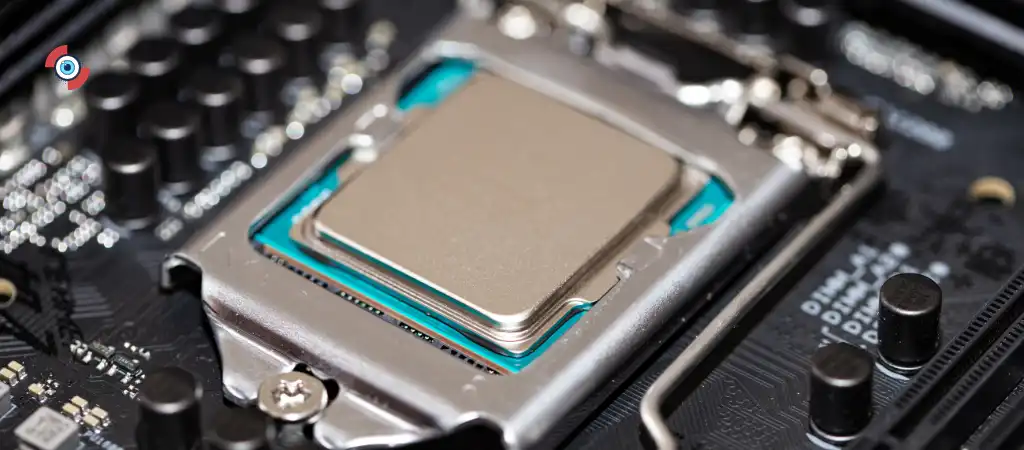
The ASUS TUF B550M is a motherboard that has gained considerable attention in the gaming community. With a blend of durability, performance, and affordability, it positions itself as a strong contender for gamers looking to build or upgrade their gaming rigs.
In this comprehensive guide, we will delve into the features, performance, and overall suitability of the ASUS TUF B550M, one of the best motherboards for gaming. By the end of this article, you will have a clear understanding of whether this motherboard is the right choice for your gaming needs

ASUS TUF B550M
The ASUS TUF (The Ultimate Force) series is known for its robust build quality and reliable performance. The B550M model is a micro-ATX motherboard that supports AMD’s Ryzen 3000 and 5000 series processors. It strikes a balance between cost and functionality, making it an attractive option for budget-conscious gamers.
Key Features
AMD B550 Chipset
The B550 chipset is a more affordable alternative to the X570, offering PCIe 4.0 support for graphics cards and storage devices. This ensures future-proofing and enhanced performance for demanding games and applications.
Military-Grade Components
ASUS TUF motherboards are built using military-grade components, including capacitors, chokes, and MOSFETs. These components enhance the durability and lifespan of the motherboard, providing stable power delivery even under heavy gaming loads.
Enhanced Cooling Solutions
The ASUS TUF B550M features comprehensive cooling solutions, including VRM heatsinks, PCH heatsinks, and hybrid fan headers. These cooling solutions ensure that the motherboard remains cool even during intense gaming sessions, preventing thermal throttling and maintaining consistent performance.
Connectivity Options
The motherboard offers a range of connectivity options, including:
- PCIe 4.0 x16 slot for graphics cards
- Dual M.2 slots (one with PCIe 4.0 support)
- USB 3.2 Gen 2 Type-A and Type-C ports
- HDMI and DisplayPort outputs for integrated graphics
- Realtek RTL8125B 2.5Gb Ethernet
BIOS and Software
ASUS’s BIOS interface is user-friendly and feature-rich, providing easy access to overclocking settings, fan controls, and system monitoring. Additionally, the TUF Gaming Alliance software suite offers tools for system optimization and monitoring.
Performance Analysis
CPU Compatibility and Performance
The ASUS TUF B550M supports a wide range of AMD Ryzen processors, including the latest Ryzen 5000 series. These processors are known for their excellent multi-threaded performance, making them ideal for gaming and multitasking. The motherboard’s robust power delivery system ensures stable performance even when overclocking high-end CPUs.
Memory Support
The motherboard supports up to 128GB of DDR4 memory, with speeds up to 4866MHz (OC). This high-speed memory support is crucial for gaming, as faster RAM can improve game load times and overall system responsiveness.
Storage Options
With dual M.2 slots and multiple SATA ports, the ASUS TUF B550M offers plenty of storage options. The PCIe 4.0 M.2 slot provides lightning-fast read and write speeds, reducing game load times and improving overall system performance.
Gaming Performance
Graphics Card Support
The PCIe 4.0 x16 slot on the ASUS TUF B550M ensures maximum performance for modern graphics cards. Whether you are using an NVIDIA RTX 30 series or an AMD RX 6000 series GPU, the motherboard provides the necessary bandwidth for optimal performance. This translates to higher frame rates, better visual quality, and an overall smoother gaming experience.
Overclocking Capabilities
Overclocking can significantly enhance gaming performance by increasing CPU and GPU clock speeds. The ASUS TUF B550M offers robust overclocking features, including AI Overclocking, which automatically tunes your system for the best performance. Additionally, the BIOS provides manual overclocking options for advanced users who want to push their hardware to its limits.
VR and High-Resolution Gaming
For gamers interested in VR or high-resolution gaming, the ASUS TUF B550M is a solid choice. The combination of PCIe 4.0 support, high-speed memory compatibility, and excellent power delivery ensures that your system can handle the demanding requirements of VR and 4K gaming.
Build Quality and Durability
TUF Components
The ASUS TUF B550M lives up to its name by incorporating TUF components that are designed to withstand extreme conditions. These components undergo rigorous testing to ensure reliability and longevity, making the motherboard a durable choice for gaming rigs that see heavy use.
Reinforced PCIe Slots
The reinforced PCIe slots provide added durability, ensuring that heavy graphics cards do not cause damage to the motherboard. This is particularly important for gamers who frequently upgrade their GPUs or transport their systems to gaming events.
Comprehensive Cooling
Effective cooling is crucial for maintaining performance and prolonging the lifespan of your components. The ASUS TUF B550M’s comprehensive cooling solutions, including multiple fan headers and dedicated heatsinks, ensure that your system remains cool under load.
Connectivity and Expansion Options
Network Connectivity
The inclusion of a Realtek RTL8125B 2.5Gb Ethernet port provides faster and more reliable network connectivity compared to standard Gigabit Ethernet. This is beneficial for online gaming, reducing latency and ensuring a stable connection.
USB Ports
With multiple USB 3.2 Gen 2 ports, including both Type-A and Type-C, the ASUS TUF B550M offers plenty of connectivity options for peripherals. This is useful for gamers who use a variety of devices, such as gaming mice, keyboards, controllers, and VR headsets.
Audio Quality
The motherboard features Realtek S1200A audio codec, providing high-quality audio for an immersive gaming experience. The isolated audio design and premium capacitors ensure clear and detailed sound, whether you are using headphones or speakers.
User Experience and Software
BIOS Interface
The ASUS TUF B550M’s BIOS interface is intuitive and easy to navigate. It provides a wealth of options for tweaking performance, including overclocking settings, fan controls, and hardware monitoring. The EZ Mode simplifies the process for beginners, while Advanced Mode offers more granular control for experienced users.
TUF Gaming Alliance Software
The TUF Gaming Alliance software suite includes several useful tools for system optimization and monitoring. Armoury Crate allows you to manage RGB lighting, monitor system temperatures, and customize fan curves. AI Suite 3 provides additional tools for overclocking, power management, and system tuning.
Comparison with Other Motherboards
ASUS TUF B550M vs. ASUS ROG Strix B550-F
Both motherboards belong to ASUS’s gaming-oriented lineups, but they cater to different segments. The ROG Strix B550-F offers more premium features, such as better VRM cooling and additional USB ports, but at a higher price point. The TUF B550M, on the other hand, focuses on durability and value, making it a more budget-friendly option.
ASUS TUF B550M vs. MSI MAG B550M Mortar
The MSI MAG B550M Mortar is another popular choice in the micro-ATX form factor. Both motherboards offer similar features, including PCIe 4.0 support and robust cooling solutions. However, the TUF B550M’s military-grade components and reinforced PCIe slots give it an edge in terms of durability.
ASUS TUF B550M vs. Gigabyte B550M AORUS Elite
The Gigabyte B550M AORUS Elite is comparable to the TUF B550M in terms of performance and features. Both motherboards provide excellent value for money, but the TUF B550M’s comprehensive cooling solutions and TUF components make it a more reliable choice for long-term use.
Pros and Cons
Pros
- Durability: Military-grade components and reinforced PCIe slots ensure long-term reliability.
- Performance: PCIe 4.0 support, high-speed memory compatibility, and robust power delivery provide excellent gaming performance.
- Cooling: Comprehensive cooling solutions keep temperatures in check, even under heavy loads.
- Connectivity: Plenty of USB ports, dual M.2 slots, and 2.5Gb Ethernet offer great connectivity options.
- User-Friendly BIOS: Intuitive BIOS interface with both EZ Mode and Advanced Mode options.
Cons
- Form Factor: The micro-ATX form factor might not be suitable for users looking to build a larger, more expandable system.
- Limited PCIe Slots: Only one PCIe 4.0 x16 slot, which may be limiting for users who want to add multiple expansion cards.
- Audio Quality: While adequate, the onboard audio may not satisfy audiophiles or users with high-end audio equipment.
You Might Be Interested In
- Which Is The Most Powerful Motherboard?
- What Is The Most Common Type Of Motherboard?
- What Are The Three Main Functions Of Ram?
- What Is Port In Computer Network?
- What Computing Appliance Blocks And Filters Unwanted Network Traffic?
Conclusion
So, is the ASUS TUF B550M good for gaming? The answer is a resounding yes. The ASUS TUF B550M offers a compelling mix of performance, durability, and value. Its support for PCIe 4.0, high-speed memory, and advanced cooling solutions ensure that it can handle the demands of modern gaming. The military-grade components and reinforced slots provide added peace of mind, making it a reliable choice for gamers who want a motherboard that will stand the test of time.
While it may lack some of the premium features found in more expensive motherboards, the ASUS TUF B550M’s focus on core performance and durability makes it an excellent choice for budget-conscious gamers. Whether you are building a new gaming rig or upgrading an existing one, the ASUS TUF B550M is a motherboard that delivers on its promise of reliable gaming performance.
FAQs about the ASUS TUF B550M for Gaming
Is the ASUS TUF B550M compatible with the latest AMD Ryzen processors?
Yes, the ASUS TUF B550M is compatible with AMD Ryzen 3000 and 5000 series processors. This includes the latest Ryzen 5000 series CPUs, which are known for their exceptional performance and efficiency. The motherboard comes with BIOS updates that support these newer CPUs, ensuring you can harness the full potential of the latest processor technology without any compatibility issues.
Additionally, this compatibility ensures that users can enjoy the benefits of AMD’s Zen 3 architecture, which includes improved single-core performance, better power efficiency, and enhanced multi-threading capabilities. Whether you’re building a new system or upgrading an existing one, the ASUS TUF B550M provides a solid foundation for current and future AMD Ryzen processors.
Can the ASUS TUF B550M handle overclocking?
Absolutely. The ASUS TUF B550M is equipped with robust power delivery and cooling solutions that support overclocking. It features a strong VRM (Voltage Regulator Module) design, which provides stable power to the CPU even when it’s operating at higher frequencies.
The motherboard also includes AI Overclocking, a feature that uses machine learning to predict the optimal overclocking settings for your system, simplifying the process for beginners. For advanced users, the BIOS offers manual overclocking options, allowing precise control over voltage, frequency, and timings.
The comprehensive cooling solutions, including heatsinks on the VRMs and hybrid fan headers, ensure that the system remains cool and stable, preventing thermal throttling and ensuring sustained performance under heavy loads.
Does the ASUS TUF B550M support PCIe 4.0?
Yes, the ASUS TUF B550M supports PCIe 4.0. This means it can fully utilize the bandwidth of the latest graphics cards and NVMe SSDs, providing faster data transfer rates and improved overall performance. PCIe 4.0 offers double the bandwidth of PCIe 3.0, which translates to faster loading times in games, quicker file transfers, and better overall system responsiveness.
This is especially beneficial for gamers using high-end graphics cards like the NVIDIA RTX 30 series or AMD RX 6000 series, as well as those who want to maximize the performance of PCIe 4.0 NVMe SSDs. By supporting PCIe 4.0, the ASUS TUF B550M ensures your system is future-proof and capable of handling the most demanding applications and games.
What type of cooling solutions does the ASUS TUF B550M offer?
The ASUS TUF B550M features comprehensive cooling solutions designed to keep your system running cool and stable. It includes large heatsinks on the VRMs (Voltage Regulator Modules) and the chipset, which help dissipate heat effectively. The motherboard also offers multiple hybrid fan headers, which allow for versatile cooling configurations.
These headers can automatically detect whether a connected device is a fan or a pump and adjust settings accordingly for optimal cooling performance.
Additionally, the ASUS TUF B550M supports ASUS Fan Xpert 4 software, which provides advanced fan controls and monitoring, allowing you to fine-tune your cooling setup for the best balance between performance and noise levels. These cooling features ensure that your components remain within safe temperature ranges, even during intense gaming sessions or heavy workloads.
How durable is the ASUS TUF B550M?
The ASUS TUF B550M is designed with durability in mind. It uses military-grade components, such as capacitors, chokes, and MOSFETs, which undergo rigorous testing to ensure reliability and longevity. These components are built to withstand extreme temperatures, high voltages, and other stressful conditions, making the motherboard highly reliable for long-term use.
The TUF B550M also features reinforced PCIe slots with ASUS SafeSlot technology, which provides a stronger retention force and greater shearing resistance, ensuring that heavy graphics cards are securely supported.
Additionally, the motherboard includes ESD guards, surge protection, and DRAM overcurrent protection, all of which contribute to its overall durability and stability. This makes the ASUS TUF B550M an excellent choice for gamers who want a reliable motherboard that can handle the demands of modern gaming and stand the test of time.
