



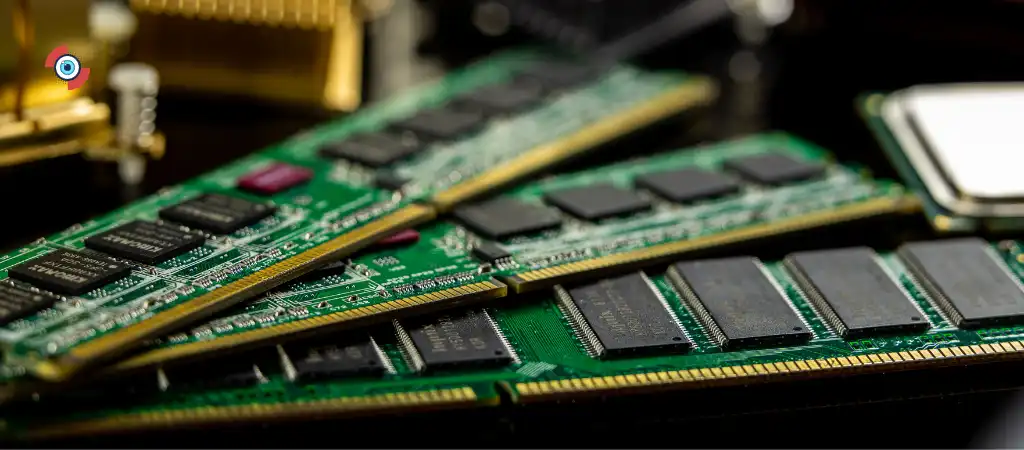
Random Access Memory (RAM) is a crucial component in any computer system. It plays a vital role in ensuring smooth operation and efficient processing of data. RAM is often referred to as the computer’s short-term memory, as it temporarily stores data that the CPU (Central Processing Unit) needs to access quickly. In this comprehensive guide, we will delve into the three main functions of RAM, its importance, and how it impacts overall system performance.
What is RAM?
Before we delve into the main functions of RAM, let’s first understand what RAM is and how it fits into the broader framework of a computer system.
RAM is a type of volatile memory, meaning it loses its data when the computer is turned off. It is used to store data and instructions that are actively being used or processed by the CPU. Unlike permanent storage devices such as hard disk drives (HDDs) or solid-state drives (SSDs), which store data even when the power is off, RAM is designed for rapid access and retrieval of data.
RAM modules are installed on the motherboard of a computer and come in various capacities, measured in gigabytes (GB) or terabytes (TB). The more RAM a computer has, the more data it can store and access simultaneously, leading to better performance, especially when running multiple applications or performing resource-intensive tasks.
The Three Main Functions of RAM
RAM serves three primary functions in a computer system, each of which is crucial for its overall performance and functionality.
Data Storage
One of the main functions of RAM is to store data temporarily while the computer is running. When you open an application or launch a program, the operating system loads data from the permanent storage device (such as the hard drive) into the RAM. This data includes program files, instructions, and any necessary resources.
Once in RAM, the CPU can quickly access and manipulate this data as needed. Since RAM is much faster than traditional storage devices, accessing data from RAM allows for quicker response times and smoother multitasking.
For example, when you open a web browser, the browser’s executable files and necessary resources are loaded into RAM. As you navigate between web pages, the browser retrieves data from RAM, resulting in faster page loading times.
Program Execution
Another vital function of RAM is to facilitate program execution. When you launch a program or run an application, the CPU loads the program’s instructions and data into RAM. The CPU then processes these instructions by accessing and manipulating the data stored in RAM.
RAM is essential for executing programs because it provides the CPU with fast and direct access to the data it needs. Without an adequate amount of RAM, programs may run slowly or crash, especially when dealing with large datasets or complex operations.
For instance, when you open a word processor and start typing a document, the program’s executable files and data are loaded into RAM. As you type, the CPU accesses the data from RAM to display it on the screen and save it to the disk.
Cache
In addition to storing data and facilitating program execution, RAM also serves as a cache for frequently accessed information. Modern computer systems use a hierarchy of caches to improve performance, with RAM acting as the last level of cache before accessing data from permanent storage.
RAM caches frequently accessed data to speed up the CPU’s access times. This includes frequently used program instructions, recently accessed files, and other data that the CPU may need to access quickly.
By storing this data in RAM, the CPU can avoid accessing slower storage devices such as hard drives or SSDs, resulting in faster overall system performance. RAM caches are managed by the computer’s operating system and are constantly updated based on usage patterns.
Importance of RAM in System Performance
Understanding the main functions of RAM highlights its importance in determining overall system performance.
Here are some key reasons why RAM is crucial:
Speed
RAM is much faster than traditional storage devices such as hard drives or SSDs. This speed allows the CPU to access data quickly, leading to faster program execution and improved responsiveness.
Multitasking
With an adequate amount of RAM, a computer can handle multiple tasks simultaneously without slowing down. This is especially important for users who frequently multitask or run resource-intensive applications such as video editing software or video games.
System Stability
Insufficient RAM can lead to system instability, crashes, or freezes, particularly when running memory-intensive programs. Having enough RAM ensures that the system can handle the demands of modern software without encountering performance issues.
Future-Proofing
As software becomes more sophisticated and resource-intensive, having more RAM can future-proof your system and extend its usable lifespan. Upgrading RAM is often a cost-effective way to improve system performance without having to replace other components.
You Might Be Interested In
- How Much Memory Can X570 Support?
- What is The Difference Between ASRock B550 Taichi and X570?
- What Is The Difference Between Motherboard and Microprocessor?
- Does MSI MPG Z490 Gaming Edge Wifi Have Bluetooth?
- Does ASUS TUF B550M-plus have WIFI?
Conclusion
In conclusion, RAM plays three main functions in a computer system: data storage, program execution, and cache. These functions are crucial for ensuring smooth operation, fast performance, and system stability. RAM acts as the bridge between the CPU and permanent storage devices, providing fast and temporary storage for data and instructions. Understanding the importance of RAM in system performance underscores the need for adequate RAM capacity in modern computer systems.
With its role as the computer’s short-term memory, RAM significantly influences overall system performance and user experience. Whether you’re a casual user browsing the web or a power user running demanding applications, having enough RAM is essential for achieving optimal performance and productivity.
FAQs
Why is RAM essential for a computer?
RAM (Random Access Memory) is essential for a computer because it serves as the primary workspace for the CPU (Central Processing Unit). Unlike permanent storage devices like hard drives or SSDs, RAM provides fast access to data and instructions that the CPU needs to operate. Without enough RAM, a computer may struggle to run programs smoothly, leading to slow performance and frequent crashes.
How does RAM differ from permanent storage?
RAM differs from permanent storage in several ways. Firstly, RAM is volatile memory, meaning it loses its data when the power is turned off, whereas permanent storage devices retain data even when powered off. Secondly, RAM is much faster than permanent storage devices, allowing the CPU to access data quickly. Finally, RAM is used for temporary storage of data and program instructions during the computer’s operation, while permanent storage devices store data for long-term use.
Can adding more RAM improve my computer’s performance?
Yes, adding more RAM can significantly improve your computer’s performance, especially if you’re experiencing slowdowns or performance issues. With more RAM, your computer can store and access more data simultaneously, leading to smoother multitasking and faster program execution. However, adding more RAM won’t necessarily improve performance if other components, such as the CPU or storage drive, are the bottleneck.
How do I know if I need more RAM?
There are several signs that indicate you may need more RAM:
- Slow Performance: If your computer is noticeably slower, especially when running multiple programs or tasks simultaneously, it could indicate insufficient RAM.
- Frequent Freezing or Crashing: If your computer frequently freezes or crashes, especially when using memory-intensive applications, it may be running out of RAM.
- High Memory Usage: You can check your computer’s memory usage in the Task Manager (Windows) or Activity Monitor (macOS). If RAM usage is consistently high, you might benefit from more RAM.
How much RAM do I need for my computer?
The amount of RAM you need depends on your specific usage requirements and the type of tasks you perform on your computer. Here are some general guidelines:
- Basic Usage (Web Browsing, Office Apps): 4GB to 8GB of RAM should suffice for basic usage.
- Multitasking and Productivity: 8GB to 16GB of RAM is recommended for smooth multitasking and running productivity software.
- Content Creation and Gaming: For video editing, graphic design, or gaming, 16GB or more of RAM is advisable to handle resource-intensive tasks effectively.
It’s also essential to consider future needs and software requirements when deciding on the amount of RAM to install.
